Oral care and dental medicine WordPress Theme
Edit Template Offline
2. Create new page and search for id 29405
Edit Template Online
Create Awesome Websites


Free Nicepage Builder
Keywords
Treatment Pages and Patient Stories Can Grow Around the Core Layout
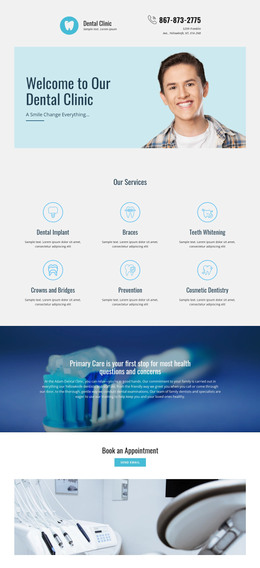
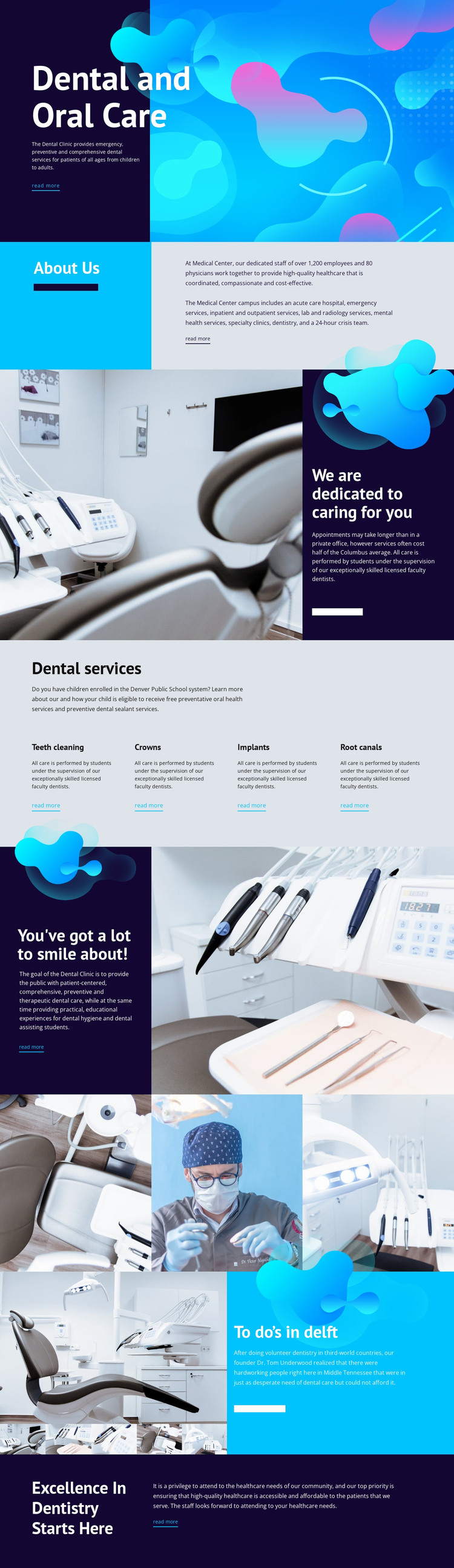
The page separates permanent clinic information into several recognizable areas. Dental and Oral Care introduces the subject, About Us provides organizational context, and the four-item service block identifies teeth cleaning, crowns, implants, and root canals. That division gives a WordPress-oriented project a practical starting point for page content: visitors can understand the clinic broadly before moving toward a treatment area that matters to them. The analysis supports these content regions, but it does not claim that WordPress Posts or a blog already exist in the template.
The repeated service presentation can also guide additional patient-facing material because each category has the same visual level and a read-more path. The split sections offer a different role, pairing dental treatment or equipment imagery with statements about dedication, accessibility, and care. The three-image gallery supports visual content, while the founder and community-care story provides a narrative area that is separate from clinical procedures.
The closing Excellence In Dentistry Starts Here section gives the existing page a clear endpoint and reinforces the clinic's invitation to learn more. In a WordPress-managed project, these page-oriented areas could remain part of one theme direction as the site adds its own content. The benefit is not a claim that the template contains a completed editorial system; it is the coherent relationship between permanent clinic information, repeated treatment categories, imagery, and patient-centered narrative.
Customize with Nicepage
Open this ready-made template in the WordPress Website Builder and customize it visually in the Nicepage editor. Replace demo content, edit page sections, and adapt the design to your project without rebuilding the template from scratch.
Manage and Edit This Theme in WordPress
Customize and Install the WordPress Theme
Start with this ready-made theme instead of building the WordPress design from scratch. Customize its layout, content, typography, images, sections, and other design elements visually in Nicepage editor, then export and install the WordPress Theme, Plugin, and Pages on your WordPress site. The Nicepage WordPress Plugin lets you continue working with the site after installation.
Edit the Theme Directly in WordPress
After installation, you can edit the WordPress Theme directly in WordPress with the Nicepage WordPress Plugin. Use Site Style to customize site Colors, Fonts, Header, Footer, Blog, and Post Page Templates while working within your WordPress website.
Edit WordPress Pages Visually
Use the Nicepage WordPress Plugin to edit page content directly from the WordPress admin area. Open a WordPress Page with Nicepage and visually change its text, images, sections, and other page elements while continuing to manage the Page through WordPress.
WordPress Content and Theme Integration
Use the customized theme with WordPress Pages, Posts, Blog and Post Templates, menus, widgets, and other CMS-managed content. Shared theme elements such as Colors, Fonts, Header, Footer, Blog, and Post Page Templates can be managed as part of the overall site design, while WordPress provides the CMS environment for managing site content.
This workflow combines a ready-made WordPress Theme with visual customization, direct theme editing in WordPress, and continued content management through the Nicepage WordPress Plugin.