Top models on the set WordPress Theme


Stable Gallery Content With a Text-Led Opening Panel
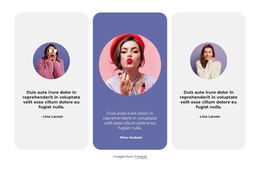
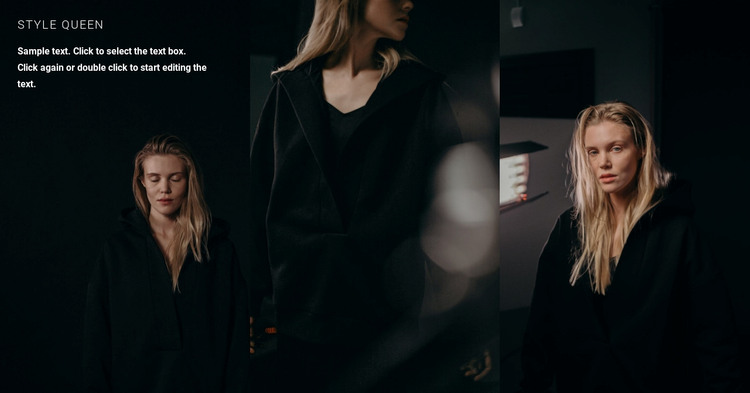
The “Style Queen” heading and supporting paragraph give this block the character of stable page content rather than a sequence of changing items. They are attached to the first fashion portrait as an overlay, while two neighboring panels continue the image series without additional copy. In a WordPress-managed page, that relationship can be preserved as a reusable visual section: the text identifies the gallery, and the three portraits carry its main visual message.
The layout also creates a practical content hierarchy. Visitors meet the labeled left panel first, then read the row as a continuous set of three vertical compositions. Near-black imagery and low-key lighting provide a consistent background treatment, while white uppercase text remains visible against the first image. Since the interaction is static, the section does not depend on a slider, filter, or expanding control; its meaning comes from the fixed order and the contrast between the text-bearing panel and the two image-only panels.
For a WordPress-oriented project, this block can fit a stable fashion, editorial, or campaign page while other CMS-managed content develops around it. It should remain one gallery section within the page rather than being treated as the entire theme. Nicepage’s WordPress tools can support broader page editing, but the concrete content represented here is the three-image presentation, its left-panel introduction, and the visual continuity across the row.
Customize with Nicepage
Open this ready-made template in the WordPress Website Builder and customize it visually in the Nicepage editor. Replace demo content, edit page sections, and adapt the design to your project without rebuilding the template from scratch.
Edit Template Offline
2. Create a new page or select existing
3. Click Add new block, search for id 71349 and click enter
Edit Template Online
Create Awesome Websites


Free Nicepage Builder
Keywords
Manage and Edit This Theme in WordPress
Customize and Install the WordPress Theme
Start with this ready-made theme instead of building the WordPress design from scratch. Customize its layout, content, typography, images, sections, and other design elements visually in Nicepage editor, then export and install the WordPress Theme, Plugin, and Pages on your WordPress site. The Nicepage WordPress Plugin lets you continue working with the site after installation.
Edit the Theme Directly in WordPress
After installation, you can edit the WordPress Theme directly in WordPress with the Nicepage WordPress Plugin. Use Site Style to customize site Colors, Fonts, Header, Footer, Blog, and Post Page Templates while working within your WordPress website.
Edit WordPress Pages Visually
Use the Nicepage WordPress Plugin to edit page content directly from the WordPress admin area. Open a WordPress Page with Nicepage and visually change its text, images, sections, and other page elements while continuing to manage the Page through WordPress.
WordPress Content and Theme Integration
Use the customized theme with WordPress Pages, Posts, Blog and Post Templates, menus, widgets, and other CMS-managed content. Shared theme elements such as Colors, Fonts, Header, Footer, Blog, and Post Page Templates can be managed as part of the overall site design, while WordPress provides the CMS environment for managing site content.
This workflow combines a ready-made WordPress Theme with visual customization, direct theme editing in WordPress, and continued content management through the Nicepage WordPress Plugin.