Healthy smothie recipes WordPress Theme


Recipe-focused page content with a clear WordPress section role
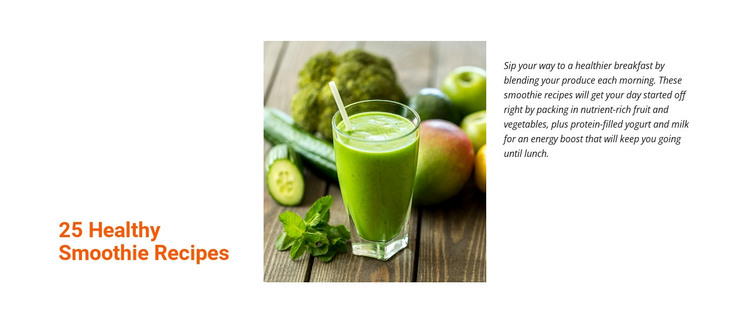
The section reads as stable informational content rather than a changing list of posts. Its heading, “25 Healthy Smoothie Recipes,” names the subject, while the paragraph gives visitors a concise introduction to fruit, vegetables, yogurt, and milk as ingredients in a breakfast-oriented smoothie routine. Between them, the centered photograph of a green smoothie surrounded by produce supplies a direct visual cue. The three-column arrangement lets the title, image, and explanation work together while keeping each role visually separate.
For a WordPress-managed page, this block can function as a reusable recipe or nutrition area within a wider content structure. It may introduce a services-style food topic, a collection of recipe material, or a healthy-eating section before more detailed page content appears elsewhere. The layout does not depend on a form, carousel, or other interactive component, so its editorial value remains visible in a normal static view. The white background and generous spacing leave room for the surrounding page to establish its own sections, while the orange heading and dark body text create a recognizable local hierarchy. This makes the block suitable for permanent page content that can sit within a broader WordPress site without being mistaken for the complete theme or site architecture.
Customize with Nicepage
Open this ready-made template in the WordPress Website Builder and customize it visually in the Nicepage editor. Replace demo content, edit page sections, and adapt the design to your project without rebuilding the template from scratch.
Edit Template Offline
2. Create a new page or select existing
3. Click Add new block, search for id 63335 and click enter
Edit Template Online
Create Awesome Websites


Free Nicepage Builder
Keywords
Manage and Edit This Theme in WordPress
Customize and Install the WordPress Theme
Start with this ready-made theme instead of building the WordPress design from scratch. Customize its layout, content, typography, images, sections, and other design elements visually in Nicepage editor, then export and install the WordPress Theme, Plugin, and Pages on your WordPress site. The Nicepage WordPress Plugin lets you continue working with the site after installation.
Edit the Theme Directly in WordPress
After installation, you can edit the WordPress Theme directly in WordPress with the Nicepage WordPress Plugin. Use Site Style to customize site Colors, Fonts, Header, Footer, Blog, and Post Page Templates while working within your WordPress website.
Edit WordPress Pages Visually
Use the Nicepage WordPress Plugin to edit page content directly from the WordPress admin area. Open a WordPress Page with Nicepage and visually change its text, images, sections, and other page elements while continuing to manage the Page through WordPress.
WordPress Content and Theme Integration
Use the customized theme with WordPress Pages, Posts, Blog and Post Templates, menus, widgets, and other CMS-managed content. Shared theme elements such as Colors, Fonts, Header, Footer, Blog, and Post Page Templates can be managed as part of the overall site design, while WordPress provides the CMS environment for managing site content.
This workflow combines a ready-made WordPress Theme with visual customization, direct theme editing in WordPress, and continued content management through the Nicepage WordPress Plugin.