Confectionery workshop WordPress Theme



Edit Template Offline
2. Create new page and search for id 3214938
Edit Template Online
Create Awesome Websites


Free Nicepage Builder
Keywords
Page content and recurring course material within one visual system
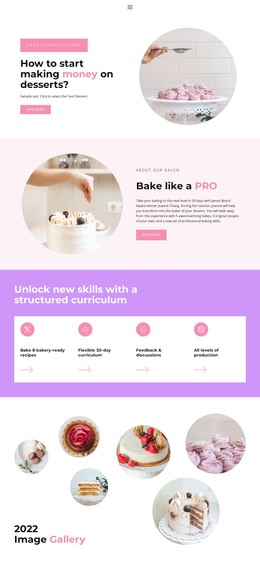
The course introduction, curriculum cards, skills columns, and instructor section divide the design into clear page-oriented content areas. The four feature cards provide a compact overview of the learning structure, while the three skills columns can support more detailed instructional information. The baking gallery supplies a visual content area that complements those explanations, and its six repeated images give the page a recognizable media focus. Together, these parts create a useful foundation for a WordPress-managed course site without claiming that blog posts or other CMS content already exist in the template.
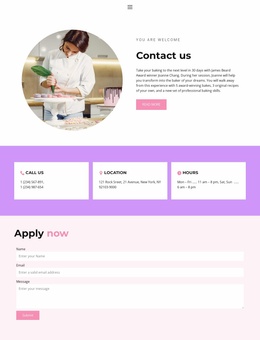
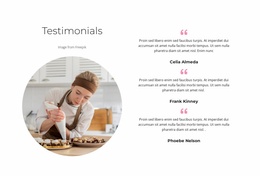
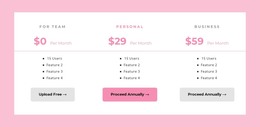
The package cards and application form serve a different role from the instructional sections. Three course options make the offer easy to present as selectable content, the testimonial adds a supporting quotation area, and the Apply now block gives visitors a defined way to send an application or inquiry. If the project later adds regularly updated announcements, recipes, or student information, that material could be organized around the same visual direction while the permanent course sections remain stable. The rounded photography, pastel backgrounds, and bold headings can therefore connect educational and updated content without requiring the core page character to change. The design is especially suited to a project where course information and enrollment content need to remain visually coordinated.
Customize with Nicepage
Open this ready-made template in the WordPress Website Builder and customize it visually in the Nicepage editor. Replace demo content, edit page sections, and adapt the design to your project without rebuilding the template from scratch.
Manage and Edit This Theme in WordPress
Customize and Install the WordPress Theme
Start with this ready-made theme instead of building the WordPress design from scratch. Customize its layout, content, typography, images, sections, and other design elements visually in Nicepage editor, then export and install the WordPress Theme, Plugin, and Pages on your WordPress site. The Nicepage WordPress Plugin lets you continue working with the site after installation.
Edit the Theme Directly in WordPress
After installation, you can edit the WordPress Theme directly in WordPress with the Nicepage WordPress Plugin. Use Site Style to customize site Colors, Fonts, Header, Footer, Blog, and Post Page Templates while working within your WordPress website.
Edit WordPress Pages Visually
Use the Nicepage WordPress Plugin to edit page content directly from the WordPress admin area. Open a WordPress Page with Nicepage and visually change its text, images, sections, and other page elements while continuing to manage the Page through WordPress.
WordPress Content and Theme Integration
Use the customized theme with WordPress Pages, Posts, Blog and Post Templates, menus, widgets, and other CMS-managed content. Shared theme elements such as Colors, Fonts, Header, Footer, Blog, and Post Page Templates can be managed as part of the overall site design, while WordPress provides the CMS environment for managing site content.
This workflow combines a ready-made WordPress Theme with visual customization, direct theme editing in WordPress, and continued content management through the Nicepage WordPress Plugin.