Original interiors WordPress Theme


The Explanatory Paragraph Works as Stable WordPress Page Content
The section's main asset is its single, extended paragraph, which gives a WordPress-managed page a defined area for persistent explanatory content. The sample text refers to a crowdfunding community, support for ideas, donors, vetted nonprofits, and people in more than 165 countries. These references demonstrate the paragraph's long-form structure rather than establishing current organizational claims. The block can therefore support stable content such as an about section, project explanation, or contextual introduction when the surrounding page supplies the remaining information.
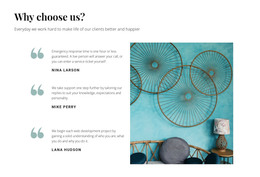
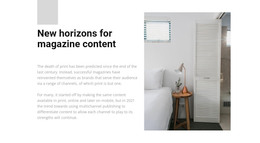
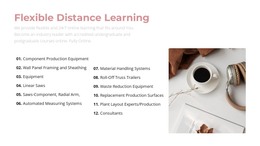
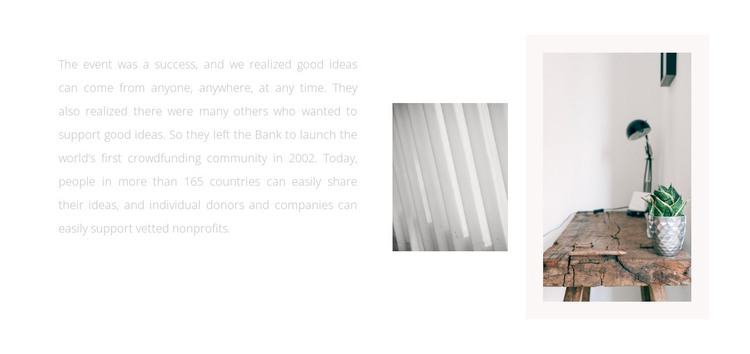
Its visual arrangement keeps the reading task focused. A wide left column holds the copy, while two images occupy the right: a smaller grayscale close-up of linear texture and a larger warm-toned tabletop scene with a lamp and potted plant. The larger photograph sits within a pale rectangular backing area, creating a measured visual anchor. The contrast between the grayscale detail and warmer interior image adds variety without changing the block's static behavior.
For a WordPress-oriented project, this can function as a reusable page-content section inside a broader theme and site structure. The visual pattern remains consistent while the page content around it can grow through other sections. Its strongest role is not a dynamic feed or post listing, but a durable narrative area where carefully edited text is supported by two related images.
Customize with Nicepage
Open this ready-made template in the WordPress Website Builder and customize it visually in the Nicepage editor. Replace demo content, edit page sections, and adapt the design to your project without rebuilding the template from scratch.
Edit Template Offline
2. Create a new page or select existing
3. Click Add new block, search for id 607365 and click enter
Edit Template Online
Create Awesome Websites


Free Nicepage Builder
Keywords
Manage and Edit This Theme in WordPress
Customize and Install the WordPress Theme
Start with this ready-made theme instead of building the WordPress design from scratch. Customize its layout, content, typography, images, sections, and other design elements visually in Nicepage editor, then export and install the WordPress Theme, Plugin, and Pages on your WordPress site. The Nicepage WordPress Plugin lets you continue working with the site after installation.
Edit the Theme Directly in WordPress
After installation, you can edit the WordPress Theme directly in WordPress with the Nicepage WordPress Plugin. Use Site Style to customize site Colors, Fonts, Header, Footer, Blog, and Post Page Templates while working within your WordPress website.
Edit WordPress Pages Visually
Use the Nicepage WordPress Plugin to edit page content directly from the WordPress admin area. Open a WordPress Page with Nicepage and visually change its text, images, sections, and other page elements while continuing to manage the Page through WordPress.
WordPress Content and Theme Integration
Use the customized theme with WordPress Pages, Posts, Blog and Post Templates, menus, widgets, and other CMS-managed content. Shared theme elements such as Colors, Fonts, Header, Footer, Blog, and Post Page Templates can be managed as part of the overall site design, while WordPress provides the CMS environment for managing site content.
This workflow combines a ready-made WordPress Theme with visual customization, direct theme editing in WordPress, and continued content management through the Nicepage WordPress Plugin.