Design affects life WordPress Theme


Edit Template Offline
2. Create new page and search for id 19360
Edit Template Online
Create Awesome Websites


Free Nicepage Builder
Keywords
Portfolio imagery and recurring content suit a managed studio site
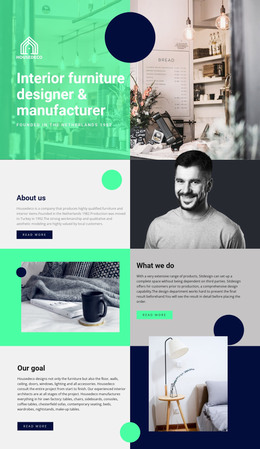
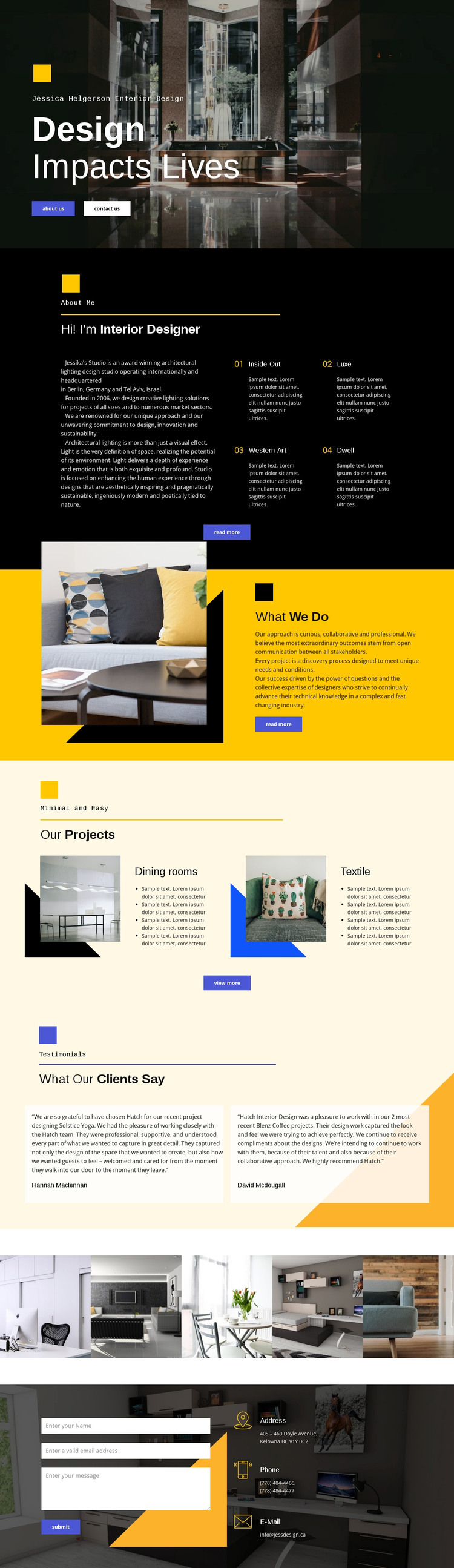
The page separates the studio’s main content into areas that can remain recognizable as site content changes. The hero and About section provide permanent page-oriented information: the first introduces the design practice, and the second explains its approach through copy and four numbered feature items. What We Do adds a related explanatory area with layered interior imagery, making the design useful for a studio site whose presentation depends on both visual work and written context.
The project section offers a different content relationship. Dining rooms and textile appear as project categories alongside images and short lists, so the page can distinguish kinds of work rather than presenting one undifferentiated gallery. The two testimonial cards create a separate place for client-focused material, while the five-image strip gives the portfolio a concentrated visual area. If the site later includes regularly updated editorial or project content, these existing zones provide a stable visual framework for presenting it without changing the core studio character.
The contact region completes the page-oriented structure with name, email, and message inputs beside three contact-information blocks. That pairing keeps practical inquiry content connected to the same dark photographic language used in the hero. A WordPress-managed implementation can therefore interpret the design through permanent studio pages, repeatable project or testimonial content, and shared visual sections. The value is not simply the CMS label; it is the way the template already divides interior work, explanation, proof, and contact into understandable content regions.
Customize with Nicepage
Open this ready-made template in the WordPress Website Builder and customize it visually in the Nicepage editor. Replace demo content, edit page sections, and adapt the design to your project without rebuilding the template from scratch.
Manage and Edit This Theme in WordPress
Customize and Install the WordPress Theme
Start with this ready-made theme instead of building the WordPress design from scratch. Customize its layout, content, typography, images, sections, and other design elements visually in Nicepage editor, then export and install the WordPress Theme, Plugin, and Pages on your WordPress site. The Nicepage WordPress Plugin lets you continue working with the site after installation.
Edit the Theme Directly in WordPress
After installation, you can edit the WordPress Theme directly in WordPress with the Nicepage WordPress Plugin. Use Site Style to customize site Colors, Fonts, Header, Footer, Blog, and Post Page Templates while working within your WordPress website.
Edit WordPress Pages Visually
Use the Nicepage WordPress Plugin to edit page content directly from the WordPress admin area. Open a WordPress Page with Nicepage and visually change its text, images, sections, and other page elements while continuing to manage the Page through WordPress.
WordPress Content and Theme Integration
Use the customized theme with WordPress Pages, Posts, Blog and Post Templates, menus, widgets, and other CMS-managed content. Shared theme elements such as Colors, Fonts, Header, Footer, Blog, and Post Page Templates can be managed as part of the overall site design, while WordPress provides the CMS environment for managing site content.
This workflow combines a ready-made WordPress Theme with visual customization, direct theme editing in WordPress, and continued content management through the Nicepage WordPress Plugin.