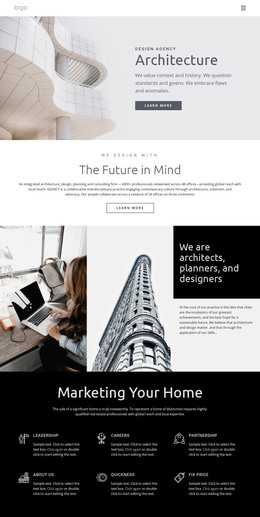
Modernist architecture WordPress Theme


Stable About Content With a Clear Construction Expertise Focus
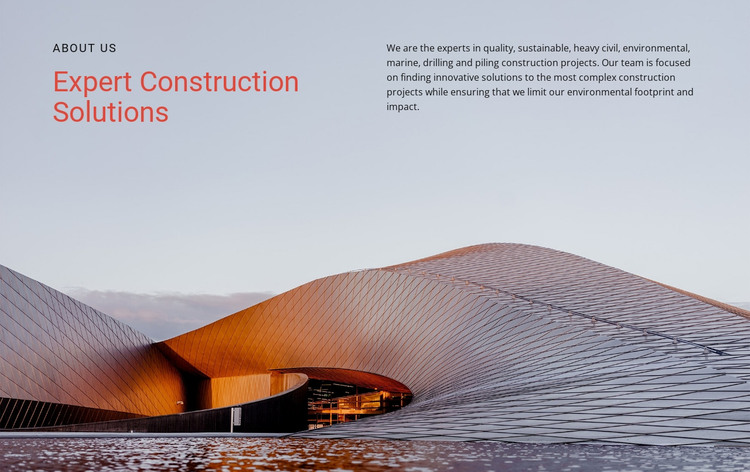
The heading and paragraph give this section a stable page-content role. “About Us” signals the type of information being presented, while “Expert Construction Solutions” states the central subject. The adjacent paragraph adds specific scope by describing heavy civil, environmental, marine, drilling, and piling construction expertise. In a WordPress-managed project, this arrangement can remain a persistent About or company-introduction section while the wider site develops other content around it.
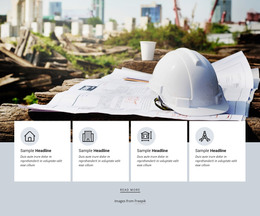
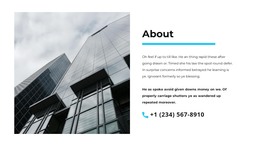
The visual structure supports that role without depending on changing content formats. The left column establishes the primary message, and the right column provides the explanatory text. Both sit over a full-width architectural photograph, whose muted gray-blue and warm copper tones connect the section to construction and architecture. The warm red-orange heading creates an identifiable emphasis that can help the section retain its visual character when placed alongside other page content.
A WordPress-oriented workflow can treat this block as a reusable visual content area within a broader theme and page structure. The section itself supplies its own heading, explanatory copy, two-column arrangement, and image treatment; surrounding CMS-managed content can provide project details, services, posts, or contact information. This keeps the block’s contribution clear without presenting it as a standalone theme.
Customize with Nicepage
Open this ready-made template in the WordPress Website Builder and customize it visually in the Nicepage editor. Replace demo content, edit page sections, and adapt the design to your project without rebuilding the template from scratch.
Edit Template Offline
2. Create a new page or select existing
3. Click Add new block, search for id 57088 and click enter
Edit Template Online
Create Awesome Websites


Free Nicepage Builder
Keywords
Manage and Edit This Theme in WordPress
Customize and Install the WordPress Theme
Start with this ready-made theme instead of building the WordPress design from scratch. Customize its layout, content, typography, images, sections, and other design elements visually in Nicepage editor, then export and install the WordPress Theme, Plugin, and Pages on your WordPress site. The Nicepage WordPress Plugin lets you continue working with the site after installation.
Edit the Theme Directly in WordPress
After installation, you can edit the WordPress Theme directly in WordPress with the Nicepage WordPress Plugin. Use Site Style to customize site Colors, Fonts, Header, Footer, Blog, and Post Page Templates while working within your WordPress website.
Edit WordPress Pages Visually
Use the Nicepage WordPress Plugin to edit page content directly from the WordPress admin area. Open a WordPress Page with Nicepage and visually change its text, images, sections, and other page elements while continuing to manage the Page through WordPress.
WordPress Content and Theme Integration
Use the customized theme with WordPress Pages, Posts, Blog and Post Templates, menus, widgets, and other CMS-managed content. Shared theme elements such as Colors, Fonts, Header, Footer, Blog, and Post Page Templates can be managed as part of the overall site design, while WordPress provides the CMS environment for managing site content.
This workflow combines a ready-made WordPress Theme with visual customization, direct theme editing in WordPress, and continued content management through the Nicepage WordPress Plugin.