Preparing walls for painting WordPress Theme


Stable Service Content for a WordPress-Managed Page
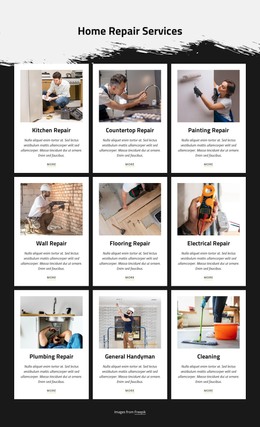
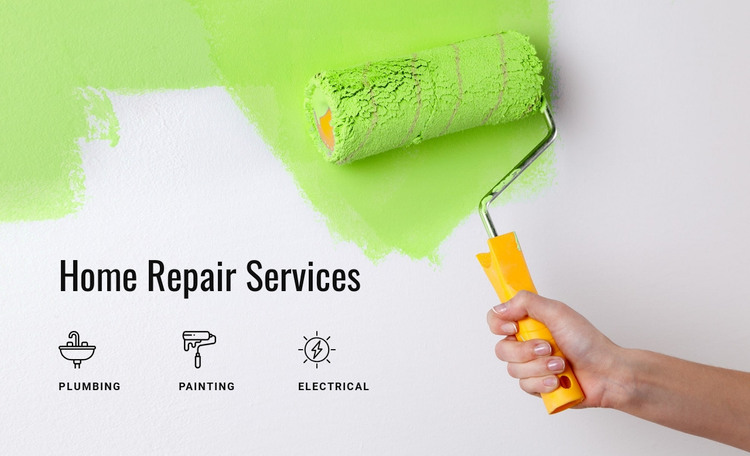
The heading “Home Repair Services” and the three named categories form stable, page-oriented information rather than a time-sensitive update. Plumbing, Painting, and Electrical are each presented as a distinct service unit with a dedicated icon, making the section suitable for a permanent services area within a WordPress-managed page. The full-width paint-roller image gives that content a strong visual setting, while the gray overlay and white condensed type preserve readability over the photograph.
The WordPress interpretation is therefore centered on reusable page content and its visual consistency. The block can remain a recognizable service section while other parts of the project handle additional pages, changing editorial material, or broader site management. Its repeated icon-and-label pattern also gives the page a stable structure that can be revisited when the surrounding design evolves. The green accent provides a visual reference that could be echoed in related content, but it does not imply a complete theme-wide color system. Nicepage documentation confirms that the WordPress Plugin can be used to edit page content in WordPress, including content imported from Nicepage projects, yet the relevant block-level role remains straightforward: this section supplies a composed repair-services area. It participates in the CMS-managed page as content, while the WordPress theme and wider project provide the surrounding framework.
Customize with Nicepage
Open this ready-made template in the WordPress Website Builder and customize it visually in the Nicepage editor. Replace demo content, edit page sections, and adapt the design to your project without rebuilding the template from scratch.
Edit Template Offline
2. Create a new page or select existing
3. Click Add new block, search for id 56106 and click enter
Edit Template Online
Create Awesome Websites


Free Nicepage Builder
Keywords
Manage and Edit This Theme in WordPress
Customize and Install the WordPress Theme
Start with this ready-made theme instead of building the WordPress design from scratch. Customize its layout, content, typography, images, sections, and other design elements visually in Nicepage editor, then export and install the WordPress Theme, Plugin, and Pages on your WordPress site. The Nicepage WordPress Plugin lets you continue working with the site after installation.
Edit the Theme Directly in WordPress
After installation, you can edit the WordPress Theme directly in WordPress with the Nicepage WordPress Plugin. Use Site Style to customize site Colors, Fonts, Header, Footer, Blog, and Post Page Templates while working within your WordPress website.
Edit WordPress Pages Visually
Use the Nicepage WordPress Plugin to edit page content directly from the WordPress admin area. Open a WordPress Page with Nicepage and visually change its text, images, sections, and other page elements while continuing to manage the Page through WordPress.
WordPress Content and Theme Integration
Use the customized theme with WordPress Pages, Posts, Blog and Post Templates, menus, widgets, and other CMS-managed content. Shared theme elements such as Colors, Fonts, Header, Footer, Blog, and Post Page Templates can be managed as part of the overall site design, while WordPress provides the CMS environment for managing site content.
This workflow combines a ready-made WordPress Theme with visual customization, direct theme editing in WordPress, and continued content management through the Nicepage WordPress Plugin.