Race car experience WordPress Theme


A Named Experience Section for WordPress Page Content
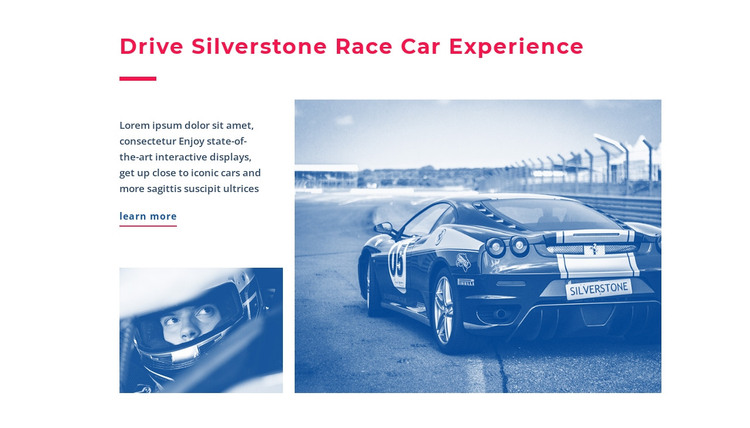
The heading “Drive Silverstone Race Car Experience” gives this block the character of stable page content rather than a stream of time-sensitive entries. The supporting paragraph can introduce the offering, and the learn-more link provides a clear route to additional information. The two images add complementary context: the smaller helmeted-driver photograph supports the written explanation, while the larger race car image presents the experience with greater visual emphasis. Together, these relationships make the section suitable for a services or featured-experience area within a WordPress-managed page.
Its CMS context should remain broader than the block itself. The section can retain its defined content and visual arrangement while the surrounding WordPress project handles other pages, navigation, and additional material. The white background, magenta accent treatment, and blue-toned photography can also provide a recognizable pattern when related sections are edited to maintain a coherent presentation. The block does not need to become a full theme or contain a complete site structure; it contributes one publishable content area with its own purpose and hierarchy. A Nicepage WordPress project can support editing page content through the WordPress Theme, Plugin, and Pages workflow, while this section remains focused on presenting the single named race experience and its next-step link.
Customize with Nicepage
Open this ready-made template in the WordPress Website Builder and customize it visually in the Nicepage editor. Replace demo content, edit page sections, and adapt the design to your project without rebuilding the template from scratch.
Edit Template Offline
2. Create a new page or select existing
3. Click Add new block, search for id 53619 and click enter
Edit Template Online
Create Awesome Websites


Free Nicepage Builder
Keywords
Manage and Edit This Theme in WordPress
Customize and Install the WordPress Theme
Start with this ready-made theme instead of building the WordPress design from scratch. Customize its layout, content, typography, images, sections, and other design elements visually in Nicepage editor, then export and install the WordPress Theme, Plugin, and Pages on your WordPress site. The Nicepage WordPress Plugin lets you continue working with the site after installation.
Edit the Theme Directly in WordPress
After installation, you can edit the WordPress Theme directly in WordPress with the Nicepage WordPress Plugin. Use Site Style to customize site Colors, Fonts, Header, Footer, Blog, and Post Page Templates while working within your WordPress website.
Edit WordPress Pages Visually
Use the Nicepage WordPress Plugin to edit page content directly from the WordPress admin area. Open a WordPress Page with Nicepage and visually change its text, images, sections, and other page elements while continuing to manage the Page through WordPress.
WordPress Content and Theme Integration
Use the customized theme with WordPress Pages, Posts, Blog and Post Templates, menus, widgets, and other CMS-managed content. Shared theme elements such as Colors, Fonts, Header, Footer, Blog, and Post Page Templates can be managed as part of the overall site design, while WordPress provides the CMS environment for managing site content.
This workflow combines a ready-made WordPress Theme with visual customization, direct theme editing in WordPress, and continued content management through the Nicepage WordPress Plugin.