Luxury Private Jet WordPress Theme


Edit Template Offline
2. Create new page and search for id 6649042
Edit Template Online
Create Awesome Websites


Free Nicepage Builder
Keywords
Page-Oriented Charter Content Extends Beyond the Hero
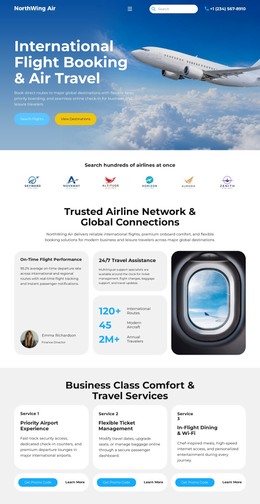
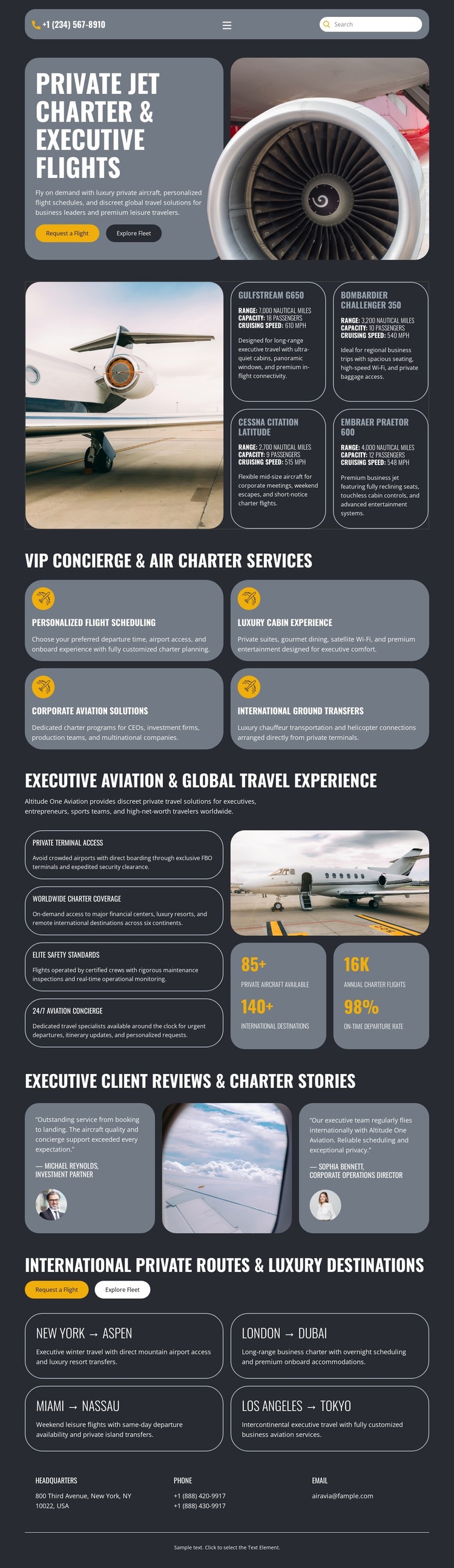
The design separates permanent page content into recognizable groups that can support a WordPress-oriented project. The hero can introduce the private aviation offer, while the four service cards provide distinct subjects for expanding information about scheduling, cabin experience, corporate aviation, and ground transfers. Their repeated card treatment gives related content a common visual frame without claiming that WordPress Pages or Posts are already present in the template.
The two client review cards and four route cards suggest different content relationships. Reviews represent a proof-oriented area connected to the charter offer, while the route cards organize destination information through New York–Aspen, London–Dubai, Miami–Nassau, and Los Angeles–Tokyo. If a project later adds regularly updated aviation stories or announcements, those additions could sit alongside the established page content while retaining the dark visual direction. The sample reviews, routes, and metric values remain structural examples and require independent verification before publication.
The shared navigation context, recurring aircraft imagery, and closing headquarters, phone, and email labels help connect the content as a theme rather than as unrelated blocks. This makes the design suitable for a WordPress content environment where permanent service pages and changing editorial material can remain visually related. The interpretation centers on page content and publishing relationships, not on an assumed blog, category, or plugin element already existing here.
Customize with Nicepage
Open this ready-made template in the WordPress Website Builder and customize it visually in the Nicepage editor. Replace demo content, edit page sections, and adapt the design to your project without rebuilding the template from scratch.
Manage and Edit This Theme in WordPress
Customize and Install the WordPress Theme
Start with this ready-made theme instead of building the WordPress design from scratch. Customize its layout, content, typography, images, sections, and other design elements visually in Nicepage editor, then export and install the WordPress Theme, Plugin, and Pages on your WordPress site. The Nicepage WordPress Plugin lets you continue working with the site after installation.
Edit the Theme Directly in WordPress
After installation, you can edit the WordPress Theme directly in WordPress with the Nicepage WordPress Plugin. Use Site Style to customize site Colors, Fonts, Header, Footer, Blog, and Post Page Templates while working within your WordPress website.
Edit WordPress Pages Visually
Use the Nicepage WordPress Plugin to edit page content directly from the WordPress admin area. Open a WordPress Page with Nicepage and visually change its text, images, sections, and other page elements while continuing to manage the Page through WordPress.
WordPress Content and Theme Integration
Use the customized theme with WordPress Pages, Posts, Blog and Post Templates, menus, widgets, and other CMS-managed content. Shared theme elements such as Colors, Fonts, Header, Footer, Blog, and Post Page Templates can be managed as part of the overall site design, while WordPress provides the CMS environment for managing site content.
This workflow combines a ready-made WordPress Theme with visual customization, direct theme editing in WordPress, and continued content management through the Nicepage WordPress Plugin.