Quality taxi service WordPress Theme


Edit Template Offline
2. Create new page and search for id 348486
Edit Template Online
Create Awesome Websites


Free Nicepage Builder
Keywords
Service content and inquiry areas support a WordPress taxi project
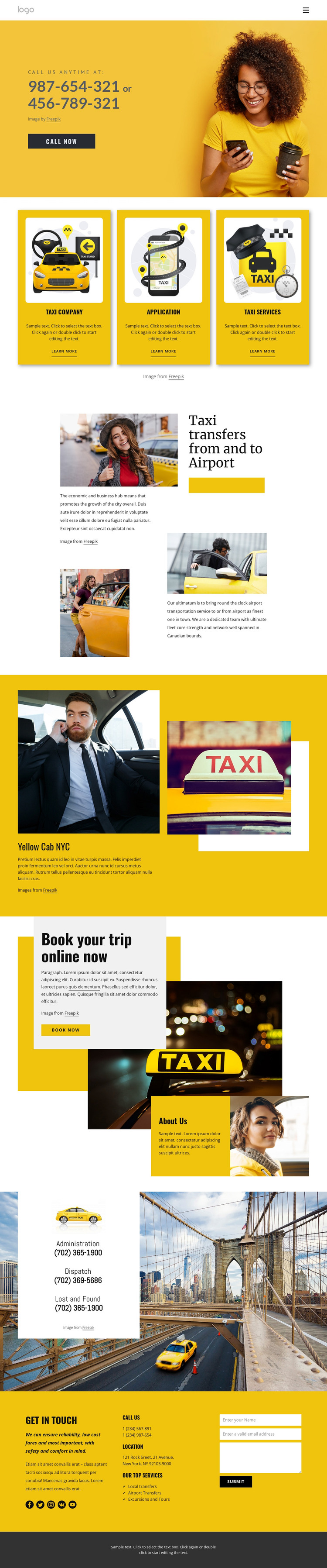
The page-oriented content is divided into permanent informational areas that can guide a WordPress theme adaptation. The three repeated cards introduce Taxi company, Application, and Taxi Services, giving the design a reusable presentation pattern for related service information. The labels Local transfers, Airport Transfers, and Excursions and Tours then identify more specific transportation subjects, while the airport-transfer section provides one of them with a fuller image-and-text treatment.
The visual story also includes content that can remain connected to the site’s main page structure. The Yellow Cab NYC feature presents a named taxi-service concept, and the overlap block combines “Book your trip online now” with a Book now button and About Us content. These areas serve different editorial roles: one explains a service direction, one provides organizational context, and one invites a response. Keeping those roles distinct is more useful than treating the whole layout as one undifferentiated theme.
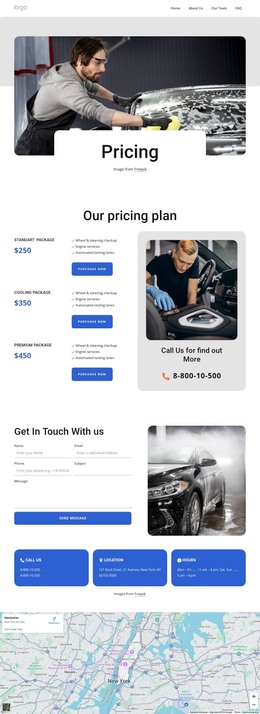
The lower sections create practical page content around the service story. Administration, dispatch, and lost-and-found information appear in a dedicated contact card, while the final Get in touch area combines phone and location details, social links, service labels, and a contact form. If the project later adds regularly updated content, WordPress can provide the CMS environment, but the analysis does not claim that Posts, blog sections, or WordPress-specific elements already exist here.
Customize with Nicepage
Open this ready-made template in the WordPress Website Builder and customize it visually in the Nicepage editor. Replace demo content, edit page sections, and adapt the design to your project without rebuilding the template from scratch.
Manage and Edit This Theme in WordPress
Customize and Install the WordPress Theme
Start with this ready-made theme instead of building the WordPress design from scratch. Customize its layout, content, typography, images, sections, and other design elements visually in Nicepage editor, then export and install the WordPress Theme, Plugin, and Pages on your WordPress site. The Nicepage WordPress Plugin lets you continue working with the site after installation.
Edit the Theme Directly in WordPress
After installation, you can edit the WordPress Theme directly in WordPress with the Nicepage WordPress Plugin. Use Site Style to customize site Colors, Fonts, Header, Footer, Blog, and Post Page Templates while working within your WordPress website.
Edit WordPress Pages Visually
Use the Nicepage WordPress Plugin to edit page content directly from the WordPress admin area. Open a WordPress Page with Nicepage and visually change its text, images, sections, and other page elements while continuing to manage the Page through WordPress.
WordPress Content and Theme Integration
Use the customized theme with WordPress Pages, Posts, Blog and Post Templates, menus, widgets, and other CMS-managed content. Shared theme elements such as Colors, Fonts, Header, Footer, Blog, and Post Page Templates can be managed as part of the overall site design, while WordPress provides the CMS environment for managing site content.
This workflow combines a ready-made WordPress Theme with visual customization, direct theme editing in WordPress, and continued content management through the Nicepage WordPress Plugin.