Transportation, shipping, receiving WordPress Theme



Edit Template Offline
2. Create new page and search for id 2067939
Edit Template Online
Create Awesome Websites


Free Nicepage Builder
Keywords
Service Pages, Profiles, and Pathways Share One Transportation Theme
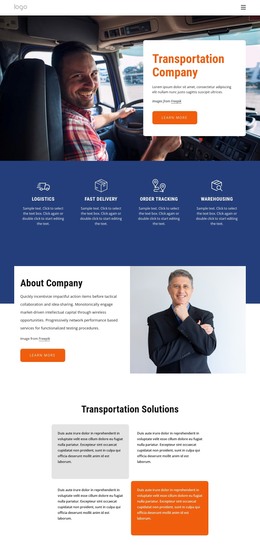
The service highlights give the design a clear page-oriented content base: logistics, fast delivery, order tracking, and warehousing are separated into four concise items that can introduce or link to more detailed information. The Transportation Solutions area reinforces that organization through four additional cards. This relationship allows a WordPress project to distinguish quick service summaries from fuller company content while preserving the same visual direction.
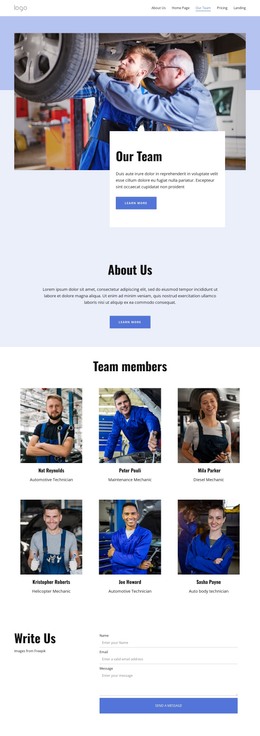
The remaining sections support several kinds of managed content. About Company and the mission areas provide permanent company information, while the eight-profile Our People collection establishes a repeated profile pattern with role labels. The values statements and the three image-led cards for Our Company, Carriers, and Logistics add further content routes. These areas can be treated as related page content without claiming that WordPress posts, categories, or blog structures already exist in the template.
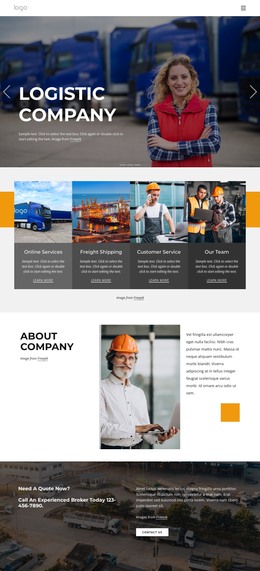
The FAQ, map, and contact region complete the visitor-facing structure. Three expandable questions keep practical information compact, and the final contact block brings together phone, location, business hours, social links, and a form. In a WordPress-oriented project, those page areas can remain part of one coordinated theme presentation while the site’s transportation content develops over time. The design is therefore useful for maintaining a recognizable relationship between permanent company information, repeated profiles, service explanations, and direct contact.
Customize with Nicepage
Open this ready-made template in the WordPress Website Builder and customize it visually in the Nicepage editor. Replace demo content, edit page sections, and adapt the design to your project without rebuilding the template from scratch.
Manage and Edit This Theme in WordPress
Customize and Install the WordPress Theme
Start with this ready-made theme instead of building the WordPress design from scratch. Customize its layout, content, typography, images, sections, and other design elements visually in Nicepage editor, then export and install the WordPress Theme, Plugin, and Pages on your WordPress site. The Nicepage WordPress Plugin lets you continue working with the site after installation.
Edit the Theme Directly in WordPress
After installation, you can edit the WordPress Theme directly in WordPress with the Nicepage WordPress Plugin. Use Site Style to customize site Colors, Fonts, Header, Footer, Blog, and Post Page Templates while working within your WordPress website.
Edit WordPress Pages Visually
Use the Nicepage WordPress Plugin to edit page content directly from the WordPress admin area. Open a WordPress Page with Nicepage and visually change its text, images, sections, and other page elements while continuing to manage the Page through WordPress.
WordPress Content and Theme Integration
Use the customized theme with WordPress Pages, Posts, Blog and Post Templates, menus, widgets, and other CMS-managed content. Shared theme elements such as Colors, Fonts, Header, Footer, Blog, and Post Page Templates can be managed as part of the overall site design, while WordPress provides the CMS environment for managing site content.
This workflow combines a ready-made WordPress Theme with visual customization, direct theme editing in WordPress, and continued content management through the Nicepage WordPress Plugin.