Metal Profiles Factory WordPress Theme


Company Information Organized as Permanent Page Content
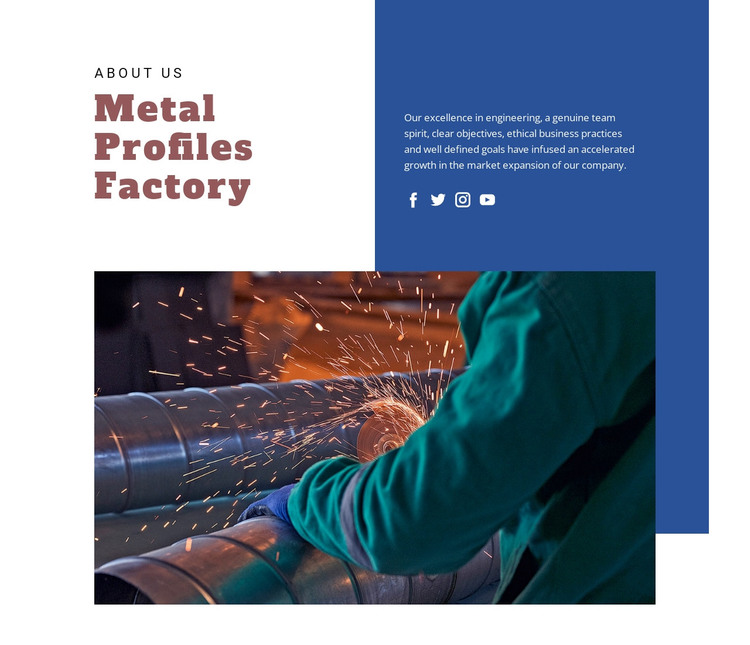
The “About Us” label and “Metal Profiles Factory” heading give this section a clear page-content identity for a WordPress-oriented project. The left side introduces the company name at display scale, while the right side carries a supporting paragraph about engineering, team spirit, objectives, ethical business practices, and market expansion. Four social links are grouped with that information, so the section can present a concise company profile and its related online connections without requiring a separate content pattern.
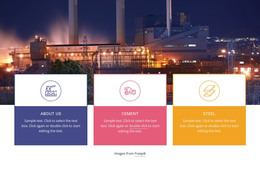
The wide photograph below changes the emphasis from explanation to visual context. Sparks and cylindrical metal machinery show active metalworking, supporting the industrial subject of the text without turning the image into a claim about specific equipment, production figures, or facilities. The deep blue upper-right area extends behind the image and creates a visual bridge between the text panel and the lower photograph. Generous white space around the serif heading keeps the introductory content distinct.
In a WordPress-managed site, this block can function as stable page content for an About or company-information area while the wider project handles other pages and publishing needs. Its structure is suitable for content that changes less frequently than editorial material: a company heading, explanatory background, social links, and a supporting industrial image. The section can therefore retain a consistent visual role as surrounding site content develops.
Customize with Nicepage
Open this ready-made template in the WordPress Website Builder and customize it visually in the Nicepage editor. Replace demo content, edit page sections, and adapt the design to your project without rebuilding the template from scratch.
Edit Template Offline
2. Create a new page or select existing
3. Click Add new block, search for id 52370 and click enter
Edit Template Online
Create Awesome Websites


Free Nicepage Builder
Keywords
Manage and Edit This Theme in WordPress
Customize and Install the WordPress Theme
Start with this ready-made theme instead of building the WordPress design from scratch. Customize its layout, content, typography, images, sections, and other design elements visually in Nicepage editor, then export and install the WordPress Theme, Plugin, and Pages on your WordPress site. The Nicepage WordPress Plugin lets you continue working with the site after installation.
Edit the Theme Directly in WordPress
After installation, you can edit the WordPress Theme directly in WordPress with the Nicepage WordPress Plugin. Use Site Style to customize site Colors, Fonts, Header, Footer, Blog, and Post Page Templates while working within your WordPress website.
Edit WordPress Pages Visually
Use the Nicepage WordPress Plugin to edit page content directly from the WordPress admin area. Open a WordPress Page with Nicepage and visually change its text, images, sections, and other page elements while continuing to manage the Page through WordPress.
WordPress Content and Theme Integration
Use the customized theme with WordPress Pages, Posts, Blog and Post Templates, menus, widgets, and other CMS-managed content. Shared theme elements such as Colors, Fonts, Header, Footer, Blog, and Post Page Templates can be managed as part of the overall site design, while WordPress provides the CMS environment for managing site content.
This workflow combines a ready-made WordPress Theme with visual customization, direct theme editing in WordPress, and continued content management through the Nicepage WordPress Plugin.