Roofing company contact page WordPress Theme


Edit Template Offline
2. Create new page and search for id 6431844
Edit Template Online
Create Awesome Websites


Free Nicepage Builder
Keywords
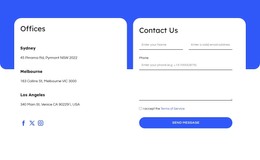
Three Office Entries and a Contact Form Organize Managed Service Content
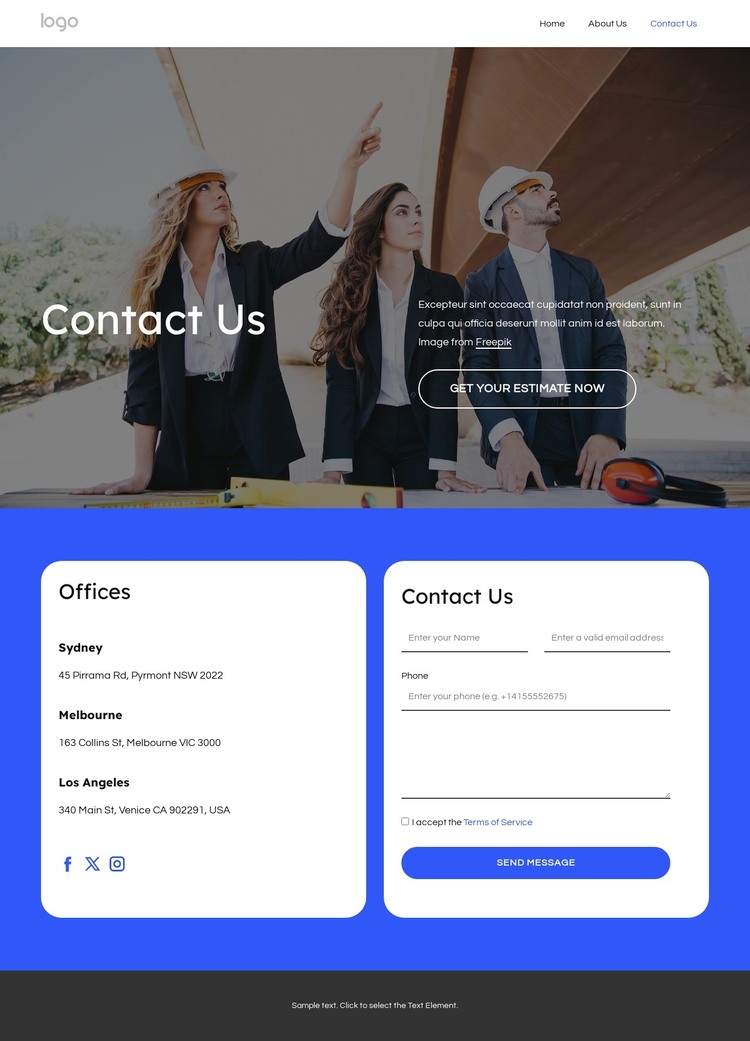
The three office entries give this design a strong page-content starting point for a roofing project that may need to present information by location. Sydney, Melbourne, and Los Angeles appear as separate items, so each location can be understood independently from the inquiry form beside it. The roofing photograph and Contact Us introduction establish the service context, while the Get Your Estimate Now button gives the page a clear opening action without turning the location information into promotional copy.
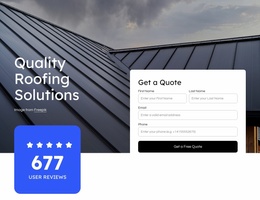
The form provides a second, distinct content area. Its name, email, phone, and message fields create a structured place for visitors to describe a roofing request, whether the project concerns replacement, repair, installation, or preventative maintenance. The Send Message button completes that interaction. Facebook, Twitter, and Instagram links, together with telephone and email links, add communication channels that can sit alongside the main page content rather than replacing it.
The dark three-column footer supplies recurring site information through the company summary, contact details, and useful links. Navigation and mobile navigation can connect this contact page with additional service or office content as the project develops. This makes the design suitable for a WordPress theme interpretation: it separates durable page information, location-oriented content, inquiry capture, and shared site elements. It does not claim that posts, categories, or other WordPress structures already exist.
Customize with Nicepage
Open this ready-made template in the WordPress Website Builder and customize it visually in the Nicepage editor. Replace demo content, edit page sections, and adapt the design to your project without rebuilding the template from scratch.
Manage and Edit This Theme in WordPress
Customize and Install the WordPress Theme
Start with this ready-made theme instead of building the WordPress design from scratch. Customize its layout, content, typography, images, sections, and other design elements visually in Nicepage editor, then export and install the WordPress Theme, Plugin, and Pages on your WordPress site. The Nicepage WordPress Plugin lets you continue working with the site after installation.
Edit the Theme Directly in WordPress
After installation, you can edit the WordPress Theme directly in WordPress with the Nicepage WordPress Plugin. Use Site Style to customize site Colors, Fonts, Header, Footer, Blog, and Post Page Templates while working within your WordPress website.
Edit WordPress Pages Visually
Use the Nicepage WordPress Plugin to edit page content directly from the WordPress admin area. Open a WordPress Page with Nicepage and visually change its text, images, sections, and other page elements while continuing to manage the Page through WordPress.
WordPress Content and Theme Integration
Use the customized theme with WordPress Pages, Posts, Blog and Post Templates, menus, widgets, and other CMS-managed content. Shared theme elements such as Colors, Fonts, Header, Footer, Blog, and Post Page Templates can be managed as part of the overall site design, while WordPress provides the CMS environment for managing site content.
This workflow combines a ready-made WordPress Theme with visual customization, direct theme editing in WordPress, and continued content management through the Nicepage WordPress Plugin.