We love architecture WordPress Theme


Stable Service Content Across Four WordPress Page Units
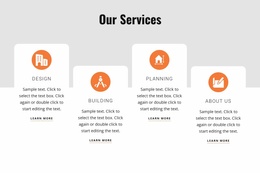
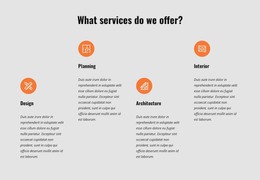
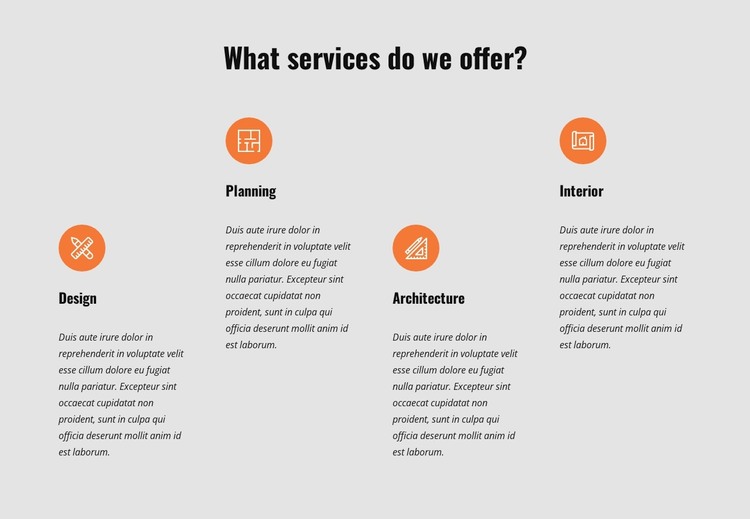
The heading and four named categories read as durable page content: a visitor can see the service group as one section rather than as a sequence of dated updates. Design, Planning, Architecture, and Interior each occupy a comparable column, with the circular icon introducing the visual unit, the title naming it, and the paragraph providing room for supporting information. This organization fits a WordPress-managed services area where the surrounding project can contain other pages and content types.
The repeated structure is important for maintaining a consistent page section. The four columns share the same order and visual weight, while the light gray background separates the service content from adjacent material. Orange icons provide a recognizable accent without making one category appear structurally dominant. The placeholder descriptions should be replaced with the intended copy, but the existing positions can guide concise, parallel service explanations.
This WordPress interpretation concerns the block as reusable page content, not as a complete theme. It can remain one stable services region while the wider site manages its other content. Nicepage’s WordPress Theme, Plugin, and Pages workflow describes the broader environment in which a designed section may participate.
Customize with Nicepage
Open this ready-made template in the WordPress Website Builder and customize it visually in the Nicepage editor. Replace demo content, edit page sections, and adapt the design to your project without rebuilding the template from scratch.
Edit Template Offline
2. Create a new page or select existing
3. Click Add new block, search for id 5062680 and click enter
Edit Template Online
Create Awesome Websites


Free Nicepage Builder
Keywords
Manage and Edit This Theme in WordPress
Customize and Install the WordPress Theme
Start with this ready-made theme instead of building the WordPress design from scratch. Customize its layout, content, typography, images, sections, and other design elements visually in Nicepage editor, then export and install the WordPress Theme, Plugin, and Pages on your WordPress site. The Nicepage WordPress Plugin lets you continue working with the site after installation.
Edit the Theme Directly in WordPress
After installation, you can edit the WordPress Theme directly in WordPress with the Nicepage WordPress Plugin. Use Site Style to customize site Colors, Fonts, Header, Footer, Blog, and Post Page Templates while working within your WordPress website.
Edit WordPress Pages Visually
Use the Nicepage WordPress Plugin to edit page content directly from the WordPress admin area. Open a WordPress Page with Nicepage and visually change its text, images, sections, and other page elements while continuing to manage the Page through WordPress.
WordPress Content and Theme Integration
Use the customized theme with WordPress Pages, Posts, Blog and Post Templates, menus, widgets, and other CMS-managed content. Shared theme elements such as Colors, Fonts, Header, Footer, Blog, and Post Page Templates can be managed as part of the overall site design, while WordPress provides the CMS environment for managing site content.
This workflow combines a ready-made WordPress Theme with visual customization, direct theme editing in WordPress, and continued content management through the Nicepage WordPress Plugin.