The Firm is its people, an amazing array of talent WordPress Theme


Portrait-and-Role Entries Suit Stable Page Content
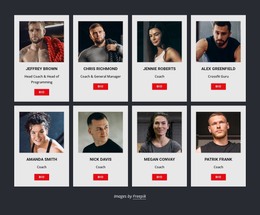
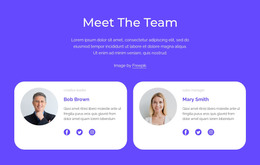
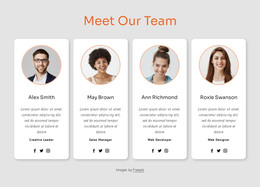
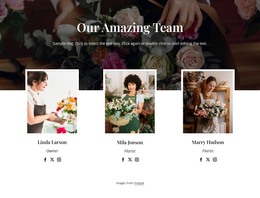
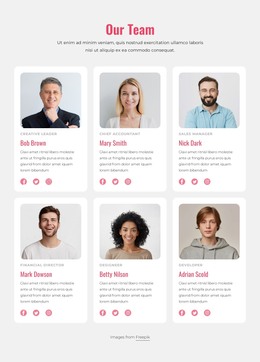
The section’s strongest content relationship is the repeated pairing of a portrait with a person’s name and role. Across two rows of four, these eight entries create a compact but substantial team presentation that can sit within a WordPress-managed page as durable organizational content. The centered “Team Members” heading gives the group a clear label, while the consistent profile format helps visitors compare roles without navigating away from the section.
The visual treatment supports that page-content role. Rounded rectangular portraits give the entries a shared identity, and alternating heights introduce variation while preserving the same profile structure. The orange horizontal accent behind the first row creates a recognizable visual break against the white background, and the centered labels remain closely associated with their corresponding portraits. In a WordPress-oriented project, this section can provide a stable team area within a broader page while other content is maintained around it through the site’s wider publishing environment. The block works particularly well when the surrounding design needs a people-focused section that is more informative than a simple image row but more compact than individual biographies. Its eight roles remain part of this section’s content arrangement rather than implying a complete theme or full page.
Customize with Nicepage
Open this ready-made template in the WordPress Website Builder and customize it visually in the Nicepage editor. Replace demo content, edit page sections, and adapt the design to your project without rebuilding the template from scratch.
Edit Template Offline
2. Create a new page or select existing
3. Click Add new block, search for id 5102411 and click enter
Edit Template Online
Create Awesome Websites


Free Nicepage Builder
Keywords
Manage and Edit This Theme in WordPress
Customize and Install the WordPress Theme
Start with this ready-made theme instead of building the WordPress design from scratch. Customize its layout, content, typography, images, sections, and other design elements visually in Nicepage editor, then export and install the WordPress Theme, Plugin, and Pages on your WordPress site. The Nicepage WordPress Plugin lets you continue working with the site after installation.
Edit the Theme Directly in WordPress
After installation, you can edit the WordPress Theme directly in WordPress with the Nicepage WordPress Plugin. Use Site Style to customize site Colors, Fonts, Header, Footer, Blog, and Post Page Templates while working within your WordPress website.
Edit WordPress Pages Visually
Use the Nicepage WordPress Plugin to edit page content directly from the WordPress admin area. Open a WordPress Page with Nicepage and visually change its text, images, sections, and other page elements while continuing to manage the Page through WordPress.
WordPress Content and Theme Integration
Use the customized theme with WordPress Pages, Posts, Blog and Post Templates, menus, widgets, and other CMS-managed content. Shared theme elements such as Colors, Fonts, Header, Footer, Blog, and Post Page Templates can be managed as part of the overall site design, while WordPress provides the CMS environment for managing site content.
This workflow combines a ready-made WordPress Theme with visual customization, direct theme editing in WordPress, and continued content management through the Nicepage WordPress Plugin.