Our flexible, effective consulting and delivery methods WordPress Theme



A bold message and image collage form stable WordPress page content
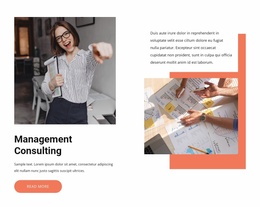
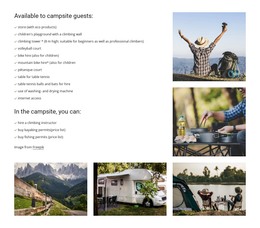
The left side of the block is built from four photographic tiles arranged in a two-by-two grid, giving the section a defined image group rather than one undifferentiated picture. Opposite it, the right-aligned heading states “We champion the bold to achieve the extraordinary,” with an attribution line beneath the message and a single “read more” action. The content hierarchy is compact: imagery establishes the visual context, the heading carries the proposition, and the button offers a measured way to continue.
For a WordPress-oriented project, this makes the block suitable as a stable business section within page content. It can introduce a topic or organizational point of view while other CMS-managed areas provide fuller explanations, updates, or related information. The block does not need to carry those surrounding functions because its own structure already defines a focused introductory role. The distinction between the collage and the text panel also makes the section easy to recognize when it appears among other page regions.
The coral-orange field, white lettering, and outlined rounded button give the content a consistent visual container, while the collage’s extension below that field creates a deliberate connection with the following area. The Freepik attribution remains a visible supporting detail rather than a competing message. Together, these relationships allow the section to remain visually distinctive and reusable as page content while preserving its original heading, imagery, and single-action emphasis.
Customize with Nicepage
Open this ready-made template in the WordPress Website Builder and customize it visually in the Nicepage editor. Replace demo content, edit page sections, and adapt the design to your project without rebuilding the template from scratch.
Edit Template Offline
2. Create a new page or select existing
3. Click Add new block, search for id 4947358 and click enter
Edit Template Online
Create Awesome Websites


Free Nicepage Builder
Keywords
Manage and Edit This Theme in WordPress
Customize and Install the WordPress Theme
Start with this ready-made theme instead of building the WordPress design from scratch. Customize its layout, content, typography, images, sections, and other design elements visually in Nicepage editor, then export and install the WordPress Theme, Plugin, and Pages on your WordPress site. The Nicepage WordPress Plugin lets you continue working with the site after installation.
Edit the Theme Directly in WordPress
After installation, you can edit the WordPress Theme directly in WordPress with the Nicepage WordPress Plugin. Use Site Style to customize site Colors, Fonts, Header, Footer, Blog, and Post Page Templates while working within your WordPress website.
Edit WordPress Pages Visually
Use the Nicepage WordPress Plugin to edit page content directly from the WordPress admin area. Open a WordPress Page with Nicepage and visually change its text, images, sections, and other page elements while continuing to manage the Page through WordPress.
WordPress Content and Theme Integration
Use the customized theme with WordPress Pages, Posts, Blog and Post Templates, menus, widgets, and other CMS-managed content. Shared theme elements such as Colors, Fonts, Header, Footer, Blog, and Post Page Templates can be managed as part of the overall site design, while WordPress provides the CMS environment for managing site content.
This workflow combines a ready-made WordPress Theme with visual customization, direct theme editing in WordPress, and continued content management through the Nicepage WordPress Plugin.