Trail running club WordPress Theme


Running Programs Become Stable Page Content Around a Featured Article
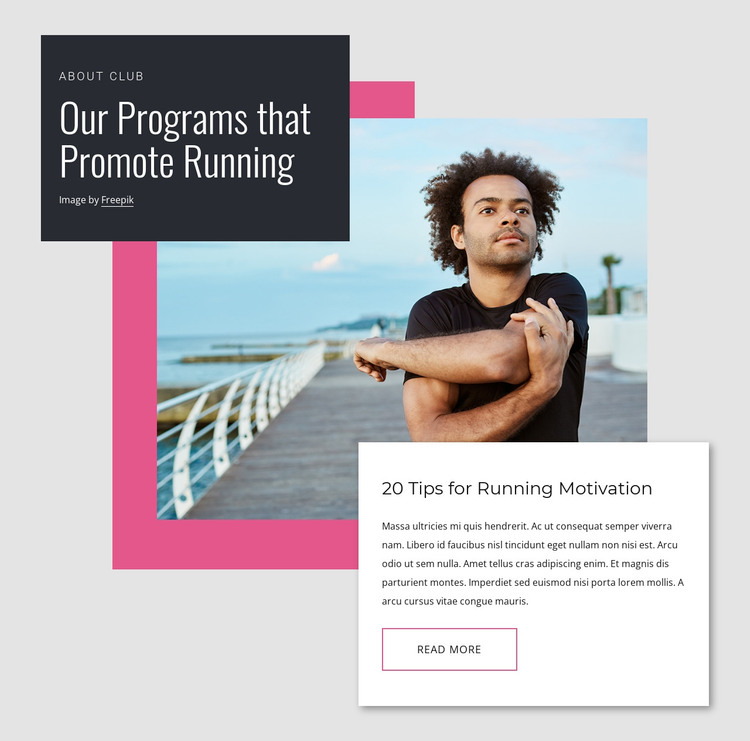
The heading “Our Programs that Promote Running” gives this section a durable informational role, while the “About club” label makes its introduction easy to distinguish from the featured content beside it. The runner photograph acts as the visual anchor, and the overlapping white card turns the second half of the block into a focused article-like area titled “20 Tips for Running Motivation.” Its supporting paragraph and “Read more” link create a natural path to additional information without requiring the section to contain the full article.
Within a WordPress-managed page, this arrangement can function as a stable about or programs section for a running club. The surrounding project may handle other pages and publishing needs, while this block preserves its specific combination of club introduction, image, motivation feature, and linked continuation. The charcoal panel, white card, pale background, and pink geometric accent also give the content a consistent presentation that can sit alongside other page sections. If the club later expands its information, related training, event, or article content can be placed elsewhere without weakening this block’s concise role. The section’s value comes from keeping the program message and featured motivation topic visually connected in one reusable content area.
Customize with Nicepage
Open this ready-made template in the WordPress Website Builder and customize it visually in the Nicepage editor. Replace demo content, edit page sections, and adapt the design to your project without rebuilding the template from scratch.
Edit Template Offline
2. Create a new page or select existing
3. Click Add new block, search for id 470168 and click enter
Edit Template Online
Create Awesome Websites


Free Nicepage Builder
Keywords
Manage and Edit This Theme in WordPress
Customize and Install the WordPress Theme
Start with this ready-made theme instead of building the WordPress design from scratch. Customize its layout, content, typography, images, sections, and other design elements visually in Nicepage editor, then export and install the WordPress Theme, Plugin, and Pages on your WordPress site. The Nicepage WordPress Plugin lets you continue working with the site after installation.
Edit the Theme Directly in WordPress
After installation, you can edit the WordPress Theme directly in WordPress with the Nicepage WordPress Plugin. Use Site Style to customize site Colors, Fonts, Header, Footer, Blog, and Post Page Templates while working within your WordPress website.
Edit WordPress Pages Visually
Use the Nicepage WordPress Plugin to edit page content directly from the WordPress admin area. Open a WordPress Page with Nicepage and visually change its text, images, sections, and other page elements while continuing to manage the Page through WordPress.
WordPress Content and Theme Integration
Use the customized theme with WordPress Pages, Posts, Blog and Post Templates, menus, widgets, and other CMS-managed content. Shared theme elements such as Colors, Fonts, Header, Footer, Blog, and Post Page Templates can be managed as part of the overall site design, while WordPress provides the CMS environment for managing site content.
This workflow combines a ready-made WordPress Theme with visual customization, direct theme editing in WordPress, and continued content management through the Nicepage WordPress Plugin.