Small groups adventure trips WordPress Theme


Practical Guide Information Sits Beside a Dominant Mountain Image
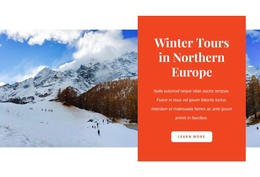
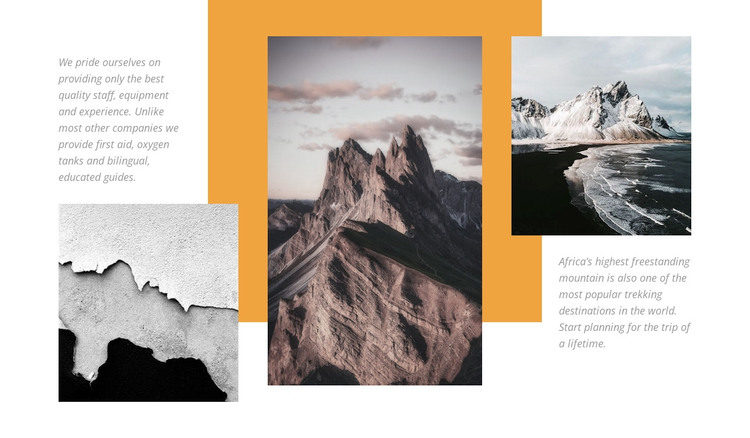
The block reads as stable page content because its two paragraphs explain a defined trekking experience rather than presenting a changing feed. One paragraph focuses on the provisions associated with the guides, naming first aid, oxygen tanks, and bilingual guides. The other supplies the destination context by referring to mountain trekking and Africa’s highest freestanding mountain. Those text areas remain secondary to the tall central mountain photograph, while the two outer images extend the visual story across the section.
In a WordPress-oriented project, this arrangement can occupy a permanent travel or adventure section within a page managed alongside other site content. The orange rectangular backdrop groups the three photographs into one recognizable visual unit, and the white field preserves contrast around the small italic gray copy. The static interaction keeps the information available in one view, which suits a section intended to explain rather than rotate through separate items.
The block can therefore work as reusable page content within a broader WordPress-managed site, while other areas handle navigation, schedules, inquiries, or additional destinations. Its visual pattern offers a consistent way to present a trekking introduction without implying that the section itself is a WordPress Theme. The surrounding project determines how the content is published and connected; this block supplies the focused image-and-copy arrangement.
Customize with Nicepage
Open this ready-made template in the WordPress Website Builder and customize it visually in the Nicepage editor. Replace demo content, edit page sections, and adapt the design to your project without rebuilding the template from scratch.
Edit Template Offline
2. Create a new page or select existing
3. Click Add new block, search for id 44998 and click enter
Edit Template Online
Create Awesome Websites


Free Nicepage Builder
Keywords
Manage and Edit This Theme in WordPress
Customize and Install the WordPress Theme
Start with this ready-made theme instead of building the WordPress design from scratch. Customize its layout, content, typography, images, sections, and other design elements visually in Nicepage editor, then export and install the WordPress Theme, Plugin, and Pages on your WordPress site. The Nicepage WordPress Plugin lets you continue working with the site after installation.
Edit the Theme Directly in WordPress
After installation, you can edit the WordPress Theme directly in WordPress with the Nicepage WordPress Plugin. Use Site Style to customize site Colors, Fonts, Header, Footer, Blog, and Post Page Templates while working within your WordPress website.
Edit WordPress Pages Visually
Use the Nicepage WordPress Plugin to edit page content directly from the WordPress admin area. Open a WordPress Page with Nicepage and visually change its text, images, sections, and other page elements while continuing to manage the Page through WordPress.
WordPress Content and Theme Integration
Use the customized theme with WordPress Pages, Posts, Blog and Post Templates, menus, widgets, and other CMS-managed content. Shared theme elements such as Colors, Fonts, Header, Footer, Blog, and Post Page Templates can be managed as part of the overall site design, while WordPress provides the CMS environment for managing site content.
This workflow combines a ready-made WordPress Theme with visual customization, direct theme editing in WordPress, and continued content management through the Nicepage WordPress Plugin.