Nature biology concepts WordPress Theme


Three Environmental Panels Provide Stable Page Content
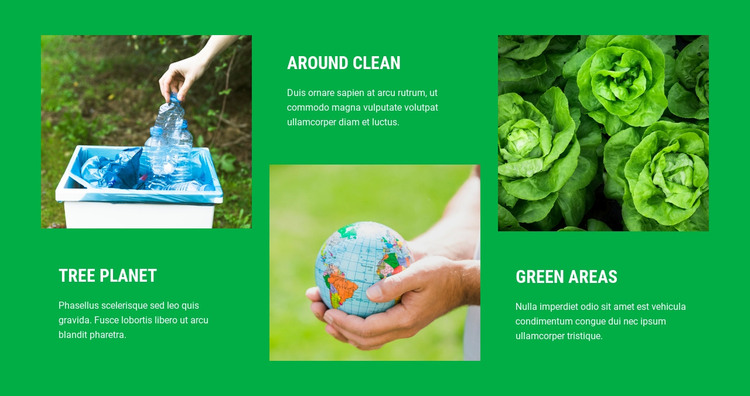
The headings Tree Planet, Around Clean, and Green Areas give this block the qualities of a stable informational section that can sit within WordPress-managed page content. Each topic includes a supporting paragraph and a photograph, creating three comparable content units rather than a stream of unrelated text. The images of recycling, hands holding a globe, and green leafy vegetables help distinguish the units while keeping them connected to an environmental subject.
The three-column layout adds a consistent presentation pattern for that content. Image and text positions alternate between columns, so the section has a staggered rhythm instead of a repetitive card stack. The bright green background and light text provide a shared visual surface, while rectangular crops and regular spacing keep the photographic panels aligned. These relationships can remain visually stable as the surrounding project accommodates other page content.
In a WordPress-oriented context, the block can serve as a reusable section on a permanent informational page, such as an environmental topics or initiatives area. The broader site can handle its own pages and publishing structure around it. The section’s value is the organized combination of three headings, explanatory copy, and photographs, not the claim that the block itself is a complete WordPress Theme.
Customize with Nicepage
Open this ready-made template in the WordPress Website Builder and customize it visually in the Nicepage editor. Replace demo content, edit page sections, and adapt the design to your project without rebuilding the template from scratch.
Edit Template Offline
2. Create a new page or select existing
3. Click Add new block, search for id 43327 and click enter
Edit Template Online
Create Awesome Websites


Free Nicepage Builder
Keywords
Manage and Edit This Theme in WordPress
Customize and Install the WordPress Theme
Start with this ready-made theme instead of building the WordPress design from scratch. Customize its layout, content, typography, images, sections, and other design elements visually in Nicepage editor, then export and install the WordPress Theme, Plugin, and Pages on your WordPress site. The Nicepage WordPress Plugin lets you continue working with the site after installation.
Edit the Theme Directly in WordPress
After installation, you can edit the WordPress Theme directly in WordPress with the Nicepage WordPress Plugin. Use Site Style to customize site Colors, Fonts, Header, Footer, Blog, and Post Page Templates while working within your WordPress website.
Edit WordPress Pages Visually
Use the Nicepage WordPress Plugin to edit page content directly from the WordPress admin area. Open a WordPress Page with Nicepage and visually change its text, images, sections, and other page elements while continuing to manage the Page through WordPress.
WordPress Content and Theme Integration
Use the customized theme with WordPress Pages, Posts, Blog and Post Templates, menus, widgets, and other CMS-managed content. Shared theme elements such as Colors, Fonts, Header, Footer, Blog, and Post Page Templates can be managed as part of the overall site design, while WordPress provides the CMS environment for managing site content.
This workflow combines a ready-made WordPress Theme with visual customization, direct theme editing in WordPress, and continued content management through the Nicepage WordPress Plugin.