Web hosting plans WordPress Theme


Plan Names and Monthly Figures Create Stable Page Content
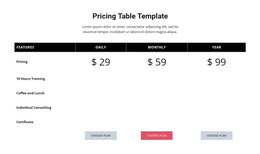
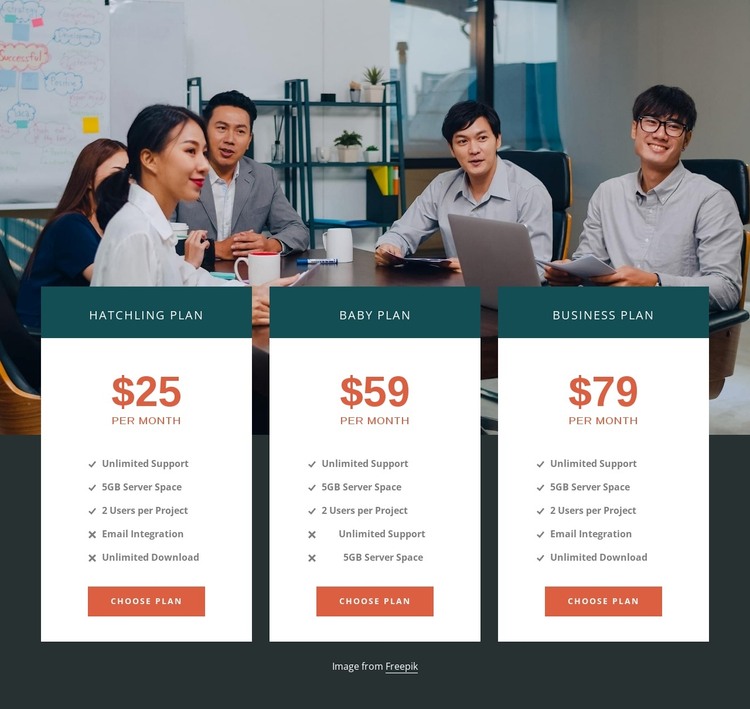
The section reads as durable pricing content rather than a time-based editorial update. Hatchling Plan, Baby Plan, and Business plan are presented as three parallel choices, with displayed monthly prices of $25, $59, and $79. Each card keeps its own feature list and choose plan button, making the information suitable for a stable services or pricing area on a WordPress-managed page. The content can remain visually consistent while surrounding page material changes elsewhere in the project.
The visual grouping supports that page-content role. Equal-width white cards are arranged over a full-width meeting photograph, with dark teal title bands separating plan identities from their details. Warm orange prices and buttons connect the cost information to the next selection step, while centered alignment and consistent spacing make the three alternatives easy to compare. The feature lists include Unlimited Support, 5GB Server Space, 2 Users per Project, Email Integration, and Unlimited Download, giving the page section concrete information to maintain.
In a WordPress-oriented context, this block can participate as one reusable content region within a broader theme and page structure. The surrounding project may handle additional pages, posts, or other managed content, while this section retains its focused subscription-comparison purpose. Its role is defined by the plan content and card relationships, not by treating the block itself as a complete WordPress Theme.
Customize with Nicepage
Open this ready-made template in the WordPress Website Builder and customize it visually in the Nicepage editor. Replace demo content, edit page sections, and adapt the design to your project without rebuilding the template from scratch.
Edit Template Offline
2. Create a new page or select existing
3. Click Add new block, search for id 433882 and click enter
Edit Template Online
Create Awesome Websites


Free Nicepage Builder
Keywords
Manage and Edit This Theme in WordPress
Customize and Install the WordPress Theme
Start with this ready-made theme instead of building the WordPress design from scratch. Customize its layout, content, typography, images, sections, and other design elements visually in Nicepage editor, then export and install the WordPress Theme, Plugin, and Pages on your WordPress site. The Nicepage WordPress Plugin lets you continue working with the site after installation.
Edit the Theme Directly in WordPress
After installation, you can edit the WordPress Theme directly in WordPress with the Nicepage WordPress Plugin. Use Site Style to customize site Colors, Fonts, Header, Footer, Blog, and Post Page Templates while working within your WordPress website.
Edit WordPress Pages Visually
Use the Nicepage WordPress Plugin to edit page content directly from the WordPress admin area. Open a WordPress Page with Nicepage and visually change its text, images, sections, and other page elements while continuing to manage the Page through WordPress.
WordPress Content and Theme Integration
Use the customized theme with WordPress Pages, Posts, Blog and Post Templates, menus, widgets, and other CMS-managed content. Shared theme elements such as Colors, Fonts, Header, Footer, Blog, and Post Page Templates can be managed as part of the overall site design, while WordPress provides the CMS environment for managing site content.
This workflow combines a ready-made WordPress Theme with visual customization, direct theme editing in WordPress, and continued content management through the Nicepage WordPress Plugin.