Latest headphone technology WordPress Theme


A Stable Product-Review Content Area for WordPress Pages
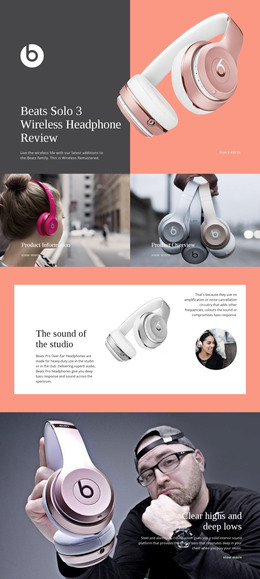
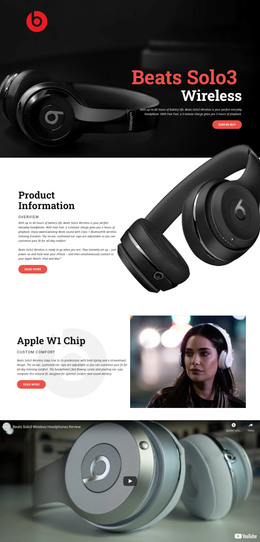
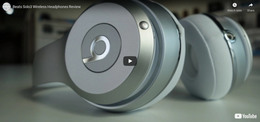
The title, thumbnail, and playback control form one cohesive piece of page content around the embedded review video. “Beats Solo3 Wireless Headphones Review” gives the section a persistent subject, while the close-up gray wireless-headphone image provides recognition before the visitor starts the video. Since the media occupies the full visible width, the section reads as a substantial review area rather than a small supporting widget. Its dark presentation further separates the video from adjacent text about features, specifications, or product comparisons.
In a WordPress-managed project, this block can fit naturally as reusable content on a page devoted to the product or to consumer audio reviews. Its content is relatively stable and page-oriented: the section explains and demonstrates a featured item through video instead of depending on a stream of dated posts or a category listing. The surrounding WordPress site can provide other publishable content, while this block retains its defined role as the visual review area. A page editor or site manager can therefore coordinate the section with descriptions, related media, or a response area without changing its central structure. The block is not a complete WordPress Theme; it is one focused content region that can participate in a wider CMS-managed page while preserving its title, product image, full-width composition, and direct playback path.
Customize with Nicepage
Open this ready-made template in the WordPress Website Builder and customize it visually in the Nicepage editor. Replace demo content, edit page sections, and adapt the design to your project without rebuilding the template from scratch.
Edit Template Offline
2. Create a new page or select existing
3. Click Add new block, search for id 57185 and click enter
Edit Template Online
Create Awesome Websites


Free Nicepage Builder
Keywords
Manage and Edit This Theme in WordPress
Customize and Install the WordPress Theme
Start with this ready-made theme instead of building the WordPress design from scratch. Customize its layout, content, typography, images, sections, and other design elements visually in Nicepage editor, then export and install the WordPress Theme, Plugin, and Pages on your WordPress site. The Nicepage WordPress Plugin lets you continue working with the site after installation.
Edit the Theme Directly in WordPress
After installation, you can edit the WordPress Theme directly in WordPress with the Nicepage WordPress Plugin. Use Site Style to customize site Colors, Fonts, Header, Footer, Blog, and Post Page Templates while working within your WordPress website.
Edit WordPress Pages Visually
Use the Nicepage WordPress Plugin to edit page content directly from the WordPress admin area. Open a WordPress Page with Nicepage and visually change its text, images, sections, and other page elements while continuing to manage the Page through WordPress.
WordPress Content and Theme Integration
Use the customized theme with WordPress Pages, Posts, Blog and Post Templates, menus, widgets, and other CMS-managed content. Shared theme elements such as Colors, Fonts, Header, Footer, Blog, and Post Page Templates can be managed as part of the overall site design, while WordPress provides the CMS environment for managing site content.
This workflow combines a ready-made WordPress Theme with visual customization, direct theme editing in WordPress, and continued content management through the Nicepage WordPress Plugin.