Branding & graphic design WordPress Theme



A Seven-Image Portfolio Area for WordPress Page Content
The centered heading gives this section a stable page-content role by naming four related specialties: branding, graphic design, web design, and art direction. Rather than relying on a long description, the block moves quickly from that introduction to a seven-image gallery. A thin muted teal divider marks the transition and helps the heading remain visually separate from the image collection.
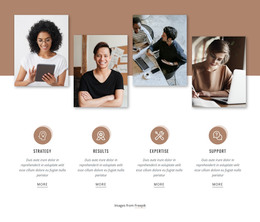
The gallery’s internal pattern is specific: three vertical columns organize seven photographic tiles, with three stacked images in the center and two stacked pairs on the outside. Varied portrait and landscape crops create different visual heights, so the section reads as a curated portfolio arrangement instead of a flat, repetitive row. The interaction is static, keeping attention on the visible set of images and the specialties named above it.
For a WordPress-managed page, this block can function as permanent creative-services content within a wider portfolio or studio presentation. The surrounding project may handle other page areas, while this section retains responsibility for showing a concentrated selection of visual work. Its white background, dark centered typography, and restrained divider also make the gallery a clear visual unit that can sit alongside other page content without requiring the block itself to provide the site’s complete structure.
Customize with Nicepage
Open this ready-made template in the WordPress Website Builder and customize it visually in the Nicepage editor. Replace demo content, edit page sections, and adapt the design to your project without rebuilding the template from scratch.
Edit Template Offline
2. Create a new page or select existing
3. Click Add new block, search for id 42701 and click enter
Edit Template Online
Create Awesome Websites


Free Nicepage Builder
Keywords
Manage and Edit This Theme in WordPress
Customize and Install the WordPress Theme
Start with this ready-made theme instead of building the WordPress design from scratch. Customize its layout, content, typography, images, sections, and other design elements visually in Nicepage editor, then export and install the WordPress Theme, Plugin, and Pages on your WordPress site. The Nicepage WordPress Plugin lets you continue working with the site after installation.
Edit the Theme Directly in WordPress
After installation, you can edit the WordPress Theme directly in WordPress with the Nicepage WordPress Plugin. Use Site Style to customize site Colors, Fonts, Header, Footer, Blog, and Post Page Templates while working within your WordPress website.
Edit WordPress Pages Visually
Use the Nicepage WordPress Plugin to edit page content directly from the WordPress admin area. Open a WordPress Page with Nicepage and visually change its text, images, sections, and other page elements while continuing to manage the Page through WordPress.
WordPress Content and Theme Integration
Use the customized theme with WordPress Pages, Posts, Blog and Post Templates, menus, widgets, and other CMS-managed content. Shared theme elements such as Colors, Fonts, Header, Footer, Blog, and Post Page Templates can be managed as part of the overall site design, while WordPress provides the CMS environment for managing site content.
This workflow combines a ready-made WordPress Theme with visual customization, direct theme editing in WordPress, and continued content management through the Nicepage WordPress Plugin.