Sky mountain and tree WordPress Theme


Nature Writing and Images Form Stable Page Content
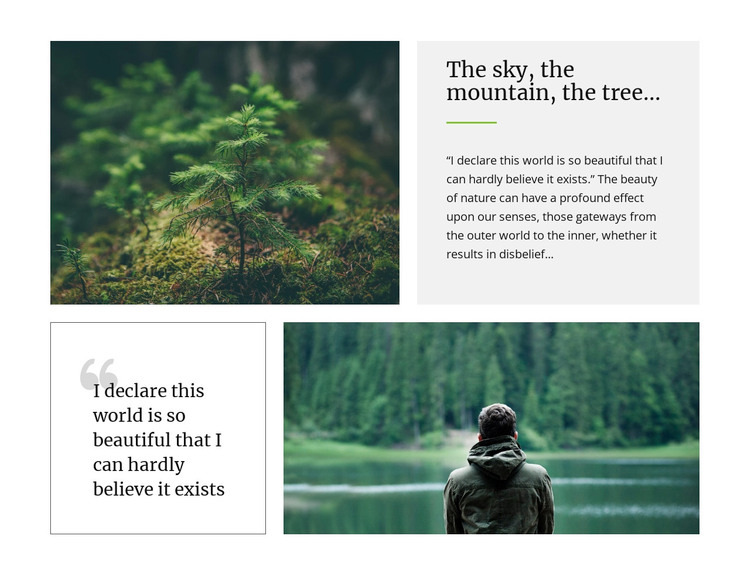
The heading “The sky, the mountain, the tree...” and the two quotation passages make this block read as durable editorial content rather than a time-sensitive list. Its upper row connects a young tree photograph with a text panel containing the heading, green divider, and supporting quotation. The lower row then places a repeated quotation opening in a bordered panel beside an image of a person facing a forested lake. These relationships give a WordPress-managed page a clearly bounded nature or inspirational content area that can remain visually consistent as the surrounding project develops.
Large serif typography supports the literary tone, while pale gray and white panels, thin borders, and generous spacing divide the written material from the photographs without fragmenting the section. The repeated quotation provides continuity between the two rows, and the alternating image positions create a readable progression down the page. In a WordPress-oriented project, this block can serve as stable page content within a broader theme and editorial structure. Other CMS-managed areas may handle navigation, additional articles, or related pages, while this section preserves its own image-and-quotation role. Its usefulness comes from presenting a finished narrative unit that can be placed around other publishable content without needing to become a standalone theme.
Customize with Nicepage
Open this ready-made template in the WordPress Website Builder and customize it visually in the Nicepage editor. Replace demo content, edit page sections, and adapt the design to your project without rebuilding the template from scratch.
Edit Template Offline
2. Create a new page or select existing
3. Click Add new block, search for id 42191 and click enter
Edit Template Online
Create Awesome Websites


Free Nicepage Builder
Keywords
Manage and Edit This Theme in WordPress
Customize and Install the WordPress Theme
Start with this ready-made theme instead of building the WordPress design from scratch. Customize its layout, content, typography, images, sections, and other design elements visually in Nicepage editor, then export and install the WordPress Theme, Plugin, and Pages on your WordPress site. The Nicepage WordPress Plugin lets you continue working with the site after installation.
Edit the Theme Directly in WordPress
After installation, you can edit the WordPress Theme directly in WordPress with the Nicepage WordPress Plugin. Use Site Style to customize site Colors, Fonts, Header, Footer, Blog, and Post Page Templates while working within your WordPress website.
Edit WordPress Pages Visually
Use the Nicepage WordPress Plugin to edit page content directly from the WordPress admin area. Open a WordPress Page with Nicepage and visually change its text, images, sections, and other page elements while continuing to manage the Page through WordPress.
WordPress Content and Theme Integration
Use the customized theme with WordPress Pages, Posts, Blog and Post Templates, menus, widgets, and other CMS-managed content. Shared theme elements such as Colors, Fonts, Header, Footer, Blog, and Post Page Templates can be managed as part of the overall site design, while WordPress provides the CMS environment for managing site content.
This workflow combines a ready-made WordPress Theme with visual customization, direct theme editing in WordPress, and continued content management through the Nicepage WordPress Plugin.