
Agency knowing about nature WordPress Theme


Edit Template Offline
2. Create new page and search for id 96872
Edit Template Online
Create Awesome Websites


Free Nicepage Builder
Keywords
The blogger profile connects destination content with a publishable voice
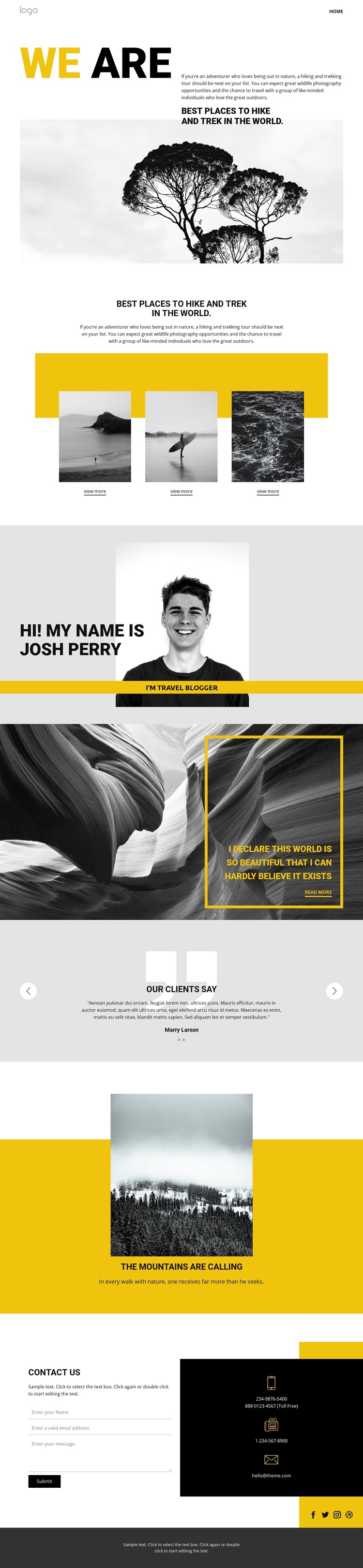
The destination group is the page’s clearest recurring content pattern: three image cards present hiking and trekking places in a consistent visual arrangement, with “View more” actions suggesting further exploration. Around that group, the travel blogger profile creates a separate editorial center. It gives the design a recognizable author perspective, so destination-focused content can be understood as part of a continuing travel voice rather than as an isolated collection of images.
The quote-style nature section and the yellow mountain panel support that editorial direction through shorter, more atmospheric content moments. Between them, the two-slide testimonial carousel introduces visitor responses as a distinct content layer. The result is a useful separation between destinations, author context, inspirational storytelling, and social proof. Each area can retain the same bold yellow, black, white, and grayscale treatment while serving a different role in a WordPress-managed travel site.
The final contact block provides permanent page content that can sit alongside regularly updated travel material. Social links, a contact form, and direct contact channels give the design a clear communication endpoint without changing its magazine-like character. WordPress Pages could hold the core introduction and contact information, while future editorial material could expand around the blogger-led direction. The existing layout therefore offers a coherent theme foundation for publishing outdoor travel content while keeping the original hiking focus visible.
Customize with Nicepage
Open this ready-made template in the WordPress Website Builder and customize it visually in the Nicepage editor. Replace demo content, edit page sections, and adapt the design to your project without rebuilding the template from scratch.
Manage and Edit This Theme in WordPress
Customize and Install the WordPress Theme
Start with this ready-made theme instead of building the WordPress design from scratch. Customize its layout, content, typography, images, sections, and other design elements visually in Nicepage editor, then export and install the WordPress Theme, Plugin, and Pages on your WordPress site. The Nicepage WordPress Plugin lets you continue working with the site after installation.
Edit the Theme Directly in WordPress
After installation, you can edit the WordPress Theme directly in WordPress with the Nicepage WordPress Plugin. Use Site Style to customize site Colors, Fonts, Header, Footer, Blog, and Post Page Templates while working within your WordPress website.
Edit WordPress Pages Visually
Use the Nicepage WordPress Plugin to edit page content directly from the WordPress admin area. Open a WordPress Page with Nicepage and visually change its text, images, sections, and other page elements while continuing to manage the Page through WordPress.
WordPress Content and Theme Integration
Use the customized theme with WordPress Pages, Posts, Blog and Post Templates, menus, widgets, and other CMS-managed content. Shared theme elements such as Colors, Fonts, Header, Footer, Blog, and Post Page Templates can be managed as part of the overall site design, while WordPress provides the CMS environment for managing site content.
This workflow combines a ready-made WordPress Theme with visual customization, direct theme editing in WordPress, and continued content management through the Nicepage WordPress Plugin.





















