New farming products WordPress Theme


Category Summaries Provide Stable WordPress Page Content
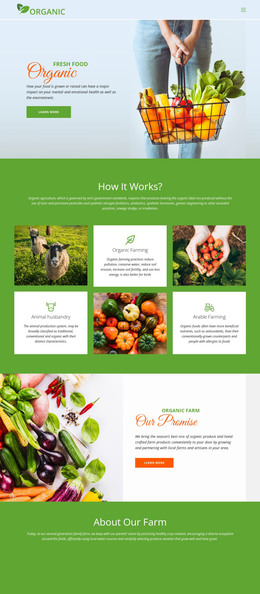
The block reads as permanent page content because its three cards describe a fixed group of food categories: Fresh Fruits, Vegetables, and Salad Leaves. Each card contains a circular image for visual identification, a clear category title, a short descriptive paragraph, and a Learn more link for continuing to related information. The repeated structure keeps the three offerings comparable while allowing each category to retain its own content area.
For a WordPress-managed page, this arrangement can function as a stable food-category section around which other content is organized. It can introduce the available categories before fuller descriptions, product information, or contact content appears elsewhere in the surrounding project. The cards do not depend on a rotating interaction or a complex content control; their static presentation keeps the summaries visible together and makes the section straightforward to understand as page material.
The visual treatment reinforces that role. Centered alignment places equal emphasis on each category, and the three-column row gives the group a compact horizontal rhythm. White cards contrast with the light blue background, separating the category summaries from adjacent sections without suggesting that the block contains the complete site design. The Learn more links provide individual continuation points, so a WordPress-oriented page can connect each category to broader content while preserving this reusable visual section as a consistent presentation of the three offerings.
Customize with Nicepage
Open this ready-made template in the WordPress Website Builder and customize it visually in the Nicepage editor. Replace demo content, edit page sections, and adapt the design to your project without rebuilding the template from scratch.
Edit Template Offline
2. Create a new page or select existing
3. Click Add new block, search for id 41812 and click enter
Edit Template Online
Create Awesome Websites


Free Nicepage Builder
Keywords
Manage and Edit This Theme in WordPress
Customize and Install the WordPress Theme
Start with this ready-made theme instead of building the WordPress design from scratch. Customize its layout, content, typography, images, sections, and other design elements visually in Nicepage editor, then export and install the WordPress Theme, Plugin, and Pages on your WordPress site. The Nicepage WordPress Plugin lets you continue working with the site after installation.
Edit the Theme Directly in WordPress
After installation, you can edit the WordPress Theme directly in WordPress with the Nicepage WordPress Plugin. Use Site Style to customize site Colors, Fonts, Header, Footer, Blog, and Post Page Templates while working within your WordPress website.
Edit WordPress Pages Visually
Use the Nicepage WordPress Plugin to edit page content directly from the WordPress admin area. Open a WordPress Page with Nicepage and visually change its text, images, sections, and other page elements while continuing to manage the Page through WordPress.
WordPress Content and Theme Integration
Use the customized theme with WordPress Pages, Posts, Blog and Post Templates, menus, widgets, and other CMS-managed content. Shared theme elements such as Colors, Fonts, Header, Footer, Blog, and Post Page Templates can be managed as part of the overall site design, while WordPress provides the CMS environment for managing site content.
This workflow combines a ready-made WordPress Theme with visual customization, direct theme editing in WordPress, and continued content management through the Nicepage WordPress Plugin.