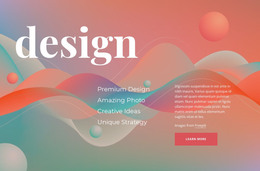
Grid overlaping the image WordPress Theme


Permanent Learning Content With a Separate Benefits Panel
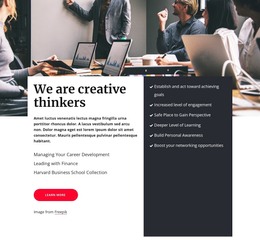
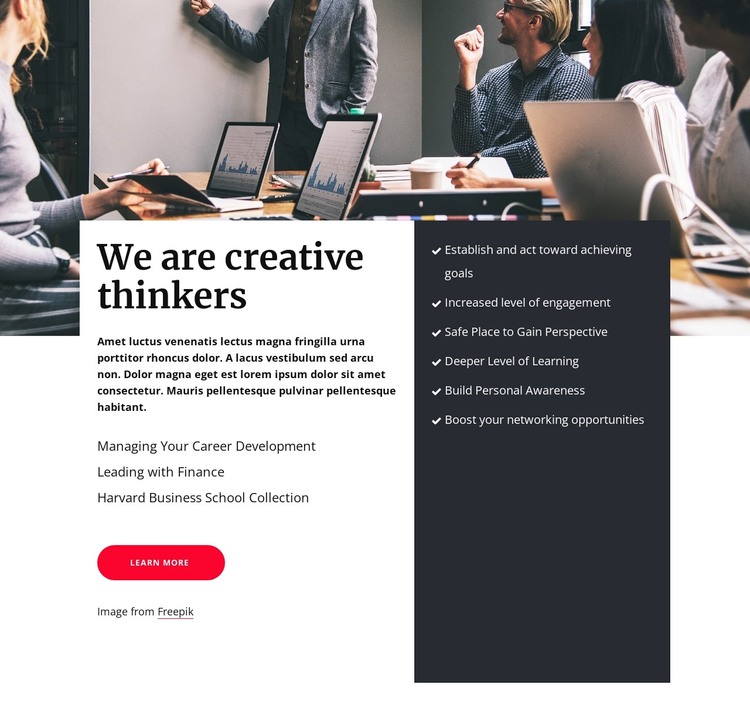
The workplace meeting photograph gives this section an immediate professional setting, while the lower panels turn that setting into organized page content. The white panel begins with “We are creative thinkers,” followed by supporting copy and three specific learning-topic lines: “Managing Your Career Development,” “Leading with Finance,” and “Harvard Business School Collection.” Its rounded pink Learn More button provides a visible route to related information, so the section can introduce a subject without carrying every detail of the wider project.
The charcoal panel reads as a separate benefits area rather than another paragraph column. Six checklist items identify outcomes such as increased engagement, gaining perspective, deeper learning, personal awareness, and stronger networking opportunities. This repeated structure is useful for a WordPress-managed page because the explanatory material and the benefit statements have clearly different content roles while remaining part of one visual section. The image, text panel, and checklist can therefore be maintained as a stable career-learning area alongside other page content.
Within a WordPress-oriented project, the block can suit permanent services, about, or professional-development information rather than implying a complete theme on its own. The surrounding site can provide navigation and additional pages, while this section preserves its recognizable heading, topic list, call to action, and six-item outcomes group. Its value is the reusable relationship between contextual imagery and structured publishable content.
Customize with Nicepage
Open this ready-made template in the WordPress Website Builder and customize it visually in the Nicepage editor. Replace demo content, edit page sections, and adapt the design to your project without rebuilding the template from scratch.
Edit Template Offline
2. Create a new page or select existing
3. Click Add new block, search for id 4151226 and click enter
Edit Template Online
Create Awesome Websites


Free Nicepage Builder
Keywords
Manage and Edit This Theme in WordPress
Customize and Install the WordPress Theme
Start with this ready-made theme instead of building the WordPress design from scratch. Customize its layout, content, typography, images, sections, and other design elements visually in Nicepage editor, then export and install the WordPress Theme, Plugin, and Pages on your WordPress site. The Nicepage WordPress Plugin lets you continue working with the site after installation.
Edit the Theme Directly in WordPress
After installation, you can edit the WordPress Theme directly in WordPress with the Nicepage WordPress Plugin. Use Site Style to customize site Colors, Fonts, Header, Footer, Blog, and Post Page Templates while working within your WordPress website.
Edit WordPress Pages Visually
Use the Nicepage WordPress Plugin to edit page content directly from the WordPress admin area. Open a WordPress Page with Nicepage and visually change its text, images, sections, and other page elements while continuing to manage the Page through WordPress.
WordPress Content and Theme Integration
Use the customized theme with WordPress Pages, Posts, Blog and Post Templates, menus, widgets, and other CMS-managed content. Shared theme elements such as Colors, Fonts, Header, Footer, Blog, and Post Page Templates can be managed as part of the overall site design, while WordPress provides the CMS environment for managing site content.
This workflow combines a ready-made WordPress Theme with visual customization, direct theme editing in WordPress, and continued content management through the Nicepage WordPress Plugin.