Business coaching and consulting WordPress Theme



Edit Template Offline
2. Create new page and search for id 4148369
Edit Template Online
Create Awesome Websites


Free Nicepage Builder
Keywords
Service Pages and Editorial Cards Share One Business Theme
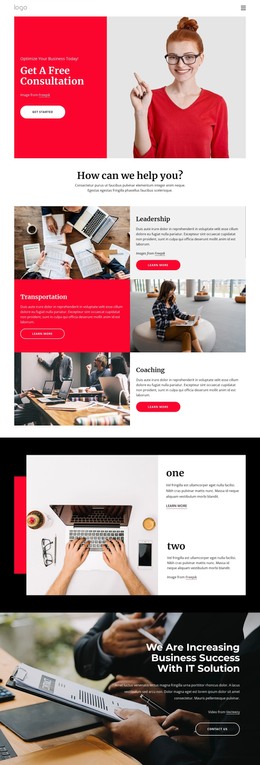
The three alternating service rows give this design a clear page-oriented content base. Leadership, Transportation, and Coaching are presented as separate image-and-text areas, while the hero frames them with a free consultation message and Get Started action. In a WordPress-managed project, these visible regions can provide the starting structure for permanent business content, although the analysis does not verify specific WordPress Pages, Posts, or category assignments.
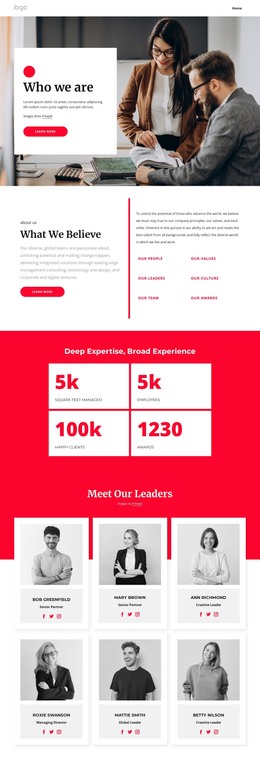
The Latest Posts section supplies a different content relationship: four repeated cards display images, headlines, dates, and excerpts within the same visual language. That editorial area sits alongside the six-person leader collection, the IT solutions video section, and the testimonial carousel. Together, these areas distinguish company information, regularly updated material, technology promotion, and customer-proof content without requiring the design to lose its red, black, white, and light-gray character. The demonstrated names, post titles, quotations, and counters are sample values and should not be presented as verified company records.
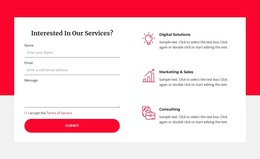
The subscription form, five client logos, and final contact form extend the theme toward ongoing communication and service inquiries. The closing area pairs the inquiry interaction with Digital Solutions, Marketing & Sales, and Consulting summaries, giving page content a practical endpoint. This makes the design suitable for a WordPress theme interpretation centered on reusable business sections plus editorial content, rather than a CMS name added to a generic static layout.
Customize with Nicepage
Open this ready-made template in the WordPress Website Builder and customize it visually in the Nicepage editor. Replace demo content, edit page sections, and adapt the design to your project without rebuilding the template from scratch.
Manage and Edit This Theme in WordPress
Customize and Install the WordPress Theme
Start with this ready-made theme instead of building the WordPress design from scratch. Customize its layout, content, typography, images, sections, and other design elements visually in Nicepage editor, then export and install the WordPress Theme, Plugin, and Pages on your WordPress site. The Nicepage WordPress Plugin lets you continue working with the site after installation.
Edit the Theme Directly in WordPress
After installation, you can edit the WordPress Theme directly in WordPress with the Nicepage WordPress Plugin. Use Site Style to customize site Colors, Fonts, Header, Footer, Blog, and Post Page Templates while working within your WordPress website.
Edit WordPress Pages Visually
Use the Nicepage WordPress Plugin to edit page content directly from the WordPress admin area. Open a WordPress Page with Nicepage and visually change its text, images, sections, and other page elements while continuing to manage the Page through WordPress.
WordPress Content and Theme Integration
Use the customized theme with WordPress Pages, Posts, Blog and Post Templates, menus, widgets, and other CMS-managed content. Shared theme elements such as Colors, Fonts, Header, Footer, Blog, and Post Page Templates can be managed as part of the overall site design, while WordPress provides the CMS environment for managing site content.
This workflow combines a ready-made WordPress Theme with visual customization, direct theme editing in WordPress, and continued content management through the Nicepage WordPress Plugin.