Transform Ideas into Apps WordPress Theme


Edit Template Offline
2. Create new page and search for id 6447880
Edit Template Online
Create Awesome Websites


Free Nicepage Builder
Keywords
Page Content and Repeated Service Cards Fit a Managed App Theme
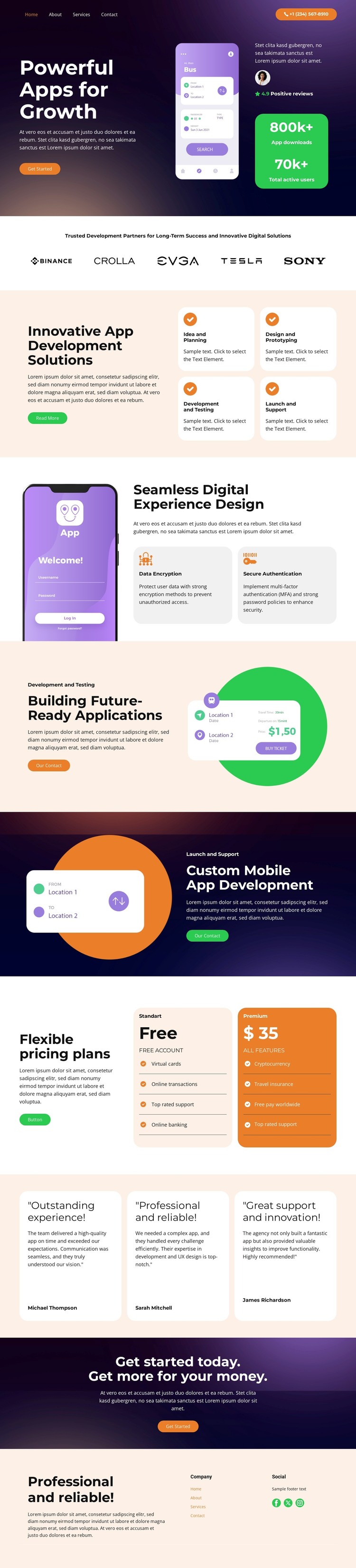
The hero and the sections that follow create clear permanent page content for an app development website. The opening message, mobile app mockup, Start a Project button, and consultation action establish the main service page. Beneath them, the four development cards organize the offer around planning, design and prototyping, testing and servicing, and launch and support. This gives page-oriented content a meaningful sequence instead of reducing the theme to a decorative technology background.
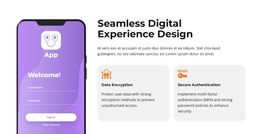
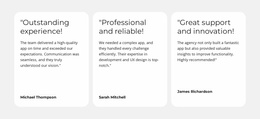
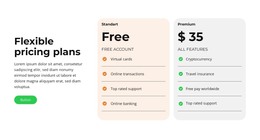
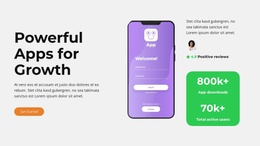
The second feature group and the two split sections provide additional content relationships that can remain part of the same theme direction. Product experience, data encryption, and secure authentication address trust and quality, while future-ready applications and custom mobile app development create separate service emphases. The three pricing cards and three testimonial cards then support package information and customer-oriented proof, with the final dark banner returning visitors to the get-started message.
For a WordPress-managed project, these areas can distinguish permanent service pages or sections from content that may later be expanded with regularly updated material. The template analysis does not verify WordPress Posts, blog layouts, categories, or widgets in this specific design, so those should not be treated as existing components. Its confirmed value is the coordinated relationship between page content, repeated cards, navigation, shared footer links, and a strong app-focused visual system.
Customize with Nicepage
Open this ready-made template in the WordPress Website Builder and customize it visually in the Nicepage editor. Replace demo content, edit page sections, and adapt the design to your project without rebuilding the template from scratch.
Manage and Edit This Theme in WordPress
Customize and Install the WordPress Theme
Start with this ready-made theme instead of building the WordPress design from scratch. Customize its layout, content, typography, images, sections, and other design elements visually in Nicepage editor, then export and install the WordPress Theme, Plugin, and Pages on your WordPress site. The Nicepage WordPress Plugin lets you continue working with the site after installation.
Edit the Theme Directly in WordPress
After installation, you can edit the WordPress Theme directly in WordPress with the Nicepage WordPress Plugin. Use Site Style to customize site Colors, Fonts, Header, Footer, Blog, and Post Page Templates while working within your WordPress website.
Edit WordPress Pages Visually
Use the Nicepage WordPress Plugin to edit page content directly from the WordPress admin area. Open a WordPress Page with Nicepage and visually change its text, images, sections, and other page elements while continuing to manage the Page through WordPress.
WordPress Content and Theme Integration
Use the customized theme with WordPress Pages, Posts, Blog and Post Templates, menus, widgets, and other CMS-managed content. Shared theme elements such as Colors, Fonts, Header, Footer, Blog, and Post Page Templates can be managed as part of the overall site design, while WordPress provides the CMS environment for managing site content.
This workflow combines a ready-made WordPress Theme with visual customization, direct theme editing in WordPress, and continued content management through the Nicepage WordPress Plugin.