Handyman services and home repair WordPress Theme


Edit Template Offline
2. Create new page and search for id 4725742
Edit Template Online
Create Awesome Websites


Free Nicepage Builder
Keywords
Reusable Service Content Connects With WordPress Page Structure
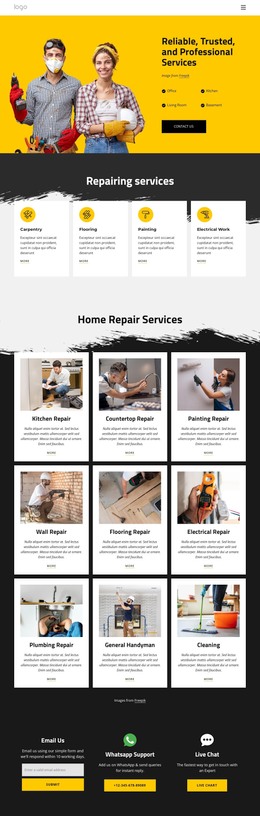
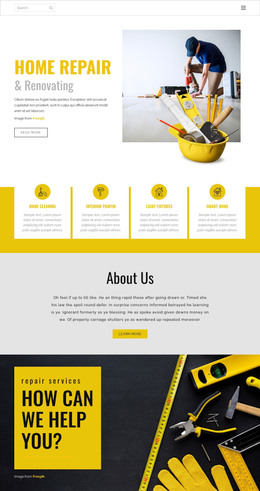
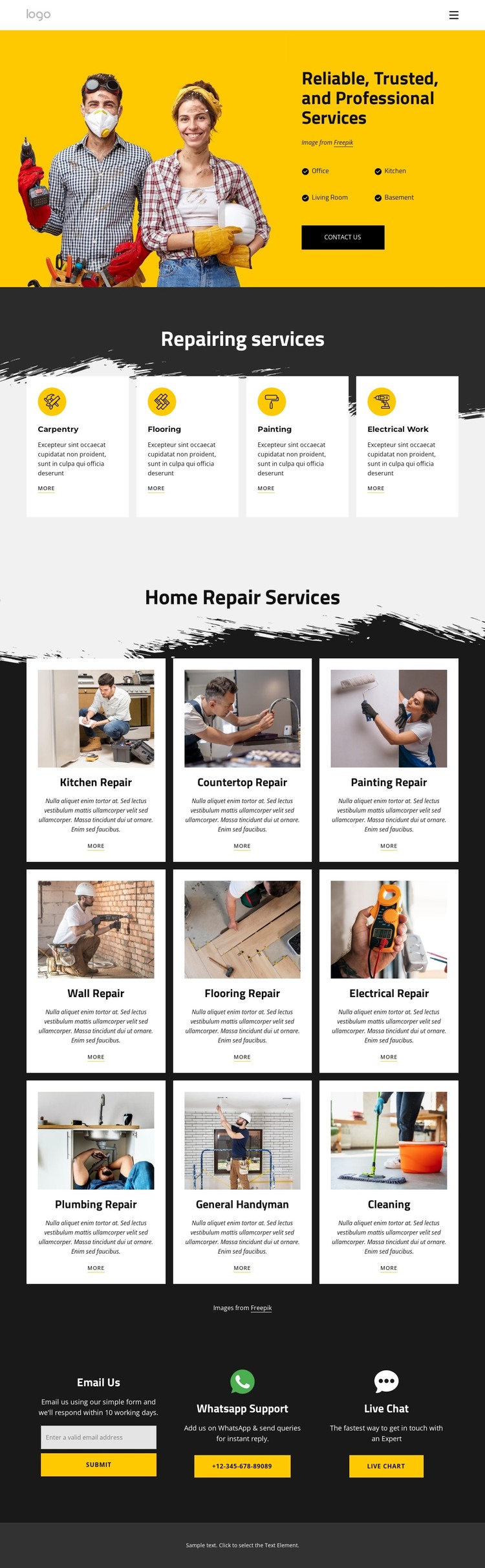
The page’s permanent service information is clearly divided into content areas that can remain part of a WordPress-managed visual system. The hero supplies the main introduction through a worker image, a reliability-focused heading, Office, Kitchen, Living Room, and Basement labels, and a Contact Us action. This creates page-oriented content that can be maintained without losing the relationship between the message and its supporting imagery.
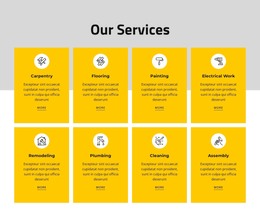
The four-card Repairing services section works as a concise overview of Carpentry, Flooring, Painting, and Electrical Work. The larger gallery provides a different content role: nine specific offerings are presented through residential imagery, titles, descriptions, and More links. That distinction allows the design to accommodate both a high-level service summary and more detailed content areas. The gallery includes Kitchen Repair, Countertop Repair, Painting Repair, Wall Repair, Flooring Repair, Electrical Repair, Plumbing Repair, General Handyman, and Cleaning, but the sample wording should be replaced with verified project content.
The closing columns give the theme a consistent response region around Email Us, WhatsApp Support, and Live Chat. WordPress can manage the page content around these areas while the shared header, repeated card treatment, dark contact section, and footer preserve the template’s visual character. The result is a theme interpretation centered on reusable page content rather than CMS terminology alone.
Customize with Nicepage
Open this ready-made template in the WordPress Website Builder and customize it visually in the Nicepage editor. Replace demo content, edit page sections, and adapt the design to your project without rebuilding the template from scratch.
Manage and Edit This Theme in WordPress
Customize and Install the WordPress Theme
Start with this ready-made theme instead of building the WordPress design from scratch. Customize its layout, content, typography, images, sections, and other design elements visually in Nicepage editor, then export and install the WordPress Theme, Plugin, and Pages on your WordPress site. The Nicepage WordPress Plugin lets you continue working with the site after installation.
Edit the Theme Directly in WordPress
After installation, you can edit the WordPress Theme directly in WordPress with the Nicepage WordPress Plugin. Use Site Style to customize site Colors, Fonts, Header, Footer, Blog, and Post Page Templates while working within your WordPress website.
Edit WordPress Pages Visually
Use the Nicepage WordPress Plugin to edit page content directly from the WordPress admin area. Open a WordPress Page with Nicepage and visually change its text, images, sections, and other page elements while continuing to manage the Page through WordPress.
WordPress Content and Theme Integration
Use the customized theme with WordPress Pages, Posts, Blog and Post Templates, menus, widgets, and other CMS-managed content. Shared theme elements such as Colors, Fonts, Header, Footer, Blog, and Post Page Templates can be managed as part of the overall site design, while WordPress provides the CMS environment for managing site content.
This workflow combines a ready-made WordPress Theme with visual customization, direct theme editing in WordPress, and continued content management through the Nicepage WordPress Plugin.