We love what we do WordPress Theme


Edit Template Offline
2. Create new page and search for id 4626574
Edit Template Online
Create Awesome Websites


Free Nicepage Builder
Keywords
Page Content and Repeated Cards Fit a Managed Contact Theme
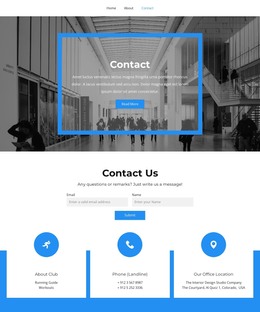
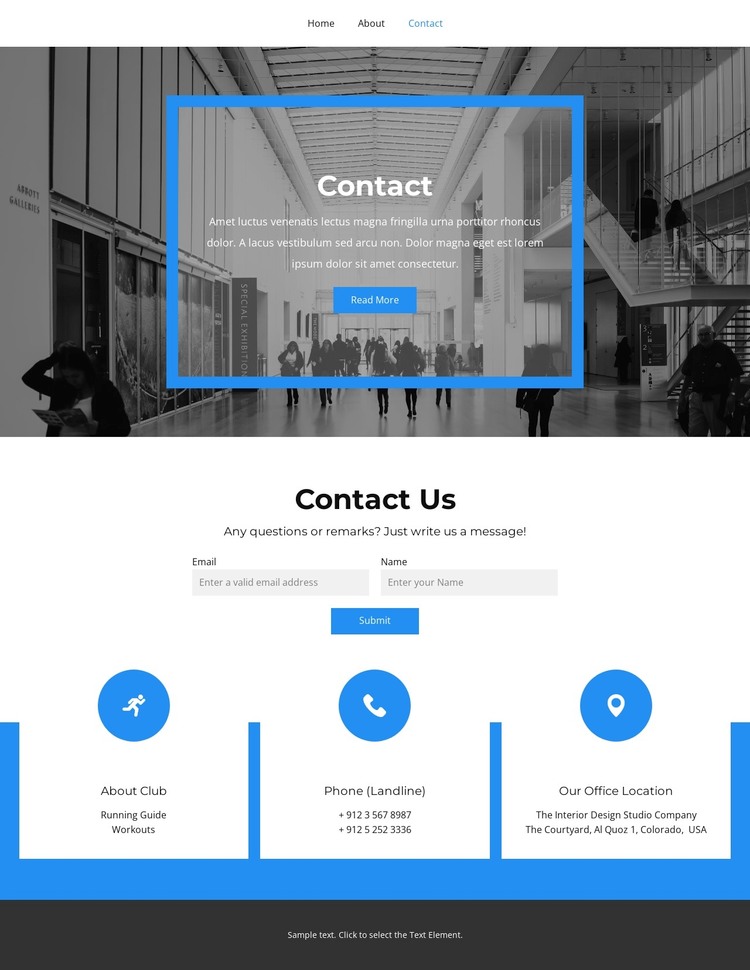
The page divides its content into clear areas that can be interpreted as permanent WordPress-oriented page content without claiming that WordPress Posts or blog structures already exist. The Contact introduction provides the main page context, using a dark architectural image and a centered blue-edged card. The Contact Us section then gives the page a direct purpose through a short prompt, name and email fields, and a Submit action.
The three repeated information cards create a separate content relationship. About Club presents explanatory information, while the phone and office-location cards support direct contact details. Keeping these roles visually distinct would help a managed site maintain a consistent page style as text and contact information change. The same card treatment could also provide a recognizable pattern for related permanent areas, although the analysis confirms only the current contact page and does not establish additional WordPress content types.
The navigation is important to the theme interpretation because it already names Home, About, Contact, Gallery, and Team. It provides a shared route between content areas while the dark footer offers a consistent closing region. The blue accent, grayscale image treatment, centered typography, and white cards form the theme’s visual character around that content structure. Where WordPress-managed pages are used, the Nicepage WordPress Plugin can support direct theme editing, while the concrete design remains the basis for the page presentation.
Customize with Nicepage
Open this ready-made template in the WordPress Website Builder and customize it visually in the Nicepage editor. Replace demo content, edit page sections, and adapt the design to your project without rebuilding the template from scratch.
Manage and Edit This Theme in WordPress
Customize and Install the WordPress Theme
Start with this ready-made theme instead of building the WordPress design from scratch. Customize its layout, content, typography, images, sections, and other design elements visually in Nicepage editor, then export and install the WordPress Theme, Plugin, and Pages on your WordPress site. The Nicepage WordPress Plugin lets you continue working with the site after installation.
Edit the Theme Directly in WordPress
After installation, you can edit the WordPress Theme directly in WordPress with the Nicepage WordPress Plugin. Use Site Style to customize site Colors, Fonts, Header, Footer, Blog, and Post Page Templates while working within your WordPress website.
Edit WordPress Pages Visually
Use the Nicepage WordPress Plugin to edit page content directly from the WordPress admin area. Open a WordPress Page with Nicepage and visually change its text, images, sections, and other page elements while continuing to manage the Page through WordPress.
WordPress Content and Theme Integration
Use the customized theme with WordPress Pages, Posts, Blog and Post Templates, menus, widgets, and other CMS-managed content. Shared theme elements such as Colors, Fonts, Header, Footer, Blog, and Post Page Templates can be managed as part of the overall site design, while WordPress provides the CMS environment for managing site content.
This workflow combines a ready-made WordPress Theme with visual customization, direct theme editing in WordPress, and continued content management through the Nicepage WordPress Plugin.