Visit our bakery WordPress Theme


Stable Address and Opening Information Fits a WordPress-Managed Page Section
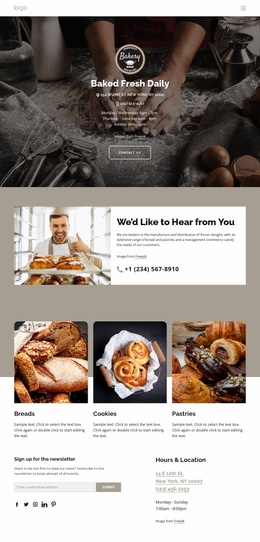
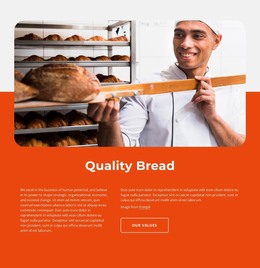
The address, opening-hours schedule, and phone details read as stable page content rather than as a stream of changing editorial entries. In a WordPress-oriented project, this makes the block suitable for a permanent contact or visiting-information area, while the surrounding site can manage other pages and content separately. The right-side panel keeps these practical details together, and the Hours and Phone labels make the information easy to scan. The bakery preparation photograph adds context without replacing the content function.
The block is not a standalone WordPress Theme. It is one visual section that can sit inside a page whose wider structure supplies navigation, introductions, services, or additional contact actions. If the site later changes its address, schedule, or phone content, those values can be updated as page information while the image-and-panel arrangement remains the section’s visual framework. The sample details are best treated as replaceable content for the intended bakery contact role.
The dark charcoal background, orange accent block, and white information panel also give the section a defined appearance that can be coordinated with the broader site style. Since its interaction is static, the content is presented directly rather than through a carousel or expandable control. This makes the block a practical, readable content area for a WordPress-managed page without expanding its scope into site-wide theme architecture.
Customize with Nicepage
Open this ready-made template in the WordPress Website Builder and customize it visually in the Nicepage editor. Replace demo content, edit page sections, and adapt the design to your project without rebuilding the template from scratch.
Edit Template Offline
2. Create a new page or select existing
3. Click Add new block, search for id 3257019 and click enter
Edit Template Online
Create Awesome Websites


Free Nicepage Builder
Keywords
Manage and Edit This Theme in WordPress
Customize and Install the WordPress Theme
Start with this ready-made theme instead of building the WordPress design from scratch. Customize its layout, content, typography, images, sections, and other design elements visually in Nicepage editor, then export and install the WordPress Theme, Plugin, and Pages on your WordPress site. The Nicepage WordPress Plugin lets you continue working with the site after installation.
Edit the Theme Directly in WordPress
After installation, you can edit the WordPress Theme directly in WordPress with the Nicepage WordPress Plugin. Use Site Style to customize site Colors, Fonts, Header, Footer, Blog, and Post Page Templates while working within your WordPress website.
Edit WordPress Pages Visually
Use the Nicepage WordPress Plugin to edit page content directly from the WordPress admin area. Open a WordPress Page with Nicepage and visually change its text, images, sections, and other page elements while continuing to manage the Page through WordPress.
WordPress Content and Theme Integration
Use the customized theme with WordPress Pages, Posts, Blog and Post Templates, menus, widgets, and other CMS-managed content. Shared theme elements such as Colors, Fonts, Header, Footer, Blog, and Post Page Templates can be managed as part of the overall site design, while WordPress provides the CMS environment for managing site content.
This workflow combines a ready-made WordPress Theme with visual customization, direct theme editing in WordPress, and continued content management through the Nicepage WordPress Plugin.