New restaurant WordPress Theme



Edit Template Offline
2. Create new page and search for id 1692063
Edit Template Online
Create Awesome Websites


Free Nicepage Builder
Keywords
Menu Content and Gallery Presentation Fit a Managed Bakery Site
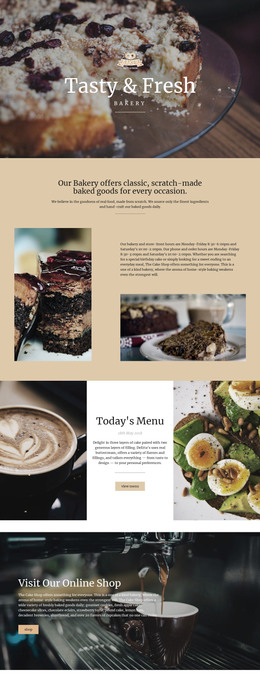
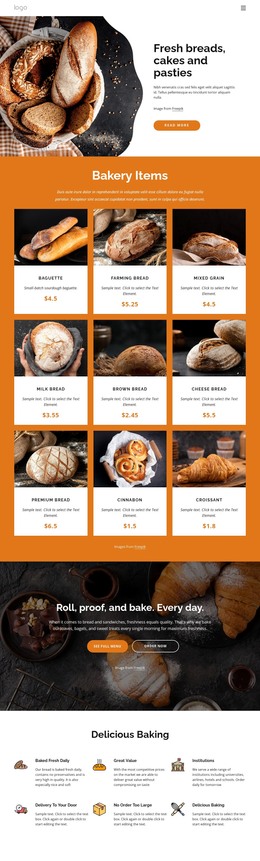
The breakfast and lunch sections provide clear page-oriented content areas for a WordPress project. Breakfast contains four repeated dishes and lunch contains six, with each entry combining a name, description, and price. This makes the design suitable for organizing permanent menu information while keeping the two food categories visibly distinct. The natural-products statement and the three numbered information cards add supporting content that can remain connected to the same visual direction.
The gallery gives the template a second content emphasis. Six food images create a visual presentation area after the menu sections, and the lightbox component confirmed in the analysis supports image-focused browsing. The “Reserve a table” action links that visual interest to a practical response, while the closing contacts region groups opening hours, address, and phone details for visitors planning a visit. These relationships offer a useful WordPress interpretation without claiming that Posts, categories, widgets, or blog structures already exist in the template.
A WordPress-managed project could use the design for permanent bakery information and later add regularly updated content around the same food-service identity. Pages are a natural interpretation for the core menu and contact areas, while any future editorial content would need to be created separately and should not be treated as existing evidence. The Nicepage WordPress Plugin is an optional product bridge when the project needs to work with WordPress content, but the theme’s main value comes from its verified menu, gallery, reservation, and contact structure.
Customize with Nicepage
Open this ready-made template in the WordPress Website Builder and customize it visually in the Nicepage editor. Replace demo content, edit page sections, and adapt the design to your project without rebuilding the template from scratch.
Manage and Edit This Theme in WordPress
Customize and Install the WordPress Theme
Start with this ready-made theme instead of building the WordPress design from scratch. Customize its layout, content, typography, images, sections, and other design elements visually in Nicepage editor, then export and install the WordPress Theme, Plugin, and Pages on your WordPress site. The Nicepage WordPress Plugin lets you continue working with the site after installation.
Edit the Theme Directly in WordPress
After installation, you can edit the WordPress Theme directly in WordPress with the Nicepage WordPress Plugin. Use Site Style to customize site Colors, Fonts, Header, Footer, Blog, and Post Page Templates while working within your WordPress website.
Edit WordPress Pages Visually
Use the Nicepage WordPress Plugin to edit page content directly from the WordPress admin area. Open a WordPress Page with Nicepage and visually change its text, images, sections, and other page elements while continuing to manage the Page through WordPress.
WordPress Content and Theme Integration
Use the customized theme with WordPress Pages, Posts, Blog and Post Templates, menus, widgets, and other CMS-managed content. Shared theme elements such as Colors, Fonts, Header, Footer, Blog, and Post Page Templates can be managed as part of the overall site design, while WordPress provides the CMS environment for managing site content.
This workflow combines a ready-made WordPress Theme with visual customization, direct theme editing in WordPress, and continued content management through the Nicepage WordPress Plugin.