We bake fresh bread and cakes Website Template


A Reusable Bakery Benefits Section for a Broader Site Project
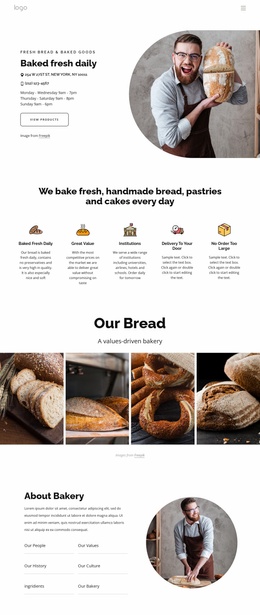
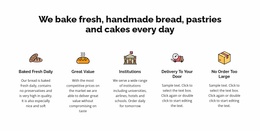
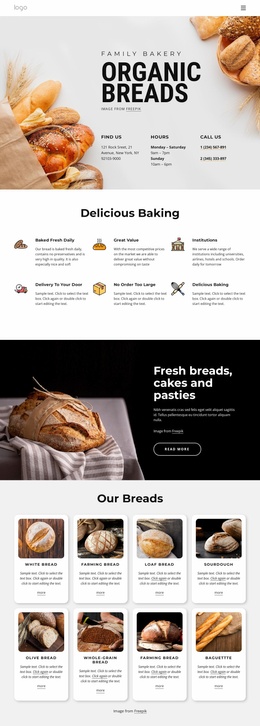
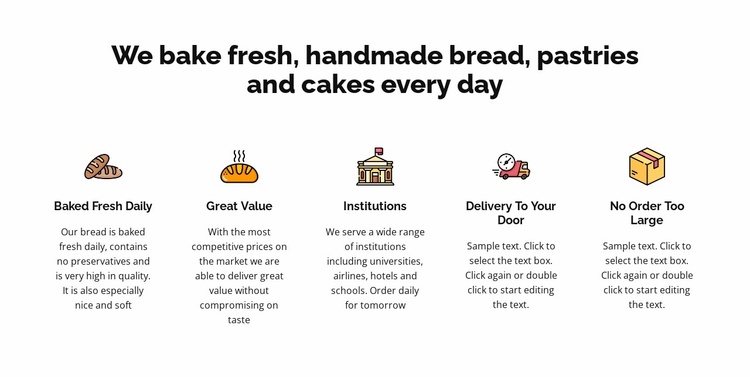
The block provides one clearly defined website content area rather than a complete site structure. Its centered heading introduces the bakery’s main offering, and the five repeated feature groups organize related information into a stable pattern. Baked Fresh Daily, Great Value, Institutions, Delivery To Your Door, and No Order Too Large can collectively serve as a features or service-benefits section, while other pages or blocks handle menus, product details, ordering, contact information, or the bakery story.
The repeated icon-title-description format is useful in a broader Website Template project because it gives this content category its own visual identity without requiring the surrounding project to duplicate the entire arrangement. The Institutions item supports a more organizational service context by naming universities, airlines, hotels, and schools. The first description emphasizes bread baked fresh daily and no preservatives. Delivery and large-order information occupy separate feature areas, although their current descriptions include editable sample text and should be completed for the intended business.
The white background, bold centered heading, colorful illustrated icons, and generous spacing can also coordinate with neighboring sections through shared visual decisions. A related page might echo the typography or icon treatment without copying the same content. In this broader project role, the block is valuable as a self-contained recurring content pattern: it explains several bakery benefits at once, remains easy to identify among other sections, and leaves the surrounding website to provide the larger navigation and page organization.
Customize with Nicepage
Open this ready-made template in the Website Template Builder and customize it visually in the Nicepage editor. Replace demo content, edit page sections, and adapt the design to your project without rebuilding the template from scratch.
Edit Template Offline
2. Create a new page or select existing
3. Click Add new block, search for id 4873232 and click enter
Edit Template Online
Create Awesome Websites


Free Nicepage Builder
Keywords
Build a Complete Website From This Template
Customize the Website Visually
Use this ready-made website template as a starting point for your project and adapt its pages visually in Nicepage. Change content, images, typography, navigation, sections, and other design elements while keeping the website together as a single editable project.
Manage Website Pages in One Project
Use the Pages panel to open, add, duplicate, and manage the pages of your website. Work on individual pages while keeping navigation and the overall site structure accessible from the same project, making it easier to develop a complete website instead of managing separate page files.
Expand the Website With Matching Designs
When you need additional pages or sections, use Page Design Sets to find Page and Block Designs created in the same visual style. Design Sets group matching designs together, making it easier to expand the website with new content while maintaining a consistent look across its pages and sections.
Organize Larger Multi-Page Websites
As the website grows, use Page Folders to organize related pages and keep larger multi-page projects easier to navigate in the editor. This is especially useful for websites with separate service pages, company information, contacts, landing pages, and other content areas.
This workflow makes the template a practical foundation for building and expanding a complete website while managing its pages, content, and visual design within one Nicepage project.

Design Set (22)
-

-
-
-
-
-
-
-
-
-
-
-
-
-
Customize Any TemplateDownload
-
-