How to care for a domestic cat WordPress Theme


The Cat Article Teaser Fits Stable WordPress Page Content
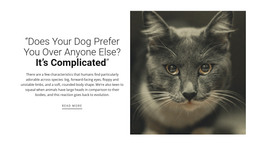
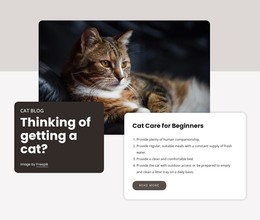
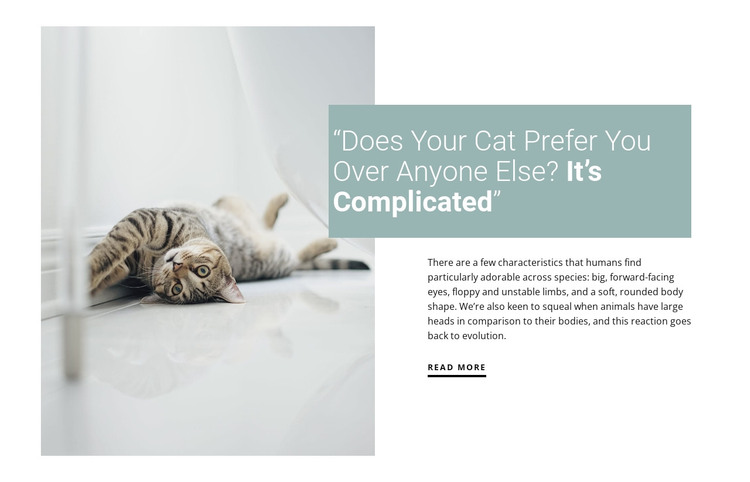
The heading and explanatory paragraph read as durable informational content rather than a temporary announcement. The question about whether a cat prefers one person establishes the article subject, while the paragraph adds context about physical traits people find adorable across species. The large cat photograph reinforces that subject visually, and the read-more link connects the concise teaser to a fuller destination that may exist elsewhere in the surrounding WordPress-managed page.
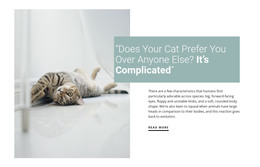
The section’s layout keeps that page content easy to identify. The image occupies the left column with a soft, spacious crop, while the right column groups the headline and copy into one editorial region. The pale blue-green panel overlaps the heading area and gives the title a distinct visual label. White space around the two regions and dark sans-serif type support a calm reading experience without adding a separate functional component.
Within a WordPress-oriented project, this block can serve as a stable article or information section on a page while the wider site manages other publishable content around it. The block does not need to become a full theme to contribute value: its specific role is to present one cat-focused editorial teaser with a recognizable image-text pattern. That makes it suitable for permanent page content, related animal information, or a curated article introduction within the broader CMS-managed design.
Customize with Nicepage
Open this ready-made template in the WordPress Website Builder and customize it visually in the Nicepage editor. Replace demo content, edit page sections, and adapt the design to your project without rebuilding the template from scratch.
Edit Template Offline
2. Create a new page or select existing
3. Click Add new block, search for id 288652 and click enter
Edit Template Online
Create Awesome Websites


Free Nicepage Builder
Keywords
Manage and Edit This Theme in WordPress
Customize and Install the WordPress Theme
Start with this ready-made theme instead of building the WordPress design from scratch. Customize its layout, content, typography, images, sections, and other design elements visually in Nicepage editor, then export and install the WordPress Theme, Plugin, and Pages on your WordPress site. The Nicepage WordPress Plugin lets you continue working with the site after installation.
Edit the Theme Directly in WordPress
After installation, you can edit the WordPress Theme directly in WordPress with the Nicepage WordPress Plugin. Use Site Style to customize site Colors, Fonts, Header, Footer, Blog, and Post Page Templates while working within your WordPress website.
Edit WordPress Pages Visually
Use the Nicepage WordPress Plugin to edit page content directly from the WordPress admin area. Open a WordPress Page with Nicepage and visually change its text, images, sections, and other page elements while continuing to manage the Page through WordPress.
WordPress Content and Theme Integration
Use the customized theme with WordPress Pages, Posts, Blog and Post Templates, menus, widgets, and other CMS-managed content. Shared theme elements such as Colors, Fonts, Header, Footer, Blog, and Post Page Templates can be managed as part of the overall site design, while WordPress provides the CMS environment for managing site content.
This workflow combines a ready-made WordPress Theme with visual customization, direct theme editing in WordPress, and continued content management through the Nicepage WordPress Plugin.