Three steps to start WordPress Theme


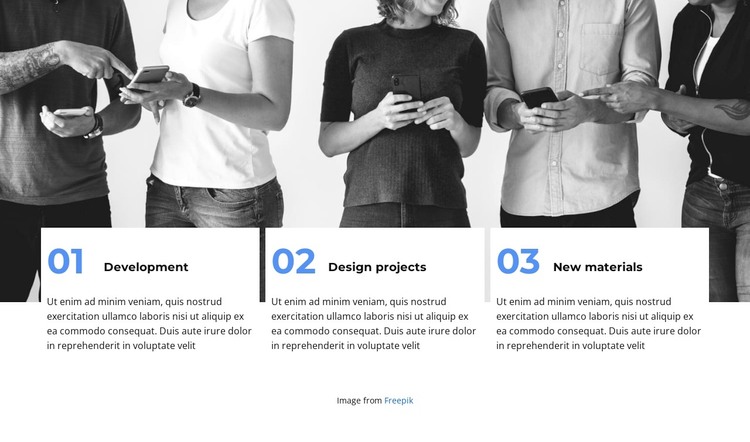
Numbered capability cards fit stable page content
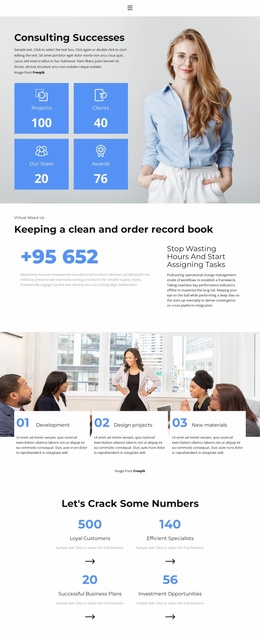
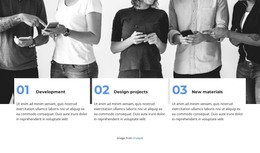
The three cards create a compact, page-oriented content area that can remain visually consistent in a WordPress-managed project. Development, Design projects, and New materials are presented as separate capability topics, and each topic has supporting paragraph text beneath its title. That structure suits information a page may need to retain and revise over time without changing the block’s overall arrangement.
The visual organization reinforces the content role. A wide monochrome image of people using smartphones spans the upper portion, while the three white cards overlap the image below. The 01, 02, and 03 labels provide an ordered reading path, and the blue accents help users distinguish the repeated items quickly. Bold sans-serif titles establish a stronger level than the smaller supporting copy, so the section remains scannable when surrounded by other page content.
Within a WordPress-oriented website, this block can serve as a stable Features or capabilities section on a relevant page. The wider CMS-managed project can provide other pages, editorial material, or additional content around it, while this section keeps its specific role and presentation. The block does not need to carry site-wide navigation or theme structure to be useful as page content. Its Freepik attribution line should remain associated with the image when the section is maintained or reused.
Customize with Nicepage
Open this ready-made template in the WordPress Website Builder and customize it visually in the Nicepage editor. Replace demo content, edit page sections, and adapt the design to your project without rebuilding the template from scratch.
Edit Template Offline
2. Create a new page or select existing
3. Click Add new block, search for id 2704363 and click enter
Edit Template Online
Create Awesome Websites


Free Nicepage Builder
Keywords
Manage and Edit This Theme in WordPress
Customize and Install the WordPress Theme
Start with this ready-made theme instead of building the WordPress design from scratch. Customize its layout, content, typography, images, sections, and other design elements visually in Nicepage editor, then export and install the WordPress Theme, Plugin, and Pages on your WordPress site. The Nicepage WordPress Plugin lets you continue working with the site after installation.
Edit the Theme Directly in WordPress
After installation, you can edit the WordPress Theme directly in WordPress with the Nicepage WordPress Plugin. Use Site Style to customize site Colors, Fonts, Header, Footer, Blog, and Post Page Templates while working within your WordPress website.
Edit WordPress Pages Visually
Use the Nicepage WordPress Plugin to edit page content directly from the WordPress admin area. Open a WordPress Page with Nicepage and visually change its text, images, sections, and other page elements while continuing to manage the Page through WordPress.
WordPress Content and Theme Integration
Use the customized theme with WordPress Pages, Posts, Blog and Post Templates, menus, widgets, and other CMS-managed content. Shared theme elements such as Colors, Fonts, Header, Footer, Blog, and Post Page Templates can be managed as part of the overall site design, while WordPress provides the CMS environment for managing site content.
This workflow combines a ready-made WordPress Theme with visual customization, direct theme editing in WordPress, and continued content management through the Nicepage WordPress Plugin.