Investment consulting group WordPress Theme



Edit Template Offline
2. Create new page and search for id 6464346
Edit Template Online
Create Awesome Websites


Free Nicepage Builder
Keywords
Service Cards and Team Content Shape a WordPress Site Structure
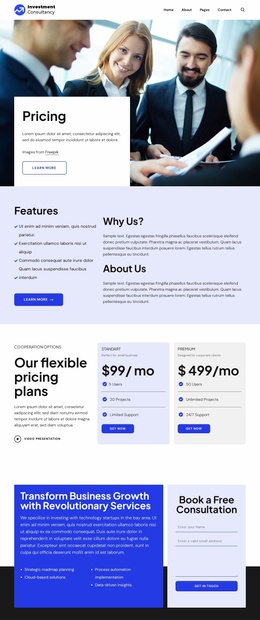
The three opening service cards give the design clear permanent page content for Business Planning, Consulting Services, and Inventory Management. Together with the hero’s Investment Consultancy label, business-care headline, and Get Started action, they establish a focused entry point for a WordPress site rather than leaving the theme dependent on a generic corporate layout. The accounting and business-growth section adds a deeper explanatory area that can support more detailed page content about the organization’s services.
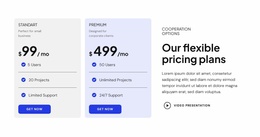
The middle sections provide additional content relationships for a theme project. Four focus-area tiles connect the presentation to Business Planning, Sales Increase, Market Research, and Business Strategy, while the testimonials and team list create separate places for credibility and people-focused information. The Standard and Premium cards introduce a plan-comparison pattern; their sample prices should be replaced with verified commercial details rather than treated as actual offers. Four unlabeled counters likewise indicate visual proof areas, not confirmed business results.
The closing consultation block gives the page a defined contact destination, pairing service copy with a Book a Free Consultation form. In WordPress, these page-oriented areas can remain part of the theme’s visual system while additional editorial content is added later if the project requires it. The black footer also provides a shared location for company information, help links, contact details, and legal navigation, helping the site maintain continuity beyond the main page.
Customize with Nicepage
Open this ready-made template in the WordPress Website Builder and customize it visually in the Nicepage editor. Replace demo content, edit page sections, and adapt the design to your project without rebuilding the template from scratch.
Manage and Edit This Theme in WordPress
Customize and Install the WordPress Theme
Start with this ready-made theme instead of building the WordPress design from scratch. Customize its layout, content, typography, images, sections, and other design elements visually in Nicepage editor, then export and install the WordPress Theme, Plugin, and Pages on your WordPress site. The Nicepage WordPress Plugin lets you continue working with the site after installation.
Edit the Theme Directly in WordPress
After installation, you can edit the WordPress Theme directly in WordPress with the Nicepage WordPress Plugin. Use Site Style to customize site Colors, Fonts, Header, Footer, Blog, and Post Page Templates while working within your WordPress website.
Edit WordPress Pages Visually
Use the Nicepage WordPress Plugin to edit page content directly from the WordPress admin area. Open a WordPress Page with Nicepage and visually change its text, images, sections, and other page elements while continuing to manage the Page through WordPress.
WordPress Content and Theme Integration
Use the customized theme with WordPress Pages, Posts, Blog and Post Templates, menus, widgets, and other CMS-managed content. Shared theme elements such as Colors, Fonts, Header, Footer, Blog, and Post Page Templates can be managed as part of the overall site design, while WordPress provides the CMS environment for managing site content.
This workflow combines a ready-made WordPress Theme with visual customization, direct theme editing in WordPress, and continued content management through the Nicepage WordPress Plugin.