How our work goes WordPress Theme


Stable Page Content Across Three Repeated Information Cards
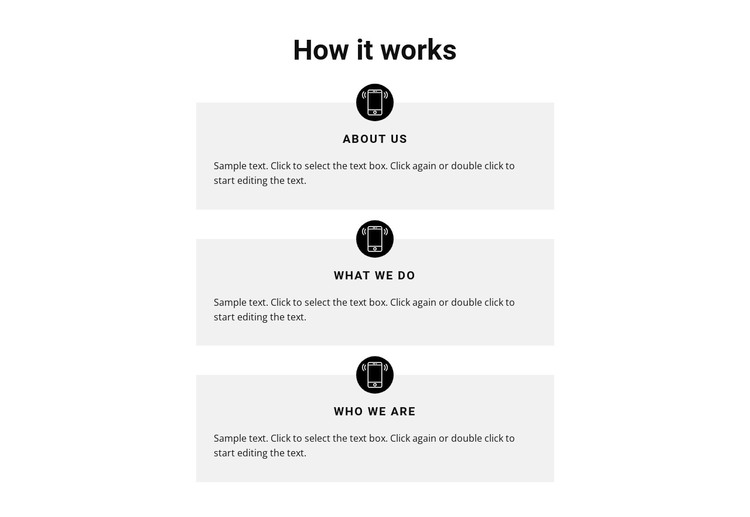
The “How it works” heading gives this section a direct entry point, then the vertical card sequence separates three related topics into individual reading units. Each card combines a circular black icon, a compact label, and a description paragraph on a light-gray rectangular surface. The labels “About Us,” “What We Do,” and “Who We Are” provide a simple progression through organizational or introductory information, while the white space between cards prevents the content from becoming a single dense text column.
For a WordPress-managed project, this block can serve as stable page content on a section that explains an organization, process, or working approach. Its role is narrower than a complete theme: the block supplies one finished visual content area, while the surrounding project can provide other pages, site functions, and additional sections. The static arrangement also keeps the content relationship straightforward for a page editor working with three related topics.
The repeated design supports consistent maintenance. Descriptions can be revised under their existing labels without changing the overall hierarchy, and the circular icons continue to distinguish each card at a glance. This makes the section suitable for a permanent informational area where the content may evolve while the three-part visual pattern remains recognizable within the wider WordPress page design.
Customize with Nicepage
Open this ready-made template in the WordPress Website Builder and customize it visually in the Nicepage editor. Replace demo content, edit page sections, and adapt the design to your project without rebuilding the template from scratch.
Edit Template Offline
2. Create a new page or select existing
3. Click Add new block, search for id 251594 and click enter
Edit Template Online
Create Awesome Websites


Free Nicepage Builder
Keywords
Manage and Edit This Theme in WordPress
Customize and Install the WordPress Theme
Start with this ready-made theme instead of building the WordPress design from scratch. Customize its layout, content, typography, images, sections, and other design elements visually in Nicepage editor, then export and install the WordPress Theme, Plugin, and Pages on your WordPress site. The Nicepage WordPress Plugin lets you continue working with the site after installation.
Edit the Theme Directly in WordPress
After installation, you can edit the WordPress Theme directly in WordPress with the Nicepage WordPress Plugin. Use Site Style to customize site Colors, Fonts, Header, Footer, Blog, and Post Page Templates while working within your WordPress website.
Edit WordPress Pages Visually
Use the Nicepage WordPress Plugin to edit page content directly from the WordPress admin area. Open a WordPress Page with Nicepage and visually change its text, images, sections, and other page elements while continuing to manage the Page through WordPress.
WordPress Content and Theme Integration
Use the customized theme with WordPress Pages, Posts, Blog and Post Templates, menus, widgets, and other CMS-managed content. Shared theme elements such as Colors, Fonts, Header, Footer, Blog, and Post Page Templates can be managed as part of the overall site design, while WordPress provides the CMS environment for managing site content.
This workflow combines a ready-made WordPress Theme with visual customization, direct theme editing in WordPress, and continued content management through the Nicepage WordPress Plugin.