Business style gallery WordPress Theme


A Repeated Image Row Suits Stable WordPress Page Content
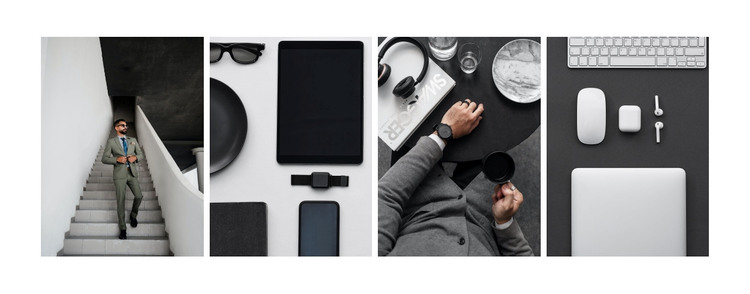
The gallery’s four repeated image tiles can function as stable visual content within a WordPress-managed page. Each panel presents a professional, office, technology, or workspace-related scene, and the single horizontal row keeps those images connected as one subject rather than treating them as unrelated posts or entries. Equal tile proportions, consistent cropping, and narrow white gaps create a predictable content pattern that can be reused wherever a page needs a compact visual showcase.
The neutral black, white, and gray treatment gives the row a restrained appearance, with muted clothing tones supplying modest visual difference. Hover fade overlays add feedback when a visitor moves across a tile, while the lightbox supports closer inspection of the selected photograph. Since the block contains no heading or visible text, its meaning depends on the image group, repetition, and visual consistency; surrounding page content can provide the explanatory copy or section label.
For a WordPress-oriented project, this block is best understood as a publishable page section rather than a complete theme. It can support a business introduction, a visual services context, or a professional image showcase while other CMS-managed content handles the broader page. The section preserves its own gallery structure and viewing behavior, allowing the surrounding site to organize related pages and content around it.
Customize with Nicepage
Open this ready-made template in the WordPress Website Builder and customize it visually in the Nicepage editor. Replace demo content, edit page sections, and adapt the design to your project without rebuilding the template from scratch.
Edit Template Offline
2. Create a new page or select existing
3. Click Add new block, search for id 159408 and click enter
Edit Template Online
Create Awesome Websites


Free Nicepage Builder
Keywords
Manage and Edit This Theme in WordPress
Customize and Install the WordPress Theme
Start with this ready-made theme instead of building the WordPress design from scratch. Customize its layout, content, typography, images, sections, and other design elements visually in Nicepage editor, then export and install the WordPress Theme, Plugin, and Pages on your WordPress site. The Nicepage WordPress Plugin lets you continue working with the site after installation.
Edit the Theme Directly in WordPress
After installation, you can edit the WordPress Theme directly in WordPress with the Nicepage WordPress Plugin. Use Site Style to customize site Colors, Fonts, Header, Footer, Blog, and Post Page Templates while working within your WordPress website.
Edit WordPress Pages Visually
Use the Nicepage WordPress Plugin to edit page content directly from the WordPress admin area. Open a WordPress Page with Nicepage and visually change its text, images, sections, and other page elements while continuing to manage the Page through WordPress.
WordPress Content and Theme Integration
Use the customized theme with WordPress Pages, Posts, Blog and Post Templates, menus, widgets, and other CMS-managed content. Shared theme elements such as Colors, Fonts, Header, Footer, Blog, and Post Page Templates can be managed as part of the overall site design, while WordPress provides the CMS environment for managing site content.
This workflow combines a ready-made WordPress Theme with visual customization, direct theme editing in WordPress, and continued content management through the Nicepage WordPress Plugin.