Leverage frameworks WordPress Theme


Icon-Led Strategy Points for Managed Page Content
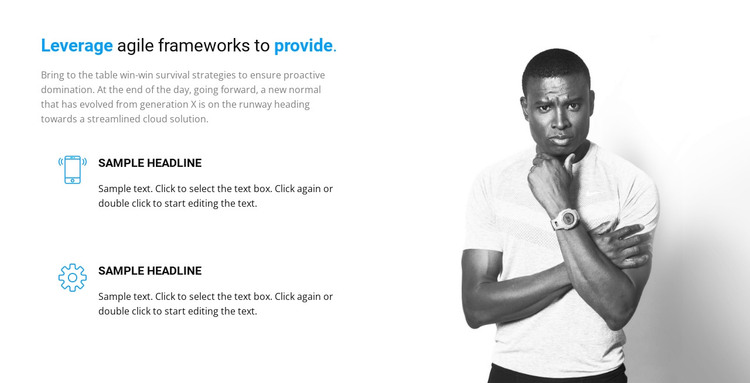
The main heading gives the section a clear business-strategy subject, while the supporting paragraph creates context before the repeated content begins. The two icon-led feature items then divide that subject into separate points, each with its own heading and description. This makes the block read as durable page content rather than a time-sensitive update: a WordPress-managed page can use the section to explain two related aspects of an agile-framework approach while retaining the same visual grouping.
The split layout reinforces that content model. Text and feature items stay together in the left column, where the heading, paragraph, and repeated points form one readable information area. The large grayscale portrait remains on the right as visual support rather than another editorial item. Blue emphasis in the heading provides a controlled accent that distinguishes the central topic from the black supporting copy and can sit comfortably within a wider page style.
In a WordPress-oriented project, this block can serve as a stable strategy or features section within a broader managed page. The section does not need to carry site-wide navigation, publishing structure, or additional content types; its role is to present one bounded topic clearly. Other page areas can add service details, case studies, testimonials, or contact information, while this block preserves its two-point explanation and portrait-led composition.
Customize with Nicepage
Open this ready-made template in the WordPress Website Builder and customize it visually in the Nicepage editor. Replace demo content, edit page sections, and adapt the design to your project without rebuilding the template from scratch.
Edit Template Offline
2. Create a new page or select existing
3. Click Add new block, search for id 97773 and click enter
Edit Template Online
Create Awesome Websites


Free Nicepage Builder
Keywords
Manage and Edit This Theme in WordPress
Customize and Install the WordPress Theme
Start with this ready-made theme instead of building the WordPress design from scratch. Customize its layout, content, typography, images, sections, and other design elements visually in Nicepage editor, then export and install the WordPress Theme, Plugin, and Pages on your WordPress site. The Nicepage WordPress Plugin lets you continue working with the site after installation.
Edit the Theme Directly in WordPress
After installation, you can edit the WordPress Theme directly in WordPress with the Nicepage WordPress Plugin. Use Site Style to customize site Colors, Fonts, Header, Footer, Blog, and Post Page Templates while working within your WordPress website.
Edit WordPress Pages Visually
Use the Nicepage WordPress Plugin to edit page content directly from the WordPress admin area. Open a WordPress Page with Nicepage and visually change its text, images, sections, and other page elements while continuing to manage the Page through WordPress.
WordPress Content and Theme Integration
Use the customized theme with WordPress Pages, Posts, Blog and Post Templates, menus, widgets, and other CMS-managed content. Shared theme elements such as Colors, Fonts, Header, Footer, Blog, and Post Page Templates can be managed as part of the overall site design, while WordPress provides the CMS environment for managing site content.
This workflow combines a ready-made WordPress Theme with visual customization, direct theme editing in WordPress, and continued content management through the Nicepage WordPress Plugin.