Gallery from the mountain camp WordPress Theme


A Travel Gallery With a Reflective Editorial Finish
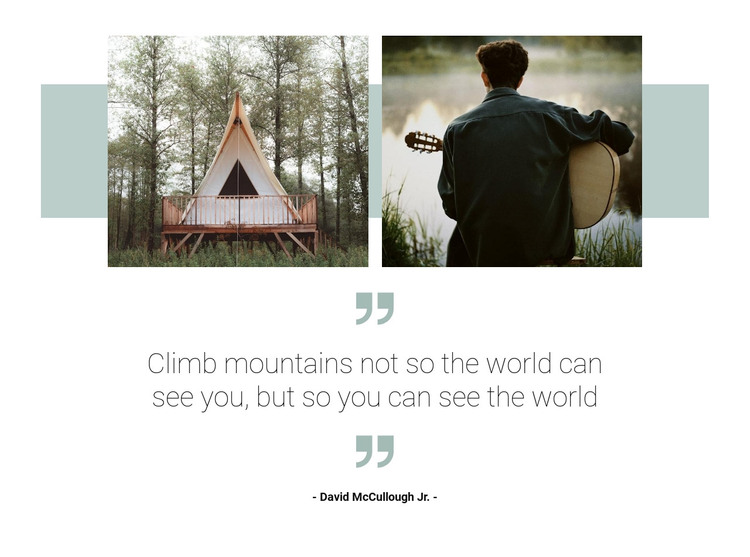
The gallery images provide stable visual content for a page-oriented travel section. Positioned side by side, the photograph of a tent-like shelter and the photograph of a person holding a guitar outdoors show complementary aspects of outdoor exploration. The muted sage-green accent behind the image row adds continuity, while the centered composition leaves enough white space for the photographs to remain the dominant entry point.
The section then shifts from visual discovery to reflection through the centered quote panel. Large sage quotation marks signal the change in content type, and the dark quotation text keeps the message readable against the open layout. The line “Climb mountains not so the world can see you, but so you can see the world” gives the gallery a clear inspirational theme, while the David McCullough Jr. attribution makes the quotation a defined piece of page content rather than an anonymous slogan. Lightbox viewing supports closer inspection of the two images without replacing the surrounding layout.
In a WordPress-managed page, this block can serve as permanent travel, destination, or editorial content within a broader page structure. The section itself remains a focused gallery-and-quote area, while other WordPress-managed content can provide related articles, additional destinations, or surrounding page sections.
Customize with Nicepage
Open this ready-made template in the WordPress Website Builder and customize it visually in the Nicepage editor. Replace demo content, edit page sections, and adapt the design to your project without rebuilding the template from scratch.
Edit Template Offline
2. Create a new page or select existing
3. Click Add new block, search for id 878742 and click enter
Edit Template Online
Create Awesome Websites


Free Nicepage Builder
Keywords
Manage and Edit This Theme in WordPress
Customize and Install the WordPress Theme
Start with this ready-made theme instead of building the WordPress design from scratch. Customize its layout, content, typography, images, sections, and other design elements visually in Nicepage editor, then export and install the WordPress Theme, Plugin, and Pages on your WordPress site. The Nicepage WordPress Plugin lets you continue working with the site after installation.
Edit the Theme Directly in WordPress
After installation, you can edit the WordPress Theme directly in WordPress with the Nicepage WordPress Plugin. Use Site Style to customize site Colors, Fonts, Header, Footer, Blog, and Post Page Templates while working within your WordPress website.
Edit WordPress Pages Visually
Use the Nicepage WordPress Plugin to edit page content directly from the WordPress admin area. Open a WordPress Page with Nicepage and visually change its text, images, sections, and other page elements while continuing to manage the Page through WordPress.
WordPress Content and Theme Integration
Use the customized theme with WordPress Pages, Posts, Blog and Post Templates, menus, widgets, and other CMS-managed content. Shared theme elements such as Colors, Fonts, Header, Footer, Blog, and Post Page Templates can be managed as part of the overall site design, while WordPress provides the CMS environment for managing site content.
This workflow combines a ready-made WordPress Theme with visual customization, direct theme editing in WordPress, and continued content management through the Nicepage WordPress Plugin.