Nature Beyond Borders WordPress Theme


Edit Template Offline
2. Create new page and search for id 6373356
Edit Template Online
Create Awesome Websites


Free Nicepage Builder
Keywords
Question Categories and Site Navigation Support Managed Outdoor Content
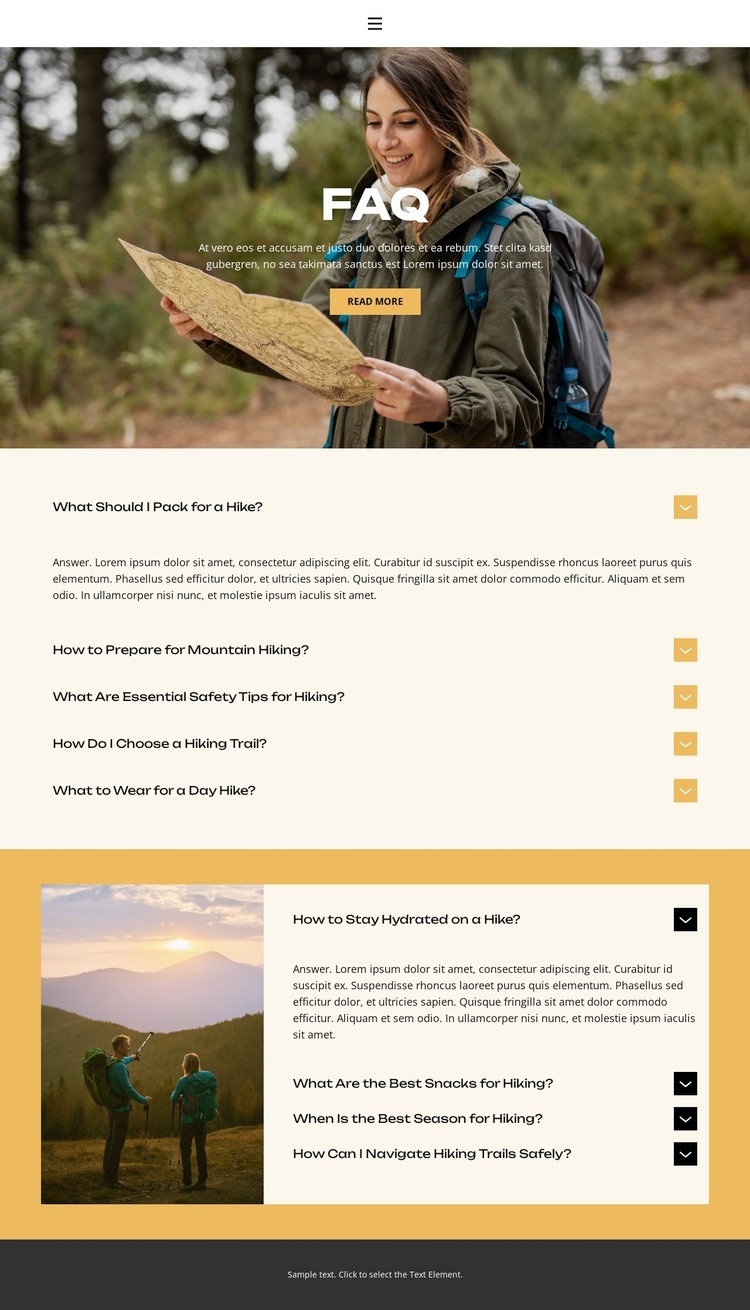
The page separates permanent informational content into areas that can translate naturally to a WordPress-managed site. The navigation connects Home, About, FAQ, and Contact, while the introductory block presents the FAQ subject through a full-width hiking photograph, centered heading, supporting text, and Read more action. These elements define the page-oriented content that visitors would encounter before reaching the detailed questions.
The two accordion groups provide the strongest content relationship. Five questions focus on preparation and immediate trail decisions: packing, mountain hiking preparation, safety, trail choice, and clothing. Four additional questions cover hydration, snacks, seasonal timing, and navigation, with another hiking image beside the group. This division could support a WordPress project that maintains clear subject areas for practical guidance and later updates, while keeping the image treatment and question-panel presentation consistent. The analysis does not verify WordPress Posts, categories, or blog structures, so those should not be presented as existing template elements.
The Contact link and dark footer frame the central FAQ content as part of a wider site rather than an isolated document. In a WordPress theme interpretation, the main benefit is the relationship between permanent page information, repeated question content, shared navigation, and visual imagery. The design can carry managed hiking content without reducing the page to a generic CMS shell or claiming an unverified editorial workflow.
Customize with Nicepage
Open this ready-made template in the WordPress Website Builder and customize it visually in the Nicepage editor. Replace demo content, edit page sections, and adapt the design to your project without rebuilding the template from scratch.
Manage and Edit This Theme in WordPress
Customize and Install the WordPress Theme
Start with this ready-made theme instead of building the WordPress design from scratch. Customize its layout, content, typography, images, sections, and other design elements visually in Nicepage editor, then export and install the WordPress Theme, Plugin, and Pages on your WordPress site. The Nicepage WordPress Plugin lets you continue working with the site after installation.
Edit the Theme Directly in WordPress
After installation, you can edit the WordPress Theme directly in WordPress with the Nicepage WordPress Plugin. Use Site Style to customize site Colors, Fonts, Header, Footer, Blog, and Post Page Templates while working within your WordPress website.
Edit WordPress Pages Visually
Use the Nicepage WordPress Plugin to edit page content directly from the WordPress admin area. Open a WordPress Page with Nicepage and visually change its text, images, sections, and other page elements while continuing to manage the Page through WordPress.
WordPress Content and Theme Integration
Use the customized theme with WordPress Pages, Posts, Blog and Post Templates, menus, widgets, and other CMS-managed content. Shared theme elements such as Colors, Fonts, Header, Footer, Blog, and Post Page Templates can be managed as part of the overall site design, while WordPress provides the CMS environment for managing site content.
This workflow combines a ready-made WordPress Theme with visual customization, direct theme editing in WordPress, and continued content management through the Nicepage WordPress Plugin.