Summer skin care WordPress Theme


Editorial Page Content With a Clear Reading Path
The large heading and paired text columns make this section read as stable editorial content rather than a collection of isolated promotional elements. The subject is introduced on the left through “The Dermatologist-Approved Guide to Summer Skin Care,” followed by two supporting paragraphs that can hold an opening explanation and additional context. A “read more” link beneath the right text column creates a defined route to further material without turning the section into a complete article or page.
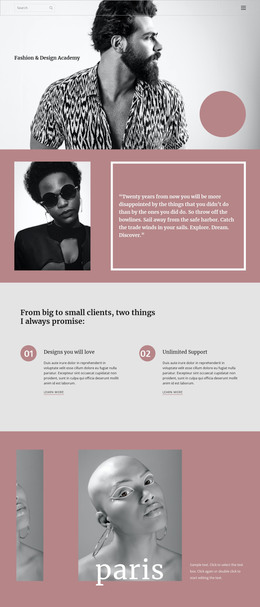
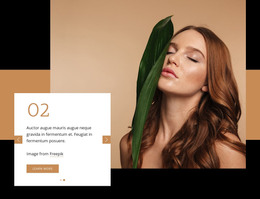
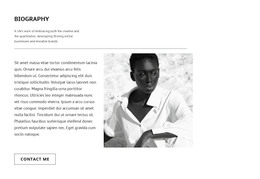
The portrait on the right gives the content a strong visual counterweight. Its contained rectangular crop is supported by layered color shapes, so the image remains a distinct region rather than blending into the text. The soft blush background, pink and lavender accents, generous white space, large serif heading, and smaller sans-serif copy reinforce the editorial distinction between the main topic and its supporting text.
In a WordPress-managed project, the block can serve as permanent page content for a beauty or skin care feature while other CMS-managed areas handle the surrounding page. Its content model is simple enough to remain recognizable when reused: one topic heading, two supporting paragraphs, one portrait, an attribution line, and a continuation link. That makes it a practical visual section for introducing longer guidance or article content while preserving a consistent, image-led presentation.
Customize with Nicepage
Open this ready-made template in the WordPress Website Builder and customize it visually in the Nicepage editor. Replace demo content, edit page sections, and adapt the design to your project without rebuilding the template from scratch.
Edit Template Offline
2. Create a new page or select existing
3. Click Add new block, search for id 681156 and click enter
Edit Template Online
Create Awesome Websites


Free Nicepage Builder
Keywords
Manage and Edit This Theme in WordPress
Customize and Install the WordPress Theme
Start with this ready-made theme instead of building the WordPress design from scratch. Customize its layout, content, typography, images, sections, and other design elements visually in Nicepage editor, then export and install the WordPress Theme, Plugin, and Pages on your WordPress site. The Nicepage WordPress Plugin lets you continue working with the site after installation.
Edit the Theme Directly in WordPress
After installation, you can edit the WordPress Theme directly in WordPress with the Nicepage WordPress Plugin. Use Site Style to customize site Colors, Fonts, Header, Footer, Blog, and Post Page Templates while working within your WordPress website.
Edit WordPress Pages Visually
Use the Nicepage WordPress Plugin to edit page content directly from the WordPress admin area. Open a WordPress Page with Nicepage and visually change its text, images, sections, and other page elements while continuing to manage the Page through WordPress.
WordPress Content and Theme Integration
Use the customized theme with WordPress Pages, Posts, Blog and Post Templates, menus, widgets, and other CMS-managed content. Shared theme elements such as Colors, Fonts, Header, Footer, Blog, and Post Page Templates can be managed as part of the overall site design, while WordPress provides the CMS environment for managing site content.
This workflow combines a ready-made WordPress Theme with visual customization, direct theme editing in WordPress, and continued content management through the Nicepage WordPress Plugin.