
Enhance Team Productivity WordPress Theme


Proposal Details Form Stable WordPress Page Content
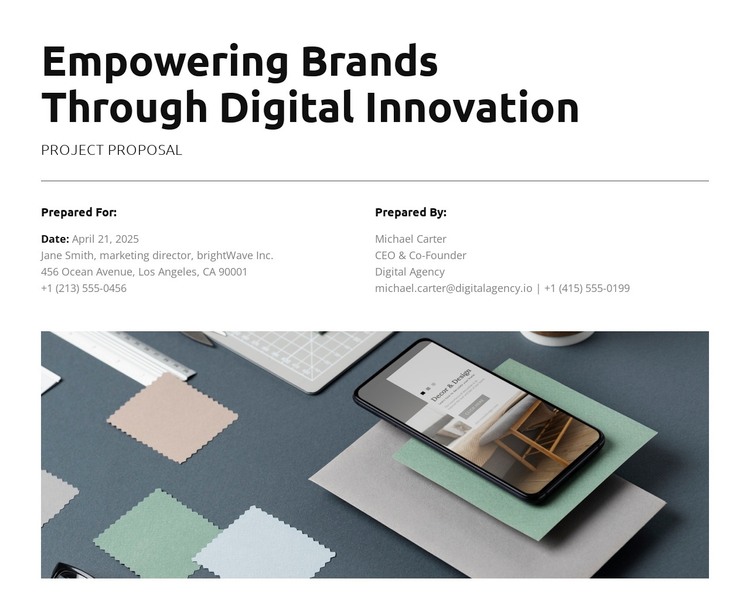
“Empowering Brands Through Digital Innovation” gives the section a clear subject, while “Project Proposal” identifies the content as a formal briefing rather than a general promotional paragraph. The thin divider creates a visible transition into the information area, where the side-by-side “Prepared For” and “Prepared By” columns separate the two participant perspectives. This arrangement supports stable page content because the roles are easy to scan and can be understood independently without adding a more complex component.
The image beneath the columns changes the visual pace of the section without interrupting its information hierarchy. It spans the available width and depicts a smartphone with design materials on a tabletop, providing visual context for the digital branding and innovation theme. The white background, black heading hierarchy, muted gray secondary text, generous horizontal spacing, and left alignment maintain a consistent reading path from title to details to image.
Within a WordPress-managed page, the block can function as a reusable proposal or client-briefing content area. It is suited to information that belongs on a relatively stable page, while the wider WordPress project can manage other pages and regularly updated content around it. The section contributes its defined proposal structure and visual treatment without needing to carry the broader theme or site architecture.
Customize with Nicepage
Open this ready-made template in the WordPress Website Builder and customize it visually in the Nicepage editor. Replace demo content, edit page sections, and adapt the design to your project without rebuilding the template from scratch.
Edit Template Offline
2. Create a new page or select existing
3. Click Add new block, search for id 6510742 and click enter
Edit Template Online
Create Awesome Websites


Free Nicepage Builder
Keywords
Manage and Edit This Theme in WordPress
Customize and Install the WordPress Theme
Start with this ready-made theme instead of building the WordPress design from scratch. Customize its layout, content, typography, images, sections, and other design elements visually in Nicepage editor, then export and install the WordPress Theme, Plugin, and Pages on your WordPress site. The Nicepage WordPress Plugin lets you continue working with the site after installation.
Edit the Theme Directly in WordPress
After installation, you can edit the WordPress Theme directly in WordPress with the Nicepage WordPress Plugin. Use Site Style to customize site Colors, Fonts, Header, Footer, Blog, and Post Page Templates while working within your WordPress website.
Edit WordPress Pages Visually
Use the Nicepage WordPress Plugin to edit page content directly from the WordPress admin area. Open a WordPress Page with Nicepage and visually change its text, images, sections, and other page elements while continuing to manage the Page through WordPress.
WordPress Content and Theme Integration
Use the customized theme with WordPress Pages, Posts, Blog and Post Templates, menus, widgets, and other CMS-managed content. Shared theme elements such as Colors, Fonts, Header, Footer, Blog, and Post Page Templates can be managed as part of the overall site design, while WordPress provides the CMS environment for managing site content.
This workflow combines a ready-made WordPress Theme with visual customization, direct theme editing in WordPress, and continued content management through the Nicepage WordPress Plugin.





























































