Hiking the Peaks WordPress Theme


Adventure Copy and Photography Form Stable Page Content
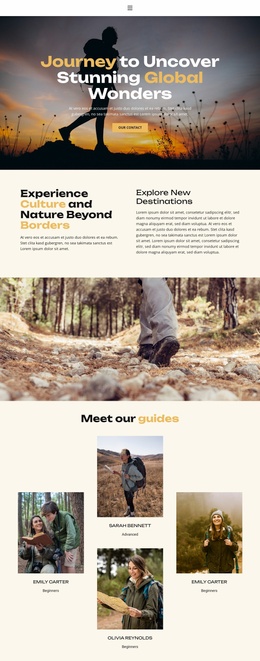
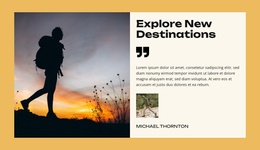
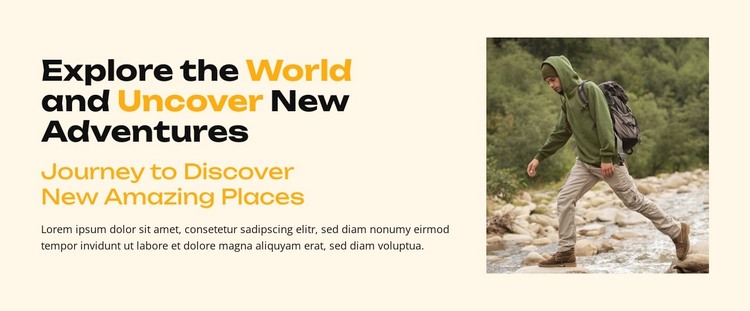
“Explore the World and Uncover New Adventures” gives the block a strong subject heading, and the supporting line “Journey to Discover New Amazing Places” creates a second level of information before the single paragraph. This text hierarchy makes the section suitable for a concise, permanent content area rather than a stream of frequently changing entries. The adjacent photograph shows a backpacked person moving across a rocky outdoor landscape, connecting the written message with a specific sense of place and activity.
For a WordPress-managed site, the block can participate in a stable travel or adventure page as an introductory content region. It may present the direction of a destination guide, establish the tone of an outdoor feature, or introduce a broader set of travel sections. The layout remains useful because the content roles are separated: the left column communicates the idea, while the right column supplies visual evidence of exploration. Additional page content can expand on locations, routes, experiences, or practical information without overloading this section.
The cream background, black typography, and gold-highlighted words provide a recognizable style for this particular content area. Generous spacing keeps the paragraph readable and gives the photograph room to carry visual weight. In a wider WordPress page, this block can therefore remain a coherent publishable section while other content regions handle deeper stories, galleries, or visitor actions.
Customize with Nicepage
Open this ready-made template in the WordPress Website Builder and customize it visually in the Nicepage editor. Replace demo content, edit page sections, and adapt the design to your project without rebuilding the template from scratch.
Edit Template Offline
2. Create a new page or select existing
3. Click Add new block, search for id 6372273 and click enter
Edit Template Online
Create Awesome Websites


Free Nicepage Builder
Keywords
Manage and Edit This Theme in WordPress
Customize and Install the WordPress Theme
Start with this ready-made theme instead of building the WordPress design from scratch. Customize its layout, content, typography, images, sections, and other design elements visually in Nicepage editor, then export and install the WordPress Theme, Plugin, and Pages on your WordPress site. The Nicepage WordPress Plugin lets you continue working with the site after installation.
Edit the Theme Directly in WordPress
After installation, you can edit the WordPress Theme directly in WordPress with the Nicepage WordPress Plugin. Use Site Style to customize site Colors, Fonts, Header, Footer, Blog, and Post Page Templates while working within your WordPress website.
Edit WordPress Pages Visually
Use the Nicepage WordPress Plugin to edit page content directly from the WordPress admin area. Open a WordPress Page with Nicepage and visually change its text, images, sections, and other page elements while continuing to manage the Page through WordPress.
WordPress Content and Theme Integration
Use the customized theme with WordPress Pages, Posts, Blog and Post Templates, menus, widgets, and other CMS-managed content. Shared theme elements such as Colors, Fonts, Header, Footer, Blog, and Post Page Templates can be managed as part of the overall site design, while WordPress provides the CMS environment for managing site content.
This workflow combines a ready-made WordPress Theme with visual customization, direct theme editing in WordPress, and continued content management through the Nicepage WordPress Plugin.