African charity WordPress Theme



Edit Template Offline
2. Create new page and search for id 6324497
Edit Template Online
Create Awesome Websites


Free Nicepage Builder
Keywords
Program Content and Repeated Cards Support a WordPress Charity Theme
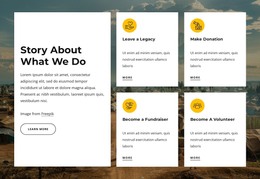
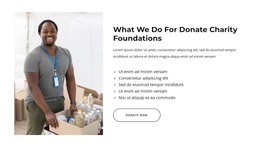
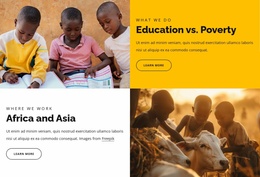
The page separates permanent informational content into clear areas that can work naturally in a WordPress-managed charity site. The four support cards introduce food, water, medical facilities, and education, while the country section and program cards provide more specific page content for Sudan, Burkina Faso, Kenya, and Somalia, including school building, girls’ education, water and sanitation, and classroom resources. This distinction leaves room for the organization’s core message to remain stable while project descriptions and related content evolve.
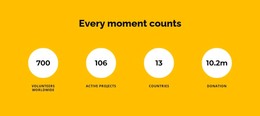
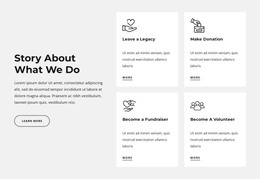
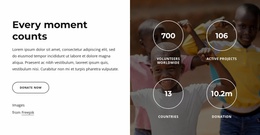
The values, vision, and strategy sections provide institutional context, and the four participation cards frame different supporter interests: donation, fundraising, volunteering, and legacy. Repeated visual areas such as the gallery, team profiles, partner logos, testimonial slides, and FAQ items can keep editorial additions within the same visual direction. The displayed names, testimonials, addresses, and impact figures are structural evidence from the demo and should not be treated as verified organizational facts.
A newsletter signup and donation appeal create a useful content-and-response area, while the map beside the contact form supports direct inquiries. Navigation, social links, and the dark footer provide shared site elements around these page sections. The WordPress Theme interpretation therefore comes from the relationship between page-oriented charity information, recurring card groups, and content that may need future updates—not from claiming that blog posts or other WordPress structures are already present. The existing design supplies a coherent theme context for those managed content areas.
Customize with Nicepage
Open this ready-made template in the WordPress Website Builder and customize it visually in the Nicepage editor. Replace demo content, edit page sections, and adapt the design to your project without rebuilding the template from scratch.
Manage and Edit This Theme in WordPress
Customize and Install the WordPress Theme
Start with this ready-made theme instead of building the WordPress design from scratch. Customize its layout, content, typography, images, sections, and other design elements visually in Nicepage editor, then export and install the WordPress Theme, Plugin, and Pages on your WordPress site. The Nicepage WordPress Plugin lets you continue working with the site after installation.
Edit the Theme Directly in WordPress
After installation, you can edit the WordPress Theme directly in WordPress with the Nicepage WordPress Plugin. Use Site Style to customize site Colors, Fonts, Header, Footer, Blog, and Post Page Templates while working within your WordPress website.
Edit WordPress Pages Visually
Use the Nicepage WordPress Plugin to edit page content directly from the WordPress admin area. Open a WordPress Page with Nicepage and visually change its text, images, sections, and other page elements while continuing to manage the Page through WordPress.
WordPress Content and Theme Integration
Use the customized theme with WordPress Pages, Posts, Blog and Post Templates, menus, widgets, and other CMS-managed content. Shared theme elements such as Colors, Fonts, Header, Footer, Blog, and Post Page Templates can be managed as part of the overall site design, while WordPress provides the CMS environment for managing site content.
This workflow combines a ready-made WordPress Theme with visual customization, direct theme editing in WordPress, and continued content management through the Nicepage WordPress Plugin.