A good quality education WordPress Theme



Edit Template Offline
2. Create new page and search for id 1672591
Edit Template Online
Create Awesome Websites


Free Nicepage Builder
Keywords
Study Guidance and Institute Pages Fit a Structured Education Theme
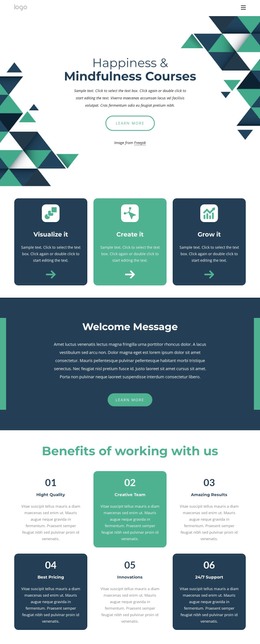
The page-oriented content is divided into several areas that can remain distinct within a WordPress-managed education site. The hero introduces education for health and well-being, while the top navigation already points visitors toward multiple linked destinations. The three study guidance cards create a practical content group around Study Time, Review Regularly, and Study With Friends. Their shared format supports related page content without requiring those subjects to be treated as one uninterrupted article.
The three numbered learning methods provide a different kind of page content. Teaching Methods, Effective Education, and Online Learning are arranged as an instructional sequence, while the Creativity, Motivation, and Positivity tiles provide a more visual way to discuss learning qualities. The institute section and the two explanatory text blocks shift the emphasis toward organizational information. This variety gives the theme a useful separation between guidance, methods, qualities, and institute presentation.
The repeated education-and-well-being panel and learn-more links can connect visitors between those content areas, while the final form supplies a clear inquiry destination. Its name, email, and message inputs identify a practical communication page area without implying that any particular WordPress post or blog already exists. A WordPress project could therefore keep permanent educational information, institute content, and contact material within the same visual system while adding or updating site content around the verified structure.
Customize with Nicepage
Open this ready-made template in the WordPress Website Builder and customize it visually in the Nicepage editor. Replace demo content, edit page sections, and adapt the design to your project without rebuilding the template from scratch.
Manage and Edit This Theme in WordPress
Customize and Install the WordPress Theme
Start with this ready-made theme instead of building the WordPress design from scratch. Customize its layout, content, typography, images, sections, and other design elements visually in Nicepage editor, then export and install the WordPress Theme, Plugin, and Pages on your WordPress site. The Nicepage WordPress Plugin lets you continue working with the site after installation.
Edit the Theme Directly in WordPress
After installation, you can edit the WordPress Theme directly in WordPress with the Nicepage WordPress Plugin. Use Site Style to customize site Colors, Fonts, Header, Footer, Blog, and Post Page Templates while working within your WordPress website.
Edit WordPress Pages Visually
Use the Nicepage WordPress Plugin to edit page content directly from the WordPress admin area. Open a WordPress Page with Nicepage and visually change its text, images, sections, and other page elements while continuing to manage the Page through WordPress.
WordPress Content and Theme Integration
Use the customized theme with WordPress Pages, Posts, Blog and Post Templates, menus, widgets, and other CMS-managed content. Shared theme elements such as Colors, Fonts, Header, Footer, Blog, and Post Page Templates can be managed as part of the overall site design, while WordPress provides the CMS environment for managing site content.
This workflow combines a ready-made WordPress Theme with visual customization, direct theme editing in WordPress, and continued content management through the Nicepage WordPress Plugin.