Online school WordPress Theme



Edit Template Offline
2. Create new page and search for id 3636971
Edit Template Online
Create Awesome Websites


Free Nicepage Builder
Keywords
Subject Lists and Learner Stories Support WordPress Content Areas
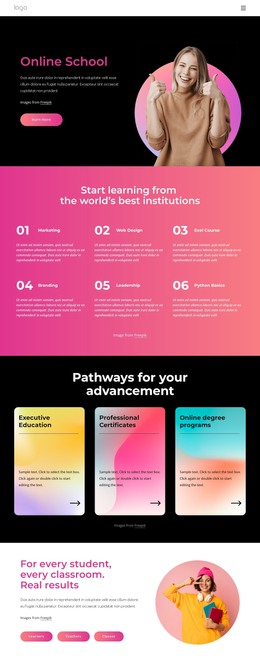
The six numbered subject categories provide a natural page-oriented content group for an online education site. Marketing, Web Design, Exel Course, Branding, Leadership, and Python Basics are presented as distinct learning directions, while the three pathway cards organize broader program content around Executive Education, Professional Certificates, and Online degree programs. This relationship lets a WordPress project separate course discovery from higher-level program information while keeping both within the same theme direction.
The design also includes content types that can be interpreted as recurring or expandable areas without claiming that WordPress Posts or categories already exist. The learner-and-classroom section names Learners, Teachers, and Classes, the free-course cards introduce Arts & Humanities, Health & Medicine, and Engineering, and the six testimonial cards create a separate learner-feedback presentation. Four displayed metric tiles offer a compact place for verified institutional figures once the sample values are replaced with real information.
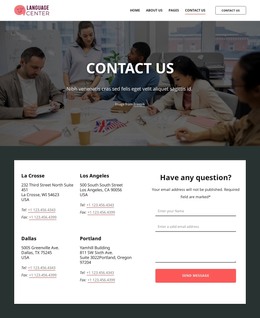
The closing contact area is more page-oriented than editorial: three displayed locations sit beside an inquiry form with Get in Touch and Submit content. This creates a useful permanent contact region within the overall theme, while the course, pathway, and testimonial areas can carry the main educational message. The verified WordPress bridge is the Nicepage WordPress Plugin, but the template analysis does not confirm existing WordPress Pages, Posts, or widgets.
Customize with Nicepage
Open this ready-made template in the WordPress Website Builder and customize it visually in the Nicepage editor. Replace demo content, edit page sections, and adapt the design to your project without rebuilding the template from scratch.
Manage and Edit This Theme in WordPress
Customize and Install the WordPress Theme
Start with this ready-made theme instead of building the WordPress design from scratch. Customize its layout, content, typography, images, sections, and other design elements visually in Nicepage editor, then export and install the WordPress Theme, Plugin, and Pages on your WordPress site. The Nicepage WordPress Plugin lets you continue working with the site after installation.
Edit the Theme Directly in WordPress
After installation, you can edit the WordPress Theme directly in WordPress with the Nicepage WordPress Plugin. Use Site Style to customize site Colors, Fonts, Header, Footer, Blog, and Post Page Templates while working within your WordPress website.
Edit WordPress Pages Visually
Use the Nicepage WordPress Plugin to edit page content directly from the WordPress admin area. Open a WordPress Page with Nicepage and visually change its text, images, sections, and other page elements while continuing to manage the Page through WordPress.
WordPress Content and Theme Integration
Use the customized theme with WordPress Pages, Posts, Blog and Post Templates, menus, widgets, and other CMS-managed content. Shared theme elements such as Colors, Fonts, Header, Footer, Blog, and Post Page Templates can be managed as part of the overall site design, while WordPress provides the CMS environment for managing site content.
This workflow combines a ready-made WordPress Theme with visual customization, direct theme editing in WordPress, and continued content management through the Nicepage WordPress Plugin.