Amazing surfing course WordPress Theme


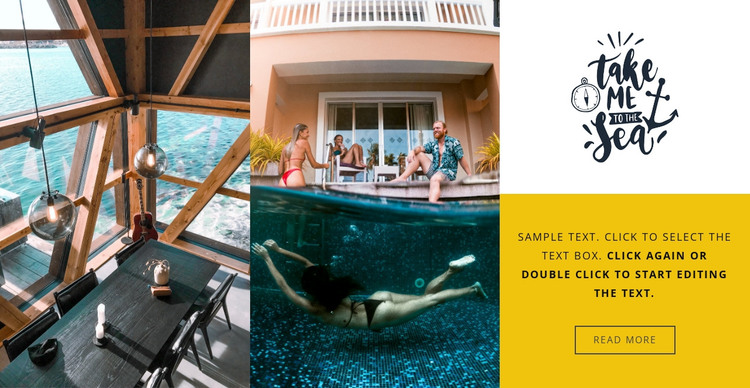
Travel Imagery and Page Content in One Visual Section
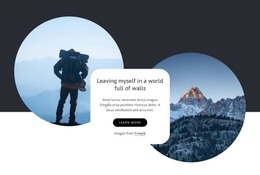
The two full-height photographs make the block immediately legible as a travel-oriented visual section. They occupy the first two vertical columns, giving the imagery most of the block’s height and visual presence. The third column changes pace by dividing into an upper graphic panel and a lower content panel, so the section combines atmosphere with a small amount of publishable information rather than functioning as images alone.
The lower-right panel provides the clearest page-content relationship. Its paragraph can introduce or support the visual subject, while the read more button points toward a further destination or continuation in the surrounding project. The bright yellow background separates that message from both the white decorative panel above and the saturated colors of the travel photographs. Because the interaction is static, the block’s meaning comes from this fixed arrangement rather than from slides, tabs, or expanding content.
In a WordPress-managed site, the section can fit naturally as stable content on a travel, destination, or hospitality page. The visual treatment gives that page a defined gallery area, while the text and action remain distinct from the broader theme structure and other managed content. This makes the block useful when a project needs a reusable image-led section that can sit beside additional page sections without pretending to be a complete WordPress theme.
Customize with Nicepage
Open this ready-made template in the WordPress Website Builder and customize it visually in the Nicepage editor. Replace demo content, edit page sections, and adapt the design to your project without rebuilding the template from scratch.
Edit Template Offline
2. Create a new page or select existing
3. Click Add new block, search for id 61559 and click enter
Edit Template Online
Create Awesome Websites


Free Nicepage Builder
Keywords
Manage and Edit This Theme in WordPress
Customize and Install the WordPress Theme
Start with this ready-made theme instead of building the WordPress design from scratch. Customize its layout, content, typography, images, sections, and other design elements visually in Nicepage editor, then export and install the WordPress Theme, Plugin, and Pages on your WordPress site. The Nicepage WordPress Plugin lets you continue working with the site after installation.
Edit the Theme Directly in WordPress
After installation, you can edit the WordPress Theme directly in WordPress with the Nicepage WordPress Plugin. Use Site Style to customize site Colors, Fonts, Header, Footer, Blog, and Post Page Templates while working within your WordPress website.
Edit WordPress Pages Visually
Use the Nicepage WordPress Plugin to edit page content directly from the WordPress admin area. Open a WordPress Page with Nicepage and visually change its text, images, sections, and other page elements while continuing to manage the Page through WordPress.
WordPress Content and Theme Integration
Use the customized theme with WordPress Pages, Posts, Blog and Post Templates, menus, widgets, and other CMS-managed content. Shared theme elements such as Colors, Fonts, Header, Footer, Blog, and Post Page Templates can be managed as part of the overall site design, while WordPress provides the CMS environment for managing site content.
This workflow combines a ready-made WordPress Theme with visual customization, direct theme editing in WordPress, and continued content management through the Nicepage WordPress Plugin.