Imagine travelling to some of the most amazing places WordPress Theme



Edit Template Offline
2. Create new page and search for id 6069663
Edit Template Online
Create Awesome Websites


Free Nicepage Builder
Keywords
Vacation Cards and Editorial Sections Suit WordPress Content
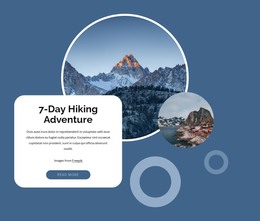
The nine repeated vacation cards are well suited to a WordPress-oriented content interpretation because they establish a consistent visual pattern for presenting separate travel ideas. Their subjects range from a romantic beach dinner and sleeping under the stars in Italy to glamping in Australia, Marrakech, Porto, Africa, Java, and a European ice hotel. The repeated circular-image treatment gives each item a recognizable place within the page while leaving the surrounding design available for additional travel content.
The rest of the page separates permanent presentation areas from content that could evolve over time. The opening section introduces categories such as Romantic Weekend, Wellness Retreats, Mindfulness, and Adventure Deluxe. Worldwide vacation spots, Dream Yacht Charter, and Relaxing Tours provide distinct informational themes, while the four-photo gallery supplies a visual showcase for romantic and unique vacations. The Book Now action gives the page a direct planning route, and the closing contact section contains name, email, and message inputs for inquiries. Facebook, Twitter, Instagram, and LinkedIn links extend the site’s communication layer. In a WordPress project, these page-oriented areas could remain part of the same visual system as new travel articles, announcements, or recurring inspiration content are added, without asserting that blog posts or WordPress-specific content structures already exist in this template.
Customize with Nicepage
Open this ready-made template in the WordPress Website Builder and customize it visually in the Nicepage editor. Replace demo content, edit page sections, and adapt the design to your project without rebuilding the template from scratch.
Manage and Edit This Theme in WordPress
Customize and Install the WordPress Theme
Start with this ready-made theme instead of building the WordPress design from scratch. Customize its layout, content, typography, images, sections, and other design elements visually in Nicepage editor, then export and install the WordPress Theme, Plugin, and Pages on your WordPress site. The Nicepage WordPress Plugin lets you continue working with the site after installation.
Edit the Theme Directly in WordPress
After installation, you can edit the WordPress Theme directly in WordPress with the Nicepage WordPress Plugin. Use Site Style to customize site Colors, Fonts, Header, Footer, Blog, and Post Page Templates while working within your WordPress website.
Edit WordPress Pages Visually
Use the Nicepage WordPress Plugin to edit page content directly from the WordPress admin area. Open a WordPress Page with Nicepage and visually change its text, images, sections, and other page elements while continuing to manage the Page through WordPress.
WordPress Content and Theme Integration
Use the customized theme with WordPress Pages, Posts, Blog and Post Templates, menus, widgets, and other CMS-managed content. Shared theme elements such as Colors, Fonts, Header, Footer, Blog, and Post Page Templates can be managed as part of the overall site design, while WordPress provides the CMS environment for managing site content.
This workflow combines a ready-made WordPress Theme with visual customization, direct theme editing in WordPress, and continued content management through the Nicepage WordPress Plugin.